
The Science of Small Spaces: Why Your Home Office Setup Might Be Failing You
Many professionals transitioning to remote work face a common physical frustration: back pain that intensifies as the afternoon progresses. In a traditional corporate environment, workspaces are often designed around standardized architectural guidelines. However, in the context of a home office—especially one carved out of a small apartment or a spare corner—the physical constraints of the room often dictate the choice of furniture. This "space-first" approach frequently leads to the selection of "compact" chairs that sacrifice fundamental physiological support for a smaller footprint.
The reality is that limited square footage should not necessitate a compromise on musculoskeletal health. According to the World Health Organization (WHO) 2020 Guidelines, reducing sedentary time and interrupting long periods of static behavior are critical for long-term health. In a small office, where movement is naturally restricted by the room’s boundaries, the chair becomes the primary tool for maintaining a neutral spinal position and facilitating blood circulation.
The Physiology of Static Load and Musculoskeletal Disorders (MSDs)
When we sit for extended periods, our bodies are subjected to "static load." Unlike dynamic movement, which helps pump blood through the muscles, static load occurs when muscles remain contracted to hold a posture. Over time, this can lead to Musculoskeletal Disorders (MSDs), which are injuries or pain in the body's joints, ligaments, muscles, nerves, and structures that support limbs, neck, and back.
The European Agency for Safety and Health at Work (EU-OSHA) notes that prolonged static sitting increases the pressure on the intervertebral discs and reduces blood flow to the lower limbs. In a small workspace, the risk is compounded. Users often "tuck" themselves into tight corners, leading to awkward postures—such as leaning forward or slouching—because their chair doesn't fit the desk or the room.
To counter these risks, ergonomic science emphasizes the "Neutral Position." This is a posture where the body is aligned and balanced, minimizing stress on the musculoskeletal system. Achieving this in a small space requires a chair that provides high-level adjustability within a compact physical frame.
The Small Space Ergonomic Formula: Footprint vs. Functionality
Choosing a chair for a compact office requires a shift in perspective. While conventional wisdom focuses on the number of levers and knobs, small-space ergonomics dictates a different set of priorities.
1. The 27-Inch Base Heuristic
In many cases, the most critical measurement is not the seat width, but the static footprint of the base. A standard office chair base often spans 28 to 30 inches. In a room only 8 feet deep, every inch counts. We typically observe that a chair with a base diameter under 27 inches is more viable in tight layouts, as it prevents the "base-clash" that occurs when the chair hits the legs of a narrow desk or a nearby wall.
2. Seat Depth: The Non-Negotiable Primary Feature
A common mistake in small offices is using a chair with a seat pan that is too deep. If the seat is too long, the user cannot sit all the way back to engage the lumbar support without the edge of the chair cutting into the back of their knees. This forces a slouching posture.
Expert Insight (Rule of Thumb): When seated with your back firmly against the lumbar support, there should be approximately 2-3 fingers' width of space between the back of your knees and the seat edge. This ensures proper blood circulation and full back support.
3. 4D Armrests for Desk Integration
In a small room, the ability to "tuck" the chair fully under the desk when not in use is essential for maintaining circulation space. Chairs with 4D armrests—adjustable in height, width, depth, and pivot—allow the user to lower or retract the arms to clear the desk's edge, regardless of the desk's height.

Modeling the Compact Workspace: A Petite User Scenario
To understand how these dimensions interact in the real world, we modeled a scenario for a petite professional (155cm/5'1") working in an urban apartment with an 8ft deep room.
| Variable | Value | Unit | Rationale |
|---|---|---|---|
| User Height | 155 | cm | Represents a smaller stature user |
| Room Depth | 96 | in | Standard 8ft small bedroom/office |
| Desk Depth | 20 | in | Compact desk depth |
| Required Clearance | 90 | in | Desk + Chair Zone + Walkway |
| Surplus Space | 6 | in | The margin for movement |
Modeling Note: This scenario uses a deterministic parameterized model based on ANSI/HFES 100-2007 and ADA Standards for Accessible Design. It assumes a compact movement profile. If the user were taller or the desk deeper, the "Tight" layout status would escalate to "Obstructed," requiring even more specialized furniture.
Our analysis shows that for a petite user, a standard 29-inch fixed desk is typically ~4.2 inches too high. This mismatch makes the chair's seat height range and the presence of a footrest critical. Without a chair that can reach a lower seat height (around 15.7 inches), the user’s feet will dangle, leading to pressure on the thighs and reduced circulation.
Optimized Solutions for Limited Square Footage
When selecting a chair for a small home office, the goal is to find a model that offers "Big Comfort" without the "Big Footprint." The following selections emphasize adaptability and spatial efficiency.
The Executive Minimalist: Royal Slim
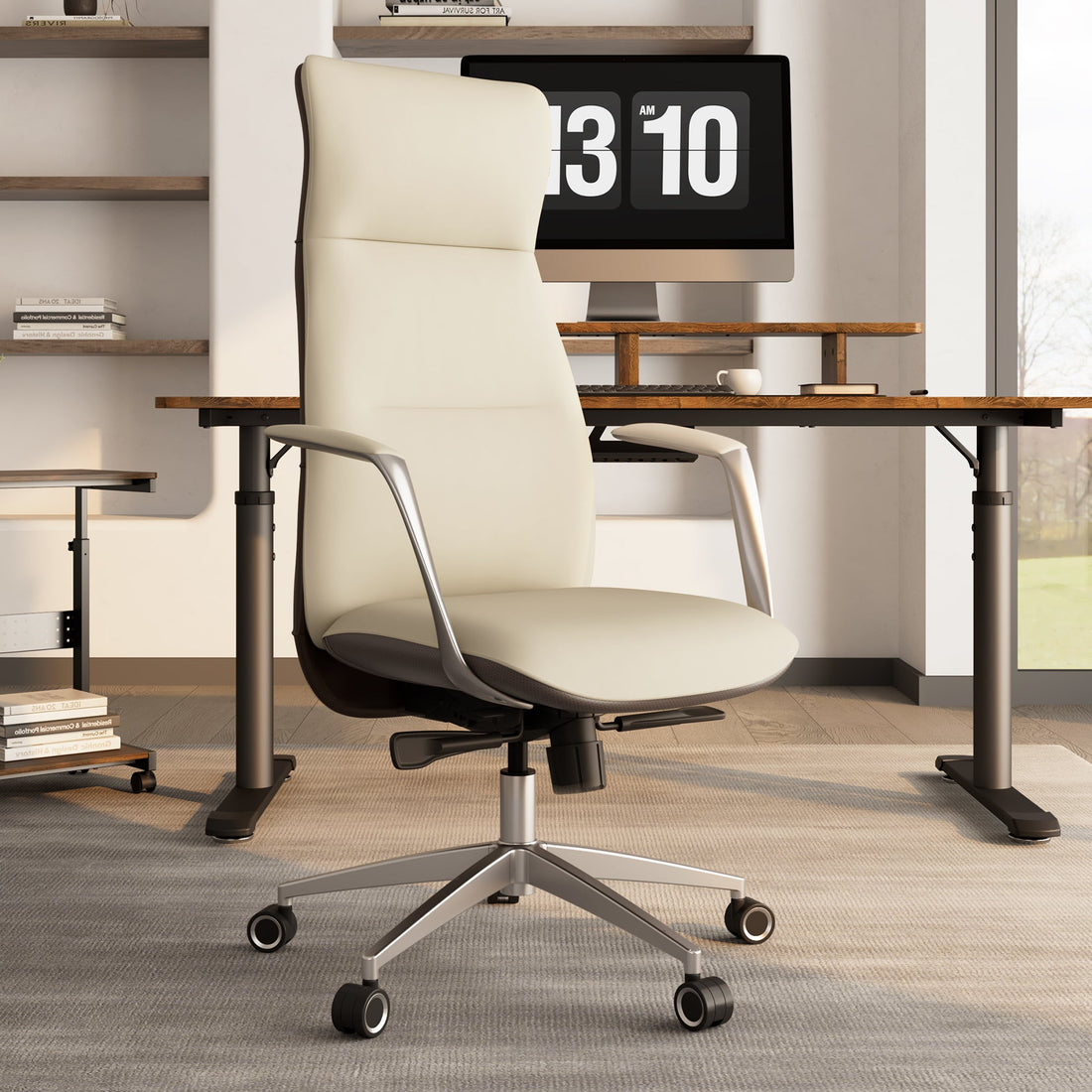
For professionals who need a high-back chair but cannot afford the bulk of a traditional "boss chair," the Royal Slim, Executive Office Chair offers a solution. It utilizes slimline cushioning to provide the support of an executive chair without the massive physical volume. This allows it to fit into more refined, home-style aesthetics without overwhelming the room.
The High-Adjustment Specialist: Lira
The Lira, Ergonomic Office Chair is designed for users who require precise fitment. Its 3D armrests and adjustable seat depth make it ideal for the "2-3 finger rule" mentioned earlier. The mesh construction is a secondary benefit for small spaces; in rooms with limited ventilation, mesh provides significantly better heat dissipation—up to 30-40% better than solid fabric—keeping the user cool during long sessions.

The Style-Forward Compact: Regal
If the home office is part of a living area, the Regal, PU Leather Home Office Chair provides a mid-century aesthetic with a very slim profile. Its textured upholstery and hammered metal finish offer a vintage look, while the five-star base remains compact enough for tight corners.

The Essential Starter: Onyx
For those seeking a reliable, minimalist setup, the Onyx, Ergonomic Office Chair provides essential lumbar support and a breathable mesh back. Its design is intentionally lean, making it one of the easiest chairs to integrate into a multi-purpose room where the "office" must disappear at the end of the day.

Practical Recommendations for Implementation
Once you have selected a chair that fits your space, the next step is the "Engineering Control"—setting it up correctly. As outlined in The 2026 Workstation White Paper: Converging Ergonomic Science and Sustainable Engineering, a workstation is only ergonomic when it supports a fit range tailored to the individual.
1. The 20-8-2 Sitting Rhythm
According to the Cornell University Ergonomics Web, the ideal work rhythm is 20 minutes of sitting (in a neutral posture), 8 minutes of standing, and 2 minutes of moving or stretching. In a small space, use the 2 minutes to walk to another room or perform "micro-movements" like shoulder rolls.
2. Monitor and Eye Level
The OSHA eTools for Monitors suggest that the top of your screen should be at or slightly below eye level. In small spaces, we often see users placing monitors too close due to shallow desks. If your desk is less than 24 inches deep, consider a monitor arm to reclaim desk space and push the screen back to a comfortable viewing distance (roughly an arm's length).
3. Elbow and Wrist Alignment
Your chair's armrests should be level with your desk surface. This allows your shoulders to remain relaxed and your wrists to stay in a neutral, flat position. If your chair arms hit the desk and prevent you from sitting close enough, lower them or pivot them inward.
Summary Checklist for Small Office Chair Selection
To ensure your choice is grounded in ergonomic reality, use this checklist before purchasing:
- Base Diameter: Is it under 27 inches?
- Armrests: Are they 3D or 4D to allow for desk clearance?
- Backrest: Does it feature dedicated lumbar support?
- Material: Is it breathable (mesh) for small-room heat management?
- Seat Depth: Is it adjustable to accommodate your thigh length?
By prioritizing these technical features over mere aesthetics, you can create a high-performance workspace in even the most limited environments.
Disclaimer: This article is for informational purposes only and does not constitute professional medical advice. Individuals with pre-existing musculoskeletal conditions or chronic pain should consult a qualified physiotherapist or ergonomic specialist before making significant changes to their workstation setup.
References
- BIFMA G1-2013 Ergonomics Guideline for Furniture
- Canadian Centre for Occupational Health and Safety (CCOHS): Office Ergonomics
- Cornell University Ergonomics Web — Workstation Guides
- ISO 11226:2000 Evaluation of static working postures
- OSHA eTools: Computer Workstations - Neutral Working Postures
- WHO 2020 Guidelines on Physical Activity & Sedentary Behaviour
- The 2026 Workstation White Paper: Converging Ergonomic Science and Sustainable Engineering







Leave a comment