


Many households need a chair for gaming and work from home that handles both upright focus and a more relaxed evening posture without forcing a seat swap. The best choice is less about flashy style and more about fit, adjustability, and room layout. If the chair cannot support your desk setup during work and still feel comfortable after hours, it is the wrong hybrid.

Why One Chair Has to Do More
A hybrid chair has to do two jobs well. During work, it should support a more neutral posture. During gaming, it should still feel comfortable when you lean back, shift often, or stay seated longer than planned.
That is why the buying decision starts with posture, not aesthetics. OSHA's computer workstation position guidance points to a neutral setup with thighs parallel to the floor and feet supported, which is a good baseline for the workday. For evening gaming, the chair should still give you enough flexibility to relax without losing support.
A good decision sentence here is simple: if your chair only feels good in one posture, it is not really a hybrid.
What Makes a Chair Work for Both
Lumbar Support That Adapts to Posture Changes
Lumbar support matters because your lower back does not want the same shape all day. In work mode, most people sit more upright and need stable support. In gaming mode, they often lean back more often, which can make a fixed back feel restrictive.

That is why adaptive lumbar support is one of the first features to check. It should hold you in place without feeling hard or forced. A practical rule is this: if you regularly switch between spreadsheets, calls, and games, choose support that moves with your posture instead of locking you into one pose.
For readers who want a deeper setup explanation, see how lumbar support works.
Recline, Tilt, and Lock Positions for Day-To-Night Use
Recline and tilt matter because work and gaming usually ask for different angles. OSHA's workstation components guidance treats recline and tilt as useful ways to match changing tasks, which fits hybrid use well.
In plain terms, tilt gives you a little movement, while recline lets you lean back more naturally. That difference matters if you use the same chair for typing, controller play, or watching content after work. A chair that feels too upright can be tiring at night, while one that is too loose can feel distracting during focused work.
If you want a chair built around more flexible posture changes, the Typhon Hybrid Ergonomic Gaming Chair is the most direct hybrid-style option in this set. It is positioned for home office and gaming environments, with adaptive lumbar support, 4D armrests, and a 110° to 139° tilt mechanism. That does not make it automatically right for every user, but it does make it a strong check-before-buying candidate for mixed use.
Breathable Materials for Long Sitting Sessions
Breathability matters more than many shoppers expect. If a chair traps heat, the problem usually shows up after the first hour or two, not in the first minute. That is when long workdays and late gaming sessions start to feel sticky and distracting.
Mesh, fabric, and hybrid material builds each have trade-offs. Mesh usually leans cooler, while padded surfaces can feel plusher but warmer. The right answer depends on your room temperature, how many hours you sit, and whether you prefer a firmer or softer feel.
A useful self-check: if you already run warm at your desk, prioritize airflow before you prioritize a more dramatic gaming look.
Armrests and Seat Depth for Mixed Tasks
Armrests and seat depth can decide whether a chair feels flexible or annoying. OSHA's armrest purchasing guidance recommends adjustable armrest height in roughly the 7 to 10.5 inch range, which helps a chair work across different tasks and body sizes.
That matters because typing, mouse work, and controller use do not place your arms in exactly the same position. If the armrests are too fixed, you will keep readjusting. If the seat depth is wrong, your legs or lower back may start complaining before the session is over.
For users who want a work-first chair with strong adjustability, the Lark Adjustable Lumbar Ergonomic Office Chair is a better navigation choice. It is a more office-leaning option, with 3D adaptive lumbar support, 3D armrests, mesh construction, and a 90° to 125° tilt mechanism.
Compare Office-Look and Gaming-Look Chairs
| Direction | Appearance | Airflow | Posture Support | Recline Feel | Desk Compatibility | Best Room Scenario |
|---|---|---|---|---|---|---|
| Office-forward chair | Cleaner, quieter look that blends into a home office or shared apartment | Often better when mesh is used | Usually more upright and task-focused | Often moderate and controlled | Usually easier to pair with a professional desk layout | A room that needs to look tidy during the day |
| Gaming-forward chair | More expressive style that reads as a gaming seat first | Depends on material, but padded versions may run warmer | Can be strong, but not always more usable for long workdays | Often more noticeable and relaxed | Can take more space visually and physically | A dedicated game room or mixed-use setup with room to spare |
| Hybrid middle ground | Cleaner silhouette with enough personality to avoid looking plain | Depends on the material choice | Best when it balances support and movement | Usually the safest compromise for mixed use | Fits most shared rooms without dominating them | A home office that becomes a gaming station after hours |
The main takeaway is that style is not the same as comfort. A gaming-forward chair may look right for the setup, but if it is too bulky or too soft for work, it becomes a compromise in the wrong direction. For shared spaces, the middle ground is usually the smarter first filter.
If you want a more expressive chair that still stays within a mixed-use lane, the Hornet Gaming Chair is a reasonable browsing option. Its 4D armrests, tilt adjustment, and work/gaming/relaxation positioning make it more flexible than a purely decorative gaming seat. It still needs a fit check for seat depth and room size, especially if your workspace is tight.
Match Features to Your Daily Routine
- Start with your daily sitting time. If the chair is for eight or more hours most weekdays, treat long-use comfort as the primary requirement, not a bonus.
- Compare posture changes. If you sit upright for work but recline for games, prioritize tilt and lumbar adjustability over cosmetic extras.
- Measure your body and desk setup. Seat height, seat depth, and armrest range should work with your legs, desk height, and monitor position.
- Check room climate and material preference. If the room runs warm, breathable material should move higher on the list.
- Verify shipping, return terms, and warranty before checkout. That matters more online because a chair that arrives late, cannot be delivered to your address, or feels wrong in person can become a costly hassle.
That decision path is the fastest way to avoid a mismatch. If you want a chair that leans more executive and less gaming-forward while still handling both uses, the LiberNovo Omni Ergonomic Office Chair is a strong comparison point. It has a wide 105° to 160° recline range, dynamic support, and BIFMA X5.1 certification, so it fits buyers who care more about flexibility and standards than gaming styling.
What to Check Before Ordering
- Confirm the chair's seat height, seat depth, and weight capacity match the primary user.
- Check whether the materials fit your room temperature and how warm you tend to run at the desk.
- Look at delivery coverage and the return window before you rely on a quick setup timeline.
- Make sure the warranty is clear if the chair includes moving parts or electronics.
- Compare the chair's look against both your work setup and gaming setup before you commit.
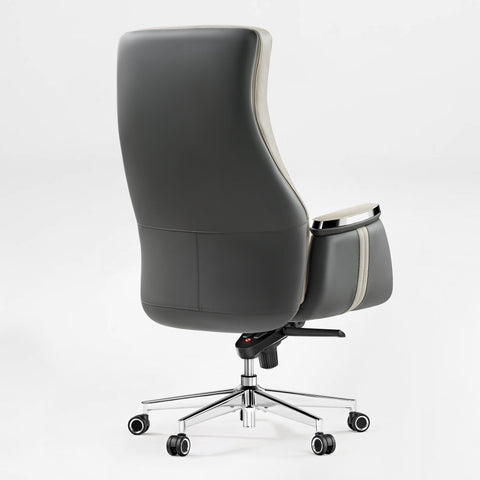
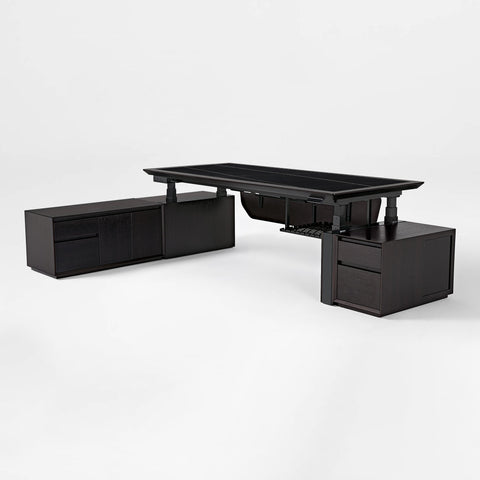
For a more formal-looking option, the Royal Rowan Microfiber Leather Executive Office Chair is worth a look when the room needs a cleaner, executive profile. It is a better fit when style and durability matter more than gaming-first visual cues. If you want a more room-focused browsing path, Adjustable Desks and Office Desks are useful starting points for building the rest of the setup around the chair.
Set Up a Shared Workspace That Feels Right
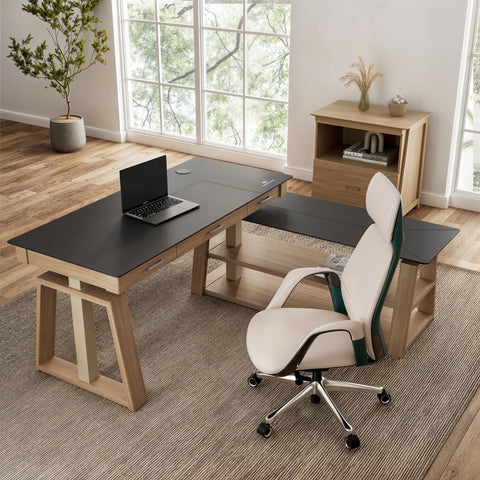
A chair only works as well as the rest of the setup around it. If the desk is too high, the screen is too low, or the layout blocks chair movement, even a good seat can feel awkward.
In smaller rooms, clearance matters even more. Recline and armrest range can become a problem if the chair bumps the wall, desk, or storage before you reach a comfortable position. That is why adjustable desks are such a practical companion category for hybrid workspaces, especially when the same room serves more than one purpose.
A tidy layout also reduces friction between work mode and game mode. If you have to move cables, pull the chair out, or clear the same corner every night, the chair becomes less convenient no matter how good it feels. For that reason, office furniture bundles can be a smart browsing path when you are building the whole room rather than replacing one seat.
If you want a gaming-first room that still leaves space for work, the I-Gaming collection is the more direct place to browse. It is a category link, not a promise that every item is equally hybrid-friendly, so it is still worth checking the seat dimensions and adjustment range before buying.
Here is the practical boundary: if your room cannot handle chair movement, the best chair in the world will still feel cramped.
Final Checks Before You Buy
Before you add a chair for gaming and work from home to cart, check fit first, style second. That means seat height, seat depth, armrest range, and room clearance should all be right before you worry about color or branding.
If you want a more gaming-forward hybrid option, the Call of Duty Co-branded Typhon Gaming Chair is a straightforward navigation choice after you have already decided you want a gaming look. Keep the same fit standards, though, because branding does not replace measurement.
A hybrid chair is a good buy when it reduces friction across the whole day. If it only works for one mode, or if it forces you to compromise on posture, room fit, or breathability, keep looking.
FAQs
Q1. How Do I Choose a Chair for Gaming and Work From Home?
Start with posture support, then check recline, armrests, and breathability. After that, confirm the seat measurements fit your body and desk. If you only game a few hours a week, an office-first chair may be enough. If you switch modes daily, a true hybrid is the safer choice.
Q2. What Features Matter Most in a Hybrid Ergonomic Chair?
The most useful features are adjustable lumbar support, recline or tilt control, breathable materials, and armrests that move enough for both typing and gaming. Seat depth matters more than many shoppers expect because it affects leg room and lower-back comfort during longer sessions.
Q3. Can One Chair Really Work for Long Workdays and Night Gaming?
Yes, if the chair has enough adjustability and the room setup supports it. The trade-off is that you usually give up some specialization. A hybrid works best when your posture changes are moderate, not extreme, and when the chair fits your size before anything else.
Q4. Why Does Breathability Matter in a Chair Used All Day?
Breathability helps limit heat buildup, which becomes noticeable during long sitting stretches. That matters more in warm rooms, during summer, or when you sit for many consecutive hours. It is one of the easiest comfort features to overlook until the chair starts feeling sticky or tiring.
Q5. What Should I Check Before Buying a Hybrid Chair Online?
Check delivery coverage, return policy, and warranty first, then confirm the seat height, seat depth, and weight capacity. Online photos can make two chairs look similar even when their fit is very different. If the product page does not clearly answer your measurement questions, keep shopping.
Related Resources
See these guides for setup details and long-session comfort: How A Gaming Chair Can Improve Your Performance, Why 4D Armrests Help Study-Game Sessions, and Beyond the Back: Ergonomics for Neck & Shoulder Health.





Leave a comment