

The Unspoken Cost of a Bad Chair
Many of us spend more time in our office chairs than in our beds. Yet, we often treat this critical piece of furniture as an afterthought. Aches and pains that creep in during the afternoon—a stiff neck, a dull throb in the lower back, or tingling wrists—are frequently dismissed as just part of the workday. However, these are often symptoms of a larger issue: a chair that is actively working against your body.
The U.S. Occupational Safety and Health Administration (OSHA) identifies poor posture as a primary risk factor for developing musculoskeletal disorders (MSDs). These are injuries to muscles, nerves, tendons, joints, and spinal discs, which can develop over time from repetitive strain. When a chair lacks proper support, it forces the body into static, unnatural positions. The spine loses its natural "S" curve, muscles in the back and neck work overtime to compensate, and blood circulation to the lower limbs can be restricted.
Over months and years, this static load can lead to chronic conditions. It’s not just about temporary discomfort; it’s about long-term health. Giving an ergonomic chair is a proactive step to help someone you care about avoid these risks and change their daily work life for the better.
What Makes a Chair a True Ergonomic Investment?
An ergonomic chair is not defined by its price tag or a futuristic appearance. True ergonomics is about adjustability. It’s a tool designed to fit a specific user’s body, not the other way around. Based on my experience helping people set up healthier workspaces, fit matters far more than superfluous features. A chair that can be dialed into the user's specific body measurements is where the real value lies.
According to industry standards like the BIFMA G1-2013 Ergonomics Guideline, office furniture should accommodate a wide range of body types, typically from the 5th percentile female to the 95th percentile male. This is why a one-size-fits-all approach fails. Here are the non-negotiable adjustment points to look for:
Core Adjustability Checklist
| Feature | Why It Matters | Expert Recommendation |
|---|---|---|
| Seat Height | Allows the user to place their feet flat on the floor with thighs parallel to the ground, promoting a stable base and good circulation. | Look for a range of approximately 16–21 inches (40-53 cm) to fit most adults. Shorter users may need a footrest. |
| Lumbar Support | Maintains the natural inward curve (lordosis) of the lower spine, reducing strain on the L3-L5 vertebrae. | The support should be adjustable in height to target the small of the back. Some advanced chairs, like the Exis,Ergonomic Office Chair, offer multi-level depth adjustment for truly personalized support. |
| Seat Depth | Ensures proper back support while preventing pressure behind the knees, which can cut off circulation. | Adjust so you can fit 2–3 fingers between the back of the knee and the edge of the seat. A 3–5 inch adjustment range is ideal. |
| Armrests | Support the arms to relax the shoulders and neck muscles. Improperly positioned armrests can cause shoulder shrugging or wrist strain. | Prioritize "4D" armrests (height, width, depth, and pivot). This allows elbows to rest at a comfortable 90-degree angle with shoulders relaxed. |
| Backrest Recline & Tilt | Encourages dynamic movement throughout the day, preventing the body from staying in one static position. | A chair with a synchronous tilt mechanism (where the seat and backrest move together) and multiple lockable positions is highly effective. |

Pro Tip: Adjustments Deliver Proven Results
It's easy to be skeptical about whether these adjustments truly make a difference. However, research confirms their effectiveness. A systematic review referenced in a 2018 study found that ergonomic chair adjustments can lead to immediate reductions in self-reported musculoskeletal pain. Another randomized controlled trial demonstrated that workstation adjustments based on a worker's individual measurements led to a significant reduction in the intensity of neck, shoulder, and upper back pain compared to a control group.
How to Choose the Right Ergonomic Chair as a Gift
Choosing a chair for someone else can be daunting, but it’s not impossible. The key is to shift your focus from aesthetics to fit and function.
Debunking a Common Myth: Expensive Doesn't Equal Ergonomic
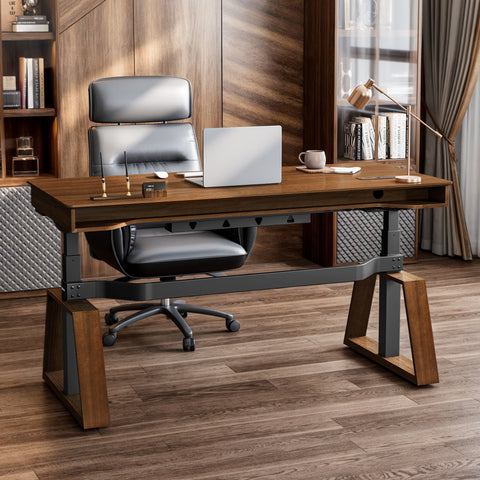
A common misconception is that a high price tag or a "designer" look automatically translates to good ergonomics. I’ve seen many beautiful executive chairs made from premium leather that offer almost no adjustability. They might feel comfortable for short periods but can cause significant discomfort during an eight-hour workday because they can’t be adapted to the user’s body. Breathable materials like mesh are often better for long sessions than leather, which can trap heat. Always prioritize adjustability over material or brand name.
The Gift-Giver's Heuristic
If you can’t ask the recipient directly, a little detective work can go a long way. Try to find out two key measurements:
- Their Desk Height: The height of their work surface will influence the required seat height.
- Their Pant Inseam or General Height: This gives a strong clue for the necessary seat height and depth range.
When in doubt, choose a chair with a broad adjustment range. For example, a chair with an innovative support system like the dual-backrest design of the Flex, Dual-Backrests Ergonomic Office Chair can offer a more adaptive fit, as the two sections move independently to cradle the user’s back. This makes it a more forgiving choice if you don’t have exact measurements.

The Gift of a Healthier Routine
An ergonomic chair is a powerful tool, but it’s most effective when integrated into a healthier work routine. Gifting a chair is also an opportunity to encourage better habits. Prolonged static positions of any kind—whether sitting or standing—are detrimental. The World Health Organization’s 2020 guidelines emphasize the importance of reducing sedentary time and interrupting long periods of static behavior.
This is where the concept of a sit-stand routine comes in. However, simply getting a standing desk isn’t a magic bullet. The key is movement. Cornell University’s Ergonomics Web program suggests a "20-8-2" rhythm as a starting point: for every 30 minutes, sit for 20 minutes, stand for 8 minutes, and move or stretch for 2 minutes. An ergonomic chair makes the "sit" portion of this cycle supportive and restorative.
By pairing the gift of a chair with this knowledge, you are giving a complete system for well-being. You are encouraging a dynamic workday that reduces the risks associated with a sedentary lifestyle.
Setting Up for Success: A Step-by-Step Guide
Once the chair is unboxed, the most critical part is the setup. An unadjusted ergonomic chair is no better than a basic one. Share this simple, five-step checklist—the same one I use with my clients—to help them dial in their fit.
- Set Your Foundation: Adjust the chair height so your feet are flat on the floor and your knees are at roughly a 90-degree angle. Your thighs should be parallel to the floor. If your feet don’t reach, use a footrest.
- Dial in the Seat Depth: Slide the seat pan forward or backward. You should have a gap of about two to three finger-widths between the edge of the seat and the back of your knees. You should feel fully supported without pressure.
- Position Your Lumbar Support: Adjust the lumbar support’s height so it fits snugly into the natural curve of your lower back. It should feel supportive, not pushy.
- Adjust the Armrests: Set the armrest height so your elbows are at a 90-degree angle when your shoulders are relaxed. Your wrists should be straight when you type. Pivot them inward to support your arms while typing.
- Check Your Screen Height: Finally, adjust your monitor height. The top of the screen should be at or slightly below eye level. This ensures you are not craning your neck up or down.
Encourage the recipient to use the chair for a week and make micro-adjustments. It can take time to find the perfect settings, especially if they are used to poor posture. But once they find that neutral position, the difference in comfort and energy is undeniable.

Key Takeaways
This Christmas, giving an ergonomic chair is more than just a gesture of generosity; it’s a meaningful investment in a loved one’s daily health and well-being. It’s a gift that acknowledges the rigors of modern work and provides a practical, lasting solution.
You are not just giving a piece of furniture. You are giving the gift of reduced back pain, improved posture, and enhanced focus. You are giving them a tool that will help them feel better every single day, long after the holiday season has passed. It is one of the most thoughtful and impactful gifts you can choose for someone you care about.
Frequently Asked Questions (FAQ)
Q: Are mesh chairs better than padded ones? A: It depends on personal preference and environment. Mesh chairs, like the Onyx, Ergonomic Office Chair, offer excellent breathability, which is great for warmer climates or long hours. Padded chairs can offer a plusher feel, but ensure the foam is high-density and resilient. The key is always the chair's adjustability, not just its material.
Q: How long does it take to get used to an ergonomic chair? A: It can take anywhere from a few days to two weeks. If someone has been sitting with poor posture for years, their muscles may need time to adapt to the correct alignment. Encourage them to follow the setup guide and make small adjustments until it feels right.
Q: Is an ergonomic chair enough to fix back pain? A: It is a critical component, but part of a larger solution. As the Canadian Centre for Occupational Health and Safety (CCOHS) points out, ergonomic furniture should be combined with good work practices, such as taking regular breaks, stretching, and alternating between sitting and standing. An ergonomic chair provides the foundation for a healthy posture.
Disclaimer: This article is for informational purposes only and does not constitute professional medical advice. Please consult a qualified healthcare professional if you have pre-existing health conditions or chronic pain before making changes to your workstation or daily routines.
References
- BIFMA G1-2013 Ergonomics Guideline for Furniture: https://www.bifma.org/news/119419/Updated-BIFMA-Ergonomics-Guideline-Now-Available.htm
- CCOHS: Office Ergonomics - Sit/Stand Desk: https://www.ccohs.ca/oshanswers/ergonomics/office/sit_stand_desk.html
- OSHA: Ergonomics - Identify Problems: https://www.osha.gov/ergonomics/identify-problems
- WHO 2020 Guidelines on Physical Activity & Sedentary Behaviour: https://www.who.int/publications/i/item/9789240015128




Leave a comment