

Quick Guide: Switching Between Work and Gaming Postures
To maintain comfort when switching from office tasks to gaming, you must transition your chair from a sustained neutral setting to a dynamic performance setting.
- For Office Work: Prioritize a 95°–105° backrest angle with lumbar support at the belt line to reduce spinal pressure.
- For Gaming: Use a slight forward tilt for high-intensity "clutch" moments, or a 110°+ recline for relaxed play to offload the spine.
- The Goal: Prevent static load by making micro-adjustments every time you change tasks.
Use our 30-Second Transition Checklist below to recalibrate your setup instantly.
The Physiology of Posture: Static Load and Neutral Alignment
Understanding why adjustments are necessary requires looking at the "spinal neutral position." In a neutral state, the spine maintains its natural "S" curve, which helps distribute mechanical stress across the intervertebral discs and ligaments. Deviating from this—by slouching or leaning forward without support—introduces "static load."
According to the U.S. Occupational Safety and Health Administration (OSHA), static loading occurs when muscles are held in constant tension. This can restrict blood circulation and lead to the accumulation of metabolic byproducts, often felt as a "burning" sensation in the neck or lower back.
The ISO 11226:2000 standard emphasizes that the duration of a posture is as critical as the angle. While a forward lean may be necessary for short bursts of gameplay, holding it for hours during a spreadsheet marathon may increase the risk of chronic musculoskeletal discomfort. Ergonomic chairs are designed to be dynamic tools that facilitate micro-movements rather than static seats.
Logic Summary: Biomechanical Modeling These recommendations use a scenario model prioritizing the reduction of intradiscal pressure for users within the 5th to 95th percentile height range (BIFMA G1-2013).
- Primary Goal: Maintain lumbar lordosis (the inward curve).
- Secondary Goal: Minimize shoulder elevation and "splayed" elbow positioning.
- Practical Rule: Adjustments should be repeatable in under 30 seconds to ensure they are actually performed.
Office Ergonomics: The Science of Sustained Productivity
For professional tasks, the objective is "sustained neutral." The ISO 9241-5:2024 standard provides the benchmark for these postural requirements.
1. The Seat Height and the "90-Degree Fallacy"
While many guides suggest a strict 90-degree angle at the knees, we often observe that a slightly more open angle (95–105 degrees) can improve blood circulation.
- How to Measure: Sit with feet flat. Use a measuring tape to ensure the height from the floor to the top of the seat pan allows your hips to be slightly higher than your knees. If your chair is too high, it creates pressure on the popliteal fold (behind the knees), which can lead to swelling.
2. Seat Depth: The Two-Finger Rule
If the seat pan is too deep, it prevents you from utilizing the backrest, leading to slouching.
- The Measurement Method: Sit with your back firmly against the backrest. Place your hand vertically between the edge of the seat and the back of your knee. You should have a gap of approximately 2–3 cm (roughly two to three fingers' width). This ensures thigh support without impeding circulation.
3. Lumbar Support: Finding the Belt Line
A common mistake is setting lumbar support too high, which pushes against the thoracic spine and forces the lower back to round.
- How to Adjust: Locate the top of your hip bone (iliac crest). The apex of the chair’s lumbar curve should align with your "belt line" or just above the hip bone. This supports the natural inward curve of the lower spine.

Gaming Ergonomics: Performance and Recovery
Gaming involves high-intensity movement followed by focused observation. A study published in the Journal of Esports Gaming & Exercise (2024) observed that task-specific chair adjustments could reduce muscle stiffness by an average of 13.7% in targeted areas (based on a sample of competitive players). While individual results vary, the data suggests that "gaming postures" require unique support.
1. The "Aggressive" Forward Posture
In competitive play, users often lean forward to decrease visual distance to the monitor.
- The Adjustment: Lower your lumbar support slightly below the belt line. This acts as a physical "stop" for the pelvis, helping to prevent posterior pelvic tilt (rounding the lower back) even when you aren't leaning against the full backrest.
- Seat Depth: Gamers often benefit from a slightly shorter seat depth (3-4 fingers of clearance) to reduce shear stress under the thighs during forward-biased tasks.
2. The Recline Strategy for Recovery
When transitioning to a relaxed RPG or a video call, a 10–15 degree increase in recline is effective. According to the Canadian Centre for Occupational Health and Safety (CCOHS), a slight recline (100–110 degrees) can offload spinal discs more effectively than sitting perfectly upright at 90 degrees.
| Parameter | Office (Focused) | Gaming (Aggressive) | Gaming (Relaxed/RPG) |
|---|---|---|---|
| Backrest Angle | 95° – 105° | 90° – 95° | 110° – 125° |
| Lumbar Position | Belt Line | Slightly below Belt Line | Belt Line |
| Armrest Height | Elbow level (typing) | Slightly lower (mouse freedom) | Slightly higher (controller support) |
| Seat Tilt | Neutral / Flat | Slight forward tilt | Slight rearward tilt |
The "Gotchas" of Armrest and Monitor Placement
Armrest Width: The Hidden Strain
Most users leave armrests too wide, forcing elbows to splay out and creating tension in the neck.
- The Fix: Adjust armrests inward so your shoulders remain in a relaxed, dropped position. When typing, your elbows should stay directly under your shoulders.
Monitor Height and the Visual Parallax
The HSE Display Screen Equipment (DSE) guidelines suggest the top of your screen should be at or slightly below eye level. This creates a downward gaze of 15–20 degrees.
- Pro Tip: Using a Dual Monitor Arm (Product Example) allows you to tilt the screens upward when you recline, maintaining a perpendicular viewing angle and preventing "text neck."

Engineering the Solution: High-Adjustability Furniture
To achieve these granular adjustments, you need hardware with a wide "adjustable coverage range" to fit the 5th to 95th percentile of the population (BIFMA G1-2013).
- The Hybrid Solution: The Axion, Ergonomic Hybrid Chair (Manufacturer Data) features independent lumbar support and a 4D headrest. This allows for quick shifts between "belt line" support for work and reactive mesh support for gaming "leans."
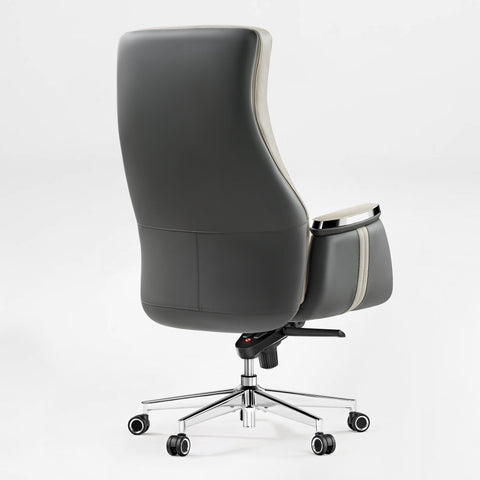
- The Executive Standard: In home offices, the Serene, Napa Leather Executive Office Chair (Manufacturer Data) adheres to ANSI/BIFMA X5.1 standards for structural durability while providing the necessary lumbar adjustability to prevent MSDs.

The Sit-Stand Rhythm
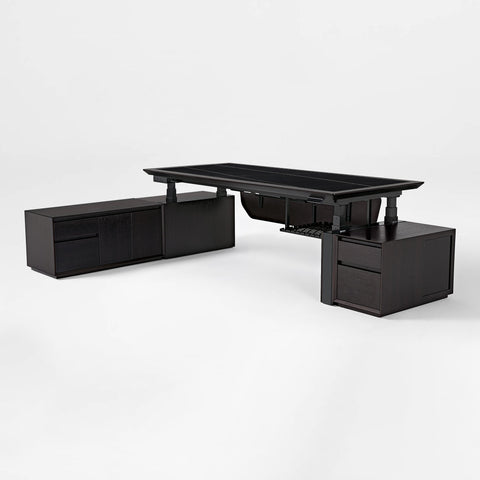
No chair can replace movement. The WHO 2020 Guidelines emphasize interrupting sedentary behavior. We recommend the 20-8-2 rule (Cornell University): sit for 20 minutes, stand for 8 minutes, and move for 2 minutes. A height-adjustable desk like the Zen Pro Series (Product Example) makes this rhythm seamless.
30-Second Transition Checklist
Follow these steps when moving from office work to gaming:
- Recline: Increase recline by 10–15° for gaming; return to 95–105° for office work.
- Lumbar: Lower the pad slightly for gaming to support the pelvis; reset to the belt line for typing.
- Armrests: Ensure elbows aren't splayed. Raise them slightly if using a controller.
- Seat Depth: Use the "Two-Finger Rule." If you've reclined, you may need to slide the seat pan forward to maintain thigh support.
- Monitors: If reclining, tilt your screens upward to keep your gaze perpendicular to the panel.
Appendix: Method & Measurement Guide
The following parameters are derived from deterministic scenario modeling and ergonomic heuristics.
| Parameter | Modeling Value | Measurement Method |
|---|---|---|
| User Range | 5th to 95th Percentile | Based on BIFMA G1-2013 anthropometric data. |
| Lumbar Apex | L3 to L5 Vertebrae | Align with the "belt line" or top of the hip bone. |
| Seat Depth | 20mm – 30mm | Gap between seat edge and back of knee (2-3 fingers). |
| Gaze Angle | 15° – 20° Downward | Top of screen at eye level; monitor tilted 10° back. |
| Elbow Angle | 90° – 110° | Measured at the humerus-ulna joint during typing. |
Boundary Conditions:
- These settings assume a standard desk height (72cm–75cm) or an adjustable desk.
- Medical Note: Users with pre-existing spinal conditions should prioritize the advice of a healthcare professional over these general guidelines.
- The "forward lean" gaming posture is intended for short-duration intensity; it is not a recommended long-term sitting position.
Disclaimer: This article is for informational purposes and does not constitute medical advice. If you experience chronic pain, please consult a qualified healthcare professional. Product links are provided as examples of furniture that meet the discussed ergonomic specifications; technical data is provided by the manufacturer.




Leave a comment