

Why Proactive Chair Maintenance Matters
An office chair is more than just a place to sit; it’s a significant capital investment and a critical tool for employee well-being and productivity. For facility managers and procurement teams, maximizing the return on this investment is paramount. A neglected fleet of chairs can lead to premature wear, costly replacements, and even workplace safety hazards. Proactive maintenance is the key to extending the life of your commercial office chairs, ensuring they remain safe, comfortable, and functional for years.
This guide provides a comprehensive framework for cleaning, inspecting, and maintaining your ergonomic office chairs. By implementing these practical strategies, you can protect your assets, support employee health, and maintain a professional and safe work environment. Understanding what makes an office chair truly ergonomic is the first step; preserving that functionality is the next.
The Foundation: Establishing a Maintenance Schedule
Reactive maintenance—fixing chairs only when they break—is inefficient and costly. A proactive maintenance schedule allows you to identify and address minor issues before they become major failures. Based on common patterns from facilities maintenance, a tiered inspection cadence can catch the majority of potential problems early, minimizing downtime and replacement costs. A well-structured plan helps ensure a safe environment and demonstrates a commitment to employee well-being.
Here is a sample maintenance schedule that can be adapted to your organization’s specific needs, based on typical usage in a commercial environment.
| Frequency | Task | Objective |
|---|---|---|
| Daily | Visual Checks | Performed by users or cleaning staff. Look for obvious hazards like loose parts, torn upholstery, or malfunctioning casters. Encourages immediate reporting. |
| Monthly | Mechanical & Functional Audit | A more detailed inspection by facilities staff. Check the function of all adjustments (height, tilt, arms) and inspect key mechanical components. |
| Annually | Deep Cleaning & Comprehensive Review | Involves thorough cleaning of all surfaces and a detailed structural inspection. This is also a good time to review service history and plan for future replacements. |
The Detailed Inspection Checklist: A Component-by-Component Guide
A systematic inspection is the core of any effective maintenance program. This process ensures that all critical components are functioning as intended. According to the U.S. Occupational Safety and Health Administration (OSHA) eTool for Computer Workstations, a properly functioning chair with working backrests and seat height adjustments is essential for achieving a neutral working posture. If a gas cylinder sinks or a tilt lock fails, the chair can no longer support this neutral posture, increasing the risk of ergonomic strain. Use this checklist during your monthly and annual audits to ensure these critical adjustments remain functional.
1. Casters and Base
- Mobility: Roll the chair on the floor. Do the casters spin and pivot smoothly? A sticking caster can be a tipping hazard.
- Condition: Check for accumulated hair, carpet fibers, or debris. Clean them out. Inspect for cracks or damage to the caster wheels and housing.
- Security: Ensure all casters are firmly seated in the chair base. A loose caster can fall out unexpectedly.
- Base Integrity: Examine the 5-star base for any signs of cracks, especially around the caster sockets and the central column.
2. Gas Lift Cylinder
- Height Adjustment: Raise and lower the seat. The movement should be smooth and consistent throughout its entire range of motion. Any grinding noises or jerky movements indicate a failing cylinder.
- Hold Strength: Set the chair to its maximum height and sit in it. It should hold the position without slowly sinking. A sinking chair is a classic sign of a worn gas lift seal.
- Rotational Play: Check for excessive wobbling or play where the cylinder meets the base and the seat mechanism. A small amount of movement is normal, but significant looseness is a concern.

3. Tilt and Recline Mechanisms
- Tension Control: Adjust the tilt tension knob. Does it effectively increase and decrease the force required to recline the chair?
- Locking Function: Engage the tilt lock in its various positions. The lock should engage securely without slipping. A sudden, unexpected release of the backrest is a serious safety risk.
- Noise: Listen for any loud clunking, popping, or grinding sounds when reclining or returning to an upright position. These often point to internal mechanism wear.
4. Armrests
- Adjustability: Test all armrest adjustments (height, width, pivot). They should lock firmly into place and not slip under pressure.
- Stability: Check for looseness or wobble in the armrest posts and pads. Tighten any accessible fasteners, but be careful not to strip the threads by over-torquing.
- Pad Condition: Inspect armrest pads for deep cracks, splits, or crumbling foam, which can be uncomfortable and snag clothing.
5. Seat and Backrest
- Upholstery: Look for rips, tears, or seam separation in the fabric, mesh, or leather. For mesh chairs like the Lira, Ergonomic Office Chair, check for any fraying or loss of tension.
- Foam Integrity: Press down firmly on the seat cushion. The foam should feel supportive and resilient. A common practical rule of thumb in facilities maintenance is to consider replacing the foam (or the chair) when the seat visibly loses significant thickness or if indentations are slow to recover, as this indicates the material can no longer distribute weight effectively.
- Structural Support: Inspect the connection points between the backrest and the seat mechanism. Ensure all bolts are tight and there are no signs of stress fractures in the frame.
Properly functioning adjustments are key to comfort. For a detailed walkthrough on customizing the fit for each user, see this guide on setting up your ergonomic chair for maximum comfort.
Material Care and Cleaning Best Practices
Using the wrong cleaning products is one of the most common mistakes that can ruin chair upholstery and surfaces. Always consult the manufacturer’s guidelines first. If unavailable, these general best practices apply.
A common misconception is that any all-purpose cleaner is safe for office chairs. In reality, solvent-based or abrasive cleaners can cause irreversible damage. They can dry out and crack leather, degrade the protective coating on plastics, and weaken mesh fibers.
Mesh
Mesh chairs are popular for their breathability, but they can trap dust.
- Do: Regularly vacuum with a brush attachment. For spills, use a solution of mild soap and lukewarm water. Apply with a microfiber cloth, gently dab the stain, and then wipe with a clean, damp cloth. Allow it to air dry completely.
- Don’t: Use bleach, solvents, or abrasive cleaners. Avoid storing in direct sunlight, which can make the synthetic fibers brittle over time.
Leather and PU (Polyurethane)
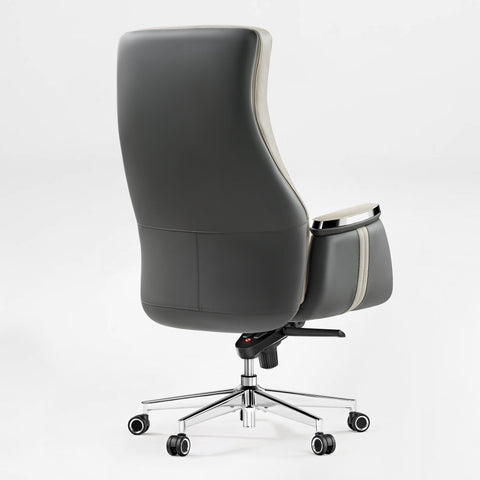
Premium chairs, such as the Serene Ella, Napa Leather Executive Chair, use high-quality materials that require specific care to maintain their appearance and texture.
- Do: Dust regularly with a dry cloth. For cleaning, use a pH-neutral cleaner specifically designed for leather. Apply a small amount to a soft cloth, wipe the surface, and then follow up with a leather conditioner every 6-12 months to keep it supple.
- Don’t: Use soaps, detergents, or ammonia-based cleaners. These products strip the natural oils from leather, leading to dryness and cracking.

Fabric
- Do: Vacuum regularly. Treat spills immediately by blotting (not rubbing) with a clean, dry cloth. For persistent stains, use a water-based fabric cleaner, testing it on an inconspicuous area first.
- Don’t: Oversaturate the fabric with water, as this can damage the underlying foam and lead to mildew.
Plastics and Metals
- Do: Wipe down plastic and powder-coated metal components with a damp cloth and a mild, multi-purpose cleaner.
- Don’t: Use abrasive pads or scouring powders, which will scratch the finish.
Proactive Repairs and Spare Parts Management
Even with excellent maintenance, high-use components will eventually wear out. The most common points of failure on office chairs are casters and gas lift cylinders. Having a strategy for repairs and parts is crucial for minimizing downtime.
Building a Spare Parts Inventory
For large fleets, keeping a small stock of common spare parts is a highly effective strategy. Based on common patterns from customer support and fleet management, keeping a baseline spare parts inventory can significantly reduce average repair times.
Illustrative Example: The Impact of a Spare Parts Strategy While exact numbers vary by organization, a common pattern we see in customer support is that facilities without a spare parts strategy often wait 5 to 7 days for replacement cylinders or casters to arrive. During this time, the chair is either out of commission or used in a compromised state.
By contrast, an office managing 100 chairs that keeps a baseline inventory (e.g., 5 sets of casters, 3 gas lift cylinders, and 2 sets of armrest pads) can often resolve these routine wear-and-tear issues in under an hour. This approach minimizes employee downtime and prevents minor issues from escalating into complete chair replacements.
When ordering parts, always use the chair’s model number to ensure compatibility. Many components, while looking similar, are not interchangeable. However, for chairs tested to commercial standards like ANSI/BIFMA X5.1 (which includes rigorous testing for caster durability in Section 16 and base strength in Section 7), replacement parts often follow common industry sizing conventions (such as standard 11mm caster stems), making them easier to source.
Training and Asset Management
Technology and hardware are only part of the solution. Your people and processes are just as important.
Staff Training
Investing 20-30 minutes to train facilities or custodial staff on basic maintenance can yield significant returns. Key training topics should include:
- How to perform the monthly inspection checklist.
- Proper cleaning techniques for different materials.
- How to identify a chair that needs to be taken out of service.
- Correctly tightening common fasteners without over-torquing.
This training empowers your team to be the first line of defense in preventative maintenance, dramatically reducing damage from misuse or neglect.
Asset Tracking
For large-scale deployments, implementing an asset tracking system is a best practice. Simply applying a numbered tag to each chair and logging it in a spreadsheet or asset management system can provide valuable insights. Track the following information:
- Asset ID
- Purchase Date
- Model/Manufacturer
- Assigned Location/User
- Service History (dates and nature of repairs)
This data helps you monitor warranty periods, identify models with higher failure rates, and forecast budget needs for planned replacements based on age and usage patterns.
Key Takeaways
Maintaining a fleet of office chairs is not a cost center; it’s a strategic activity that protects a major investment and contributes directly to a safer, more productive workplace. By shifting from a reactive to a proactive model, you can extend the functional life of your assets, control costs, and ensure your employees have the ergonomic support they need.
- Be Proactive: Implement a regular inspection and cleaning schedule.
- Be Systematic: Use a detailed checklist to audit all critical chair components.
- Be Prepared: Maintain a small inventory of common spare parts to minimize downtime.
- Be Smart: Train your staff and track your assets to optimize your maintenance program.
Frequently Asked Questions (FAQ)
How often should we completely replace our office chairs? In a typical commercial setting with full-time daily use, a high-quality office chair can often last anywhere from 5 to 10 years. This lifespan can vary widely based on the chair’s build quality, materials, and how proactively it has been maintained.
What are the most common points of failure on an office chair? The most frequently replaced components are casters, which get clogged with debris, and gas lift cylinders, which lose their internal pressure over time. Armrest pads in high-contact environments also show wear first.
Is professional servicing necessary? For small fleets, an in-house facilities team can typically handle routine maintenance and basic repairs. For very large fleets (500+ chairs) or organizations without a dedicated maintenance team, contracting with a professional furniture service company for annual deep-dives can be a cost-effective option to ensure consistency.
Disclaimer
This article is for informational purposes only and does not constitute professional health or safety advice. The information provided is intended to be a general guide. Always consult the specific manuals and guidelines from the furniture manufacturer. If employees experience persistent pain or discomfort, they should consult a qualified medical professional or certified ergonomist.
References
- U.S. Occupational Safety and Health Administration (OSHA): eTools Computer Workstations - Chairs
- Business and Institutional Furniture Manufacturers Association (BIFMA): Standards Overview
- U.S. Centers for Disease Control and Prevention (CDC) / NIOSH: About Ergonomics




Leave a comment