

Many professionals find that by 3:00 PM, a familiar "burning" sensation develops between their shoulder blades. Despite investing in high-end office seating, the discomfort persists, often radiating up into the neck or down the arms. For those with broader frames or athletic builds, the culprit is rarely the cushion or the lumbar support—it is the armrests.
Standard office furniture is frequently designed for the 50th percentile of the population. However, recent anthropometric data indicates that approximately 97.6% of males have bi-acromial (shoulder) breadths exceeding the standard 17.7-inch guideline often used in chair manufacturing. When a broad-shouldered user sits in a chair with narrow, fixed armrests, they are forced into a state of sustained shoulder adduction (pulling the arms inward) and elevation (shrugging). This article examines the physiological impact of improper armrest width and provides a technical framework for selecting equipment that supports a wider stature without compromising musculoskeletal health.
The Physiological Mechanism of Shoulder Crowding
The human shoulder is a complex of joints designed for mobility, but it is highly susceptible to "static load"—the strain caused by holding a single position for extended periods. When armrests are set too narrow for the user's frame, the humerus (upper arm bone) cannot hang vertically. Instead, it is forced inward toward the ribcage.
According to the U.S. Occupational Safety and Health Administration (OSHA) eTools on Computer Workstations, a neutral posture requires the arms to hang naturally from the shoulders, with elbows close to the body. For a broad-shouldered professional, a standard chair spacing of 18–20 inches forces the shoulders to "roll" forward or shrug upward to accommodate the narrow armrest pads.
This posture places a high demand on the upper trapezius and levator scapulae muscles. In clinical assessments, practitioners observe that users with shoulder widths exceeding 19 inches often report palpable tension within 45 to 60 minutes of seated work. This is not merely a matter of comfort; it is a precursor to Work-related Musculoskeletal Disorders (WMSDs). Prolonged static contraction reduces blood circulation to the muscle tissue, leading to the accumulation of metabolic waste products and the "burning" sensation characteristic of myofascial pain.

Decoding Width: The Bi-Acromial Requirement
The first step in resolving shoulder strain is understanding the necessary clearance. While many "Big and Tall" marketing materials focus solely on weight capacity, the critical metric for broad-shouldered users is the inter-armrest distance.
As noted in the BIFMA G1-2013 Ergonomics Guideline, furniture should ideally accommodate at least the 5th to 95th percentile of the population. For those at the upper end of this spectrum, a "one size fits all" approach fails. We have developed a practical heuristic based on anthropometric research: the minimum distance between the inner edges of the armrest pads should be at least 1.5 inches greater than the user's shoulder width (measured from acromion to acromion).
Comparison of Armrest Requirements: Standard vs. Broad-Shouldered
| User Profile | Typical Shoulder Width | Recommended Inter-Armrest Distance | Primary Ergonomic Risk |
|---|---|---|---|
| 50th Percentile Male | 16.5" - 17.5" | 18.5" - 19.5" | Minimal (Standard fit) |
| 95th Percentile Male | 19.2" - 20.5" | 21.5" - 23.0" | Shoulder adduction & trapezius strain |
| Athletic/Executive Frame | 20.0"+ | 22.0"+ | Rotator cuff impingement & neck tension |
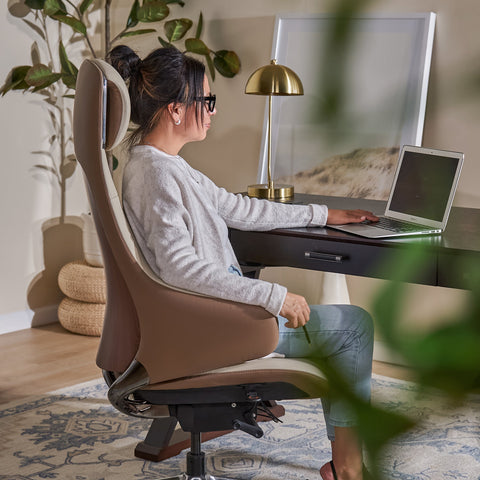
For users in the higher percentiles, a chair like the Forma, Ergonomic Executive Office Chair provides a significant advantage. Its 4D armrest system allows for lateral (width) adjustments that can accommodate wider torsos, ensuring the arms can hang in a true neutral position rather than being pinned against the sides.
The 4D Pivot: Reducing Rotator Cuff Strain
While width is the most obvious requirement, the "Pivot" (internal and external rotation) is the most overlooked adjustment for broad-shouldered professionals.
Standard office work involves a combination of typing and mouse usage. When typing, the hands move toward the centerline of the body. If the armrests are fixed in a straight-forward position, a broad-shouldered user must internally rotate their shoulders to keep their forearms on the pads. This internal rotation narrows the subacromial space in the shoulder joint, potentially leading to impingement over time.
Research into ISO 9241-5:2024 Workstation layout and postural requirements emphasizes the importance of encouraging posture changes. A 4D armrest that allows for a 15-20 degree external rotation aligns the armrest with the natural angle of the forearm when reaching for a mouse or spreading the hands on a wide keyboard. This small tweak significantly reduces the torque on the rotator cuff and allows the shoulder blades (scapulae) to remain retracted and depressed—the "ideal" relaxed state.
The Serene, Napa Leather Executive Office Chair combines this technical adjustability with the breadth required for an executive frame. By allowing the user to pivot the armrests outward, it accommodates the natural "V-shape" of a broader torso, preventing the arms from being forced into a cramped, internal rotation.

A Systematic Setup Sequence
A common error we observe in workplace audits is users adjusting their armrests to match their desk height before setting their seat height. This often results in the elbows being pushed above the 90-degree mark, which causes the shoulders to shrug involuntarily. To achieve a truly ergonomic setup for a broad frame, we recommend the following sequence:
- Set the Seat Height: Adjust the chair so your feet are flat on the floor and your thighs are parallel to the ground. According to the Canadian Centre for Occupational Health and Safety (CCOHS), there should be a small gap between the back of your knees and the seat pan to maintain circulation.
- Adjust Seat Depth: If your chair allows, move the seat pan forward. Broad-shouldered users are often taller and require more thigh support to distribute weight evenly.
- Set Armrest Height and Width: With your shoulders relaxed (not shrugged), raise the armrests until they just touch the underside of your forearms. Then, slide the armrests outward until your elbows can hang vertically from your shoulder joints.
- Adjust the Desk Height: Finally, bring your desk or keyboard tray to the height of your armrests. If you are using a fixed-height desk that is too high, you may need a footrest to allow you to raise the chair high enough to meet the desk without leaving your feet dangling.
Engineering the Executive Battlestation
For the high-level professional, the "workstation" often involves more than a single laptop. Large-format setups—including triple monitors or heavy liquid-cooled towers—require a desk that matches the chair's capability.
In our simulations of a 95th percentile male user setup, we found that a comprehensive "battlestation" (including monitors, PC, and heavy tabletop) can reach a total load of over 90 kg (approx. 200 lbs). At this weight, standard single-motor standing desks often struggle with stability and motor longevity.
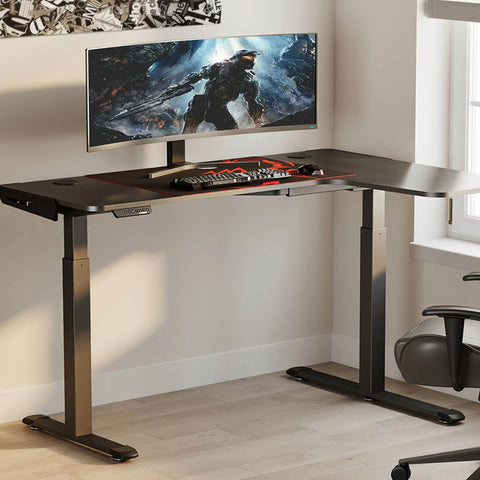
A dual-motor system, such as the Zen Pro Series, 87"/72" Executive Standing Desk with Cabinets Set, is necessary to handle the weight of professional-grade equipment while maintaining a smooth transition between sitting and standing. Furthermore, the 87-inch width of the Zen Pro series provides the lateral space required for broad-shouldered users to position their peripherals (mouse and keyboard) far enough apart to prevent shoulder crowding.

Summary of Best Practices for Broad Shoulders
To maintain long-term musculoskeletal health, broad-shouldered users should move beyond "standard" ergonomics and focus on equipment that offers:
- Adjustable Width: Armrests that slide laterally to accommodate a bi-acromial width plus a 1.5-inch buffer.
- 4D Pivot: The ability to rotate armrests 15-20 degrees externally to align with natural forearm positioning.
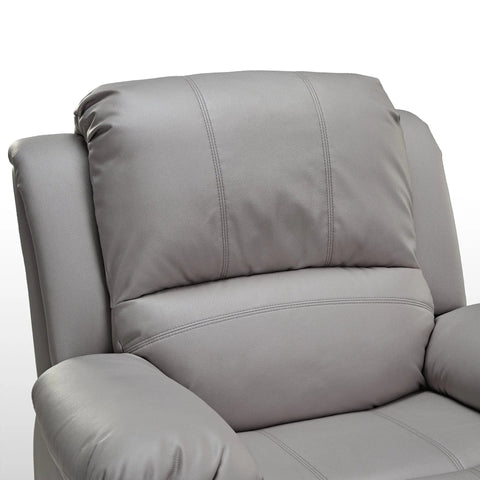
- High-Density Support: Materials like the top-grain leather found in the Serene Ella, Napa Leather Executive Chair provide the durability and firm support needed for larger frames, preventing the "bottoming out" common in cheaper foam cushions.
- Dynamic Movement: Following the Cornell University Ergonomics "20-8-2" rule—20 minutes of sitting, 8 minutes of standing, and 2 minutes of moving—is essential, as even the most perfect setup becomes harmful if held statically for hours.
Investing in a chair that actually fits your frame is not a luxury; it is a fundamental requirement for sustained productivity. By prioritizing armrest width and pivot, you address the root cause of upper-body tension and ensure that your workspace supports your body rather than forcing your body to adapt to the furniture.
Disclaimer: This article is for informational purposes only and does not constitute professional medical advice. If you have pre-existing musculoskeletal conditions or chronic pain, please consult a qualified physiotherapist or ergonomic specialist before making significant changes to your workstation.




Leave a comment