

Why does a high-end sit-stand desk sometimes fail to stop when it encounters an obstacle, yet trigger a "false stop" when nothing is in its path? For many professionals, the transition to a height-adjustable workstation is driven by a desire to mitigate Musculoskeletal Disorders (MSDs) and improve blood circulation. However, as the complexity of home office setups increases—incorporating heavy ultrawide monitors and specialized equipment—the mechanical safety of these desks becomes a critical point of failure.
A common misconception in the industry is that a "BIFMA-certified" desk is universally safe in all operational modes. In reality, while structural standards like ANSI/BIFMA X5.5 ensure a desk won't collapse under a static load, they contain virtually no specific protocols for the sensitivity or reliability of electronic anti-collision systems. Understanding the intersection of ergonomic science, mechanical standards, and sensor technology is essential for maintaining a workspace that is both productive and safe.
The Physiological Necessity of Dynamic Workstations
The move toward sit-stand desks is a direct response to the risks associated with "static load." According to the Occupational Safety and Health Administration (OSHA), prolonged static postures are a primary risk factor for MSDs. When a worker remains in a seated position for hours, blood circulation to the lower limbs is restricted, and the spine often loses its neutral position, leading to increased pressure on the lumbar discs.
The World Health Organization (WHO) 2020 Guidelines emphasize that adults should reduce sedentary time and interrupt long periods of static behavior. Sit-stand desks facilitate this by allowing users to alternate between postures. However, this movement introduces a dynamic hazard: the potential for the desk to crush a chair armrest, damage expensive computer hardware, or cause injury to a child or pet.
The effectiveness of these desks in reducing sitting time is well-documented. A systematic review by Cochrane found that sit-stand desks can reduce sitting time by approximately 84 to 116 minutes per day. Yet, the safety of this transition depends entirely on the desk's ability to sense and react to its environment.
Decoding the Standards: BIFMA, ISO, and UL
To build a truly safe workspace, one must look beyond generic marketing claims and examine the technical standards that govern furniture performance.
ANSI/BIFMA X5.5 vs. G1-2013
As noted in the 2026 Workstation White Paper: Converging Ergonomic Science and Sustainable Engineering, there is a significant gap between structural durability and electronic safety. ANSI/BIFMA X5.5 focuses on the physical integrity of the desk—testing how much weight it can hold and how many cycles the legs can perform without failing.
Conversely, the BIFMA G1-2013 Ergonomics Guideline provides the dimensions necessary to accommodate the 5th to 95th percentile of the population. While G1-2013 is the gold standard for "fit," it does not mandate specific anti-collision force thresholds. This means that a desk can be "BIFMA compliant" regarding its frame strength while possessing a rudimentary or poorly calibrated anti-collision system.
UL 962 and ISO 9241-5
For electronic safety, the UL 962 standard is more relevant, as it covers the mechanical and electrical aspects of height-adjustable desks. Furthermore, ISO 9241-5:2024 specifies layout and postural requirements, ensuring that the workstation supports a neutral working posture as defined by OSHA.
The Mechanics of Anti-Collision Technology
Modern anti-collision systems rely on three primary methods of detection. The most reliable implementations use a "Glass Box" logic, combining multiple sensor inputs to ensure safety across different load scenarios.
| Technology | Mechanism | Strengths | Weaknesses |
|---|---|---|---|
| Current Sensing | Monitors motor amperage; spikes indicate resistance. | Cost-effective; detects solid, heavy objects. | Less sensitive to soft objects; affected by desk overload. |
| Gyroscopic / Tilt | Detects changes in the angle of the tabletop. | Excellent for detecting uneven obstructions. | May not trigger if the desk stays level during a vertical crush. |
| Infrared (IR) Beams | Uses a light beam to detect objects in the path. | Non-contact; triggers before physical impact. | Can be blocked by loose cables or "false triggered" by dust. |
The most authoritative anti-collision systems utilize a combination of current-sensing logic and infrared sensors. The IR beam, usually located at the base or under the desktop, detects large obstructions like a cabinet or a chair. Meanwhile, the motor controller monitors current spikes to detect smaller, solid objects that might miss the beam path.
The "Overload" Trap
A critical insight for power users is the relationship between load and sensitivity. As a desk approaches its maximum weight capacity, the baseline motor current increases. This "noise" in the electrical signal can desensitize the anti-collision system, making a "false negative" (failure to stop) more likely. For this reason, maintaining a safety margin is not just about motor longevity; it is a primary safety requirement.
Scenario Analysis: The Professional eSports Streamer
To understand the practical limits of BIFMA-standard safety, we analyzed a high-performance scenario involving a professional streamer. This setup involves multiple ultrawide monitors, a liquid-cooled PC, and a high-load tabletop.
The Stress-Test Data:
- Total System Load: 94 kg (including equipment and solid wood tabletop).
- Single-Motor Capacity: 80 kg.
- Dual-Motor Capacity: 120 kg.
In this scenario, a single-motor system would operate at 117.5% utilization, which is a dangerous overload. This not only risks motor failure but effectively disables the anti-collision current-sensing logic, as the motor is already drawing maximum power just to move the load.
Conversely, a dual-motor system operates at 78.33% utilization. This falls within the recommended 80% safety margin, allowing the controller to maintain enough "headroom" to accurately detect a sudden current spike caused by an obstruction. For professionals with heavy equipment, dual-motor systems are a mandatory engineering control, rather than a luxury.

Practical Recommendations for a Safe Workstation
Setting up a height-adjustable desk involves more than just plugging it in. To ensure the anti-collision system performs as intended, follow these expert-derived steps:
1. Establish the "20-8-2" Rhythm
Following the Cornell University Ergonomics Web recommendations, users should aim for a cycle of 20 minutes of sitting, 8 minutes of standing, and 2 minutes of moving or stretching. This prevents the "static load" issues mentioned earlier while ensuring the desk is not in constant motion, which could lead to thermal overload of the motors.
2. Calibrate for Your Environment
If your desk is placed on thick carpet, the initial resistance can be interpreted by the sensor as an obstruction. Many high-quality controllers require a manual calibration cycle upon installation. This establishes a baseline motor load for your specific flooring and equipment weight.
3. Clear the Sensor Path
Loose cables or draping fabrics are the most common causes of intermittent "false triggers." Ensure that all cables are managed within a tray and that nothing hangs below the desktop into the path of the IR sensors or gyroscopes.
4. Monitor Arm Integration
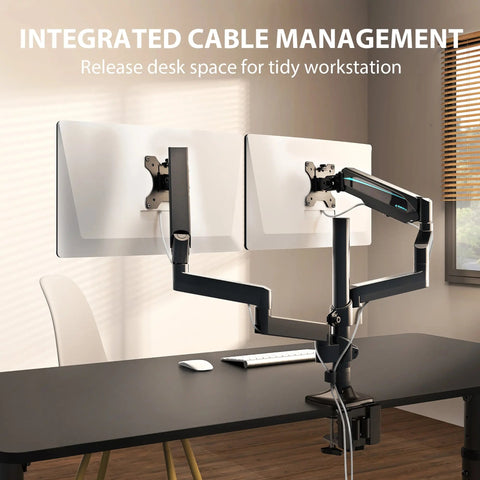
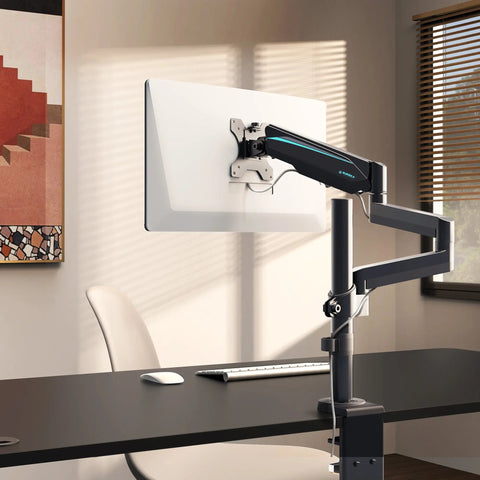
For users with multiple screens, using a monitor arm is essential for maintaining the correct viewing angle. However, ensure the arm's range of motion does not allow the monitors to hit a wall or shelf when the desk rises.

Addressing Common "Gotchas"
Even with BIFMA-compliant furniture, users often encounter non-obvious mechanical issues:
- Visual Parallax: Most users set their standing height too high because they align the desk based on where their eyes are looking down, rather than where their elbows naturally rest. According to the Canadian Centre for Occupational Health and Safety (CCOHS), the desk should be at elbow height so that the forearms are parallel to the floor.
- Cable Tension: At maximum height, cables that seemed long enough when sitting may become taut. This tension can pull on the desk, triggering the anti-collision sensor and preventing the desk from reaching its full height.
- The "Soft Obstacle" Failure: Current-sensing systems are notoriously poor at detecting soft objects, such as a plush chair cushion or a human limb. If your setup involves these risks, prioritize desks with dedicated gyroscopic or IR sensors.
Conclusion
Safety in the modern office is a multifaceted challenge that requires a deep understanding of both human physiology and mechanical engineering. While BIFMA standards provide a vital baseline for quality, the responsibility for a safe and effective workstation ultimately lies in the selection of the right technology for the specific use case.
By prioritizing dual-motor systems for high-load setups, ensuring proper calibration, and adhering to established ergonomic rhythms like the 20-8-2 rule, professionals can create a workspace that supports their health without compromising the safety of their equipment or environment.
YMYL Disclaimer: This article is for informational purposes only and does not constitute professional medical or safety advice. Ergonomic requirements can vary significantly based on individual physical conditions. If you have pre-existing musculoskeletal issues or chronic back pain, consult a qualified physiotherapist or occupational health professional before implementing a new sit-stand routine.
References
- BIFMA G1-2013 Ergonomics Guideline for Furniture. Link
- CCOHS: Office Ergonomics - Sit/Stand Desk. Link
- Cochrane: Workplace interventions for reducing sitting at work (2018). Link
- OSHA eTools: Computer Workstations - Neutral Working Postures. Link
- UL 962 — Safety of Height-Adjustable Desks. Link
- ISO 9241-5:2024 Workstation layout & postural requirements. Link
- The 2026 Workstation White Paper: Converging Ergonomic Science and Sustainable Engineering. Link




Leave a comment