

Why does your workstation feel less stable during the final hours of a streaming session? Why does an electric motor sound strained when lifting a setup that is technically under the weight limit? For many high-performance users, the answer lies in a fundamental misunderstanding of "load capacity." In the world of professional gaming and home office engineering, the number printed on a product box is rarely the number that matters in real-world application.
When a user invests in a triple-ultrawide monitor array, a liquid-cooled full-tower PC, and a suite of streaming peripherals, they are not just placing weight on a surface; they are introducing a complex set of physical, electrical, and thermal stresses. This guide decodes the technical realities of load capacity to ensure your rig remains safe, stable, and durable for the long haul.
The Science of Stress: Static vs. Dynamic Loads
The primary misconception in furniture specifications is the failure to distinguish between static and dynamic load. A static load refers to weight that remains motionless on a surface. A dynamic load occurs when that weight is in motion—specifically when an electric standing desk transitions between heights.
According to the BIFMA Standards (ANSI/BIFMA X5 series), furniture must undergo rigorous testing to ensure structural adequacy. However, laboratory tests often involve perfectly balanced weights. In a gaming environment, your load is rarely balanced.
Dynamic forces can reduce effective capacity by 20–30%. If a desk is rated for 220 lbs, the shifting weight of monitor arms during adjustment or the impact of heavy typing can mean the safe operating limit is closer to 160–175 lbs. Exceeding this "active" limit puts undue stress on the motor's drive nut and the frame’s telescoping legs, leading to premature structural fatigue.

The Mechanics of Asymmetry and Torque
Weight is not just about "how much," but "where." Most gaming setups are inherently asymmetric. A heavy PC tower often sits on one side, while a triple-monitor mount creates a massive concentrated load at the rear center or corner of the desk.
This creates torque—a rotational force that can twist the desk frame. A monitor arm rated for 25 lbs at its center of gravity may only effectively support 15–18 lbs when the arm is fully extended horizontally. This is due to the principle of Force x Distance; the further the monitor sits from the mounting point, the greater the leverage it exerts on the desk surface and the arm's internal springs.
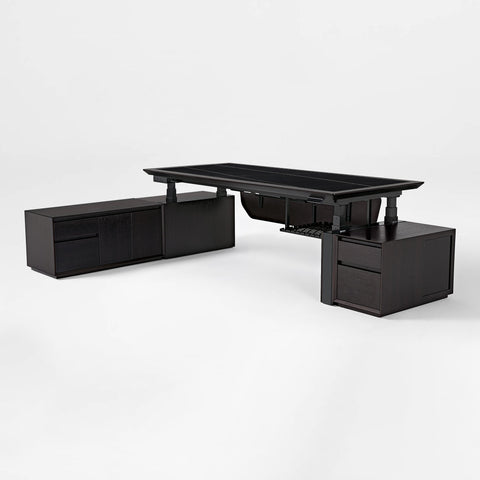
To combat this, professional-grade desks like the Aero Pro Wing-Shaped Standing Desk (72"x23") utilize reinforced wing-shaped designs and dual-motor systems. Dual motors are essential for asymmetric loads because they synchronize to lift both sides of the desk with equal force, preventing the "binding" effect that occurs when a single motor struggles to lift an unevenly weighted desktop.
Material Integrity: MDF, Solid Wood, and Tempered Glass
The material of your desktop determines how it handles these concentrated forces. Not all surfaces are created equal when it comes to "point load" (the pressure exerted by a small, heavy object like a monitor clamp).
- MDF (Medium-Density Fibreboard): Common in many desks, high-quality MDF provides excellent flatness. However, it can be susceptible to "creep"—a slow, permanent deformation under heavy, long-term loads.
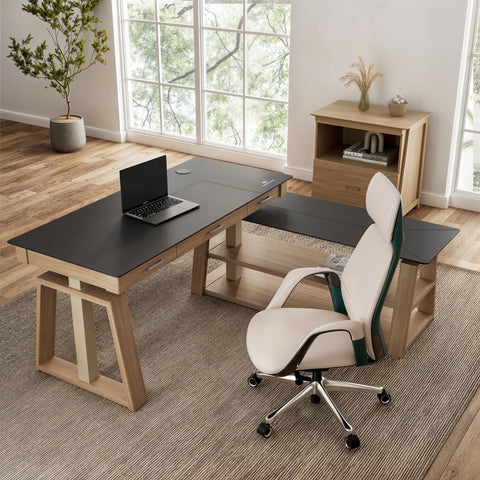
- Solid Wood & Veneers: Products like the Ark Executive Standing Desk (63"x29") offer superior structural rigidity. Solid wood handles the "clamping force" of heavy-duty monitor arms better than composite materials, reducing the risk of the surface cracking or bowing over time.
- Tempered Glass: While aesthetically striking, glass requires specific engineering for load. The GTG - L60, L-Shaped Glass LED Gaming Desk (60"x40") uses ultra-strong tempered glass designed to be shatter-resistant. However, users must be cautious with C-clamp monitor mounts on glass; using a reinforcement plate is a non-obvious but critical tweak to distribute pressure and prevent localized stress fractures.
Beyond Weight: The "Hidden" Loads
A truly authoritative understanding of load capacity extends beyond physical pounds. Two critical factors are often overlooked by even experienced builders: electrical load and thermal load.
The Electrical Circuit Threshold
A high-end gaming PC with a 1000W Power Supply Unit (PSU) can draw over 8.3 amps continuously under full load. When you add three monitors (1–2A each), studio lighting, and peripheral chargers, you can easily approach the 15-amp limit of a standard household circuit. This is a common cause of "phantom" breaker trips. If your desk is shared with an air conditioner or a space heater on the same circuit, you are courting a power failure during peak gaming moments.
Thermal Load and Component Lifespan
Desk placement directly impacts cooling. According to research on preventing gaming PC overheating, placing a PC in an enclosed cubby or on a thick carpet can raise internal temperatures by 10–15°C. This triggers thermal throttling, reducing your FPS and shortening the lifespan of your GPU. A desk with an open-frame design or integrated PC mounting solutions is an engineering control that mitigates this risk.
The "Glass Box" Simulation: Real-World Load Analysis
To demonstrate the gap between advertised specs and reality, we simulated a high-end streaming battlestation. This scenario represents a professional content creator using premium, heavy equipment.
The Setup:
- Triple 34-inch ultrawide monitors on heavy-duty arms.
- Full-tower liquid-cooled PC with dual GPUs.
- Streaming peripherals (Mic arm, Stream Deck, Studio Monitors).
- Solid wood desktop (25 kg).
| Equipment Category | Estimated Weight (kg) | Estimated Weight (lbs) |
|---|---|---|
| Full-Tower Liquid-Cooled PC | 22.0 | 48.5 |
| 3x 34" Ultrawide Monitors | 30.0 | 66.1 |
| 3x Heavy-Duty Monitor Arms | 10.5 | 23.1 |
| Streaming Peripherals | 12.0 | 26.5 |
| Solid Wood Desktop | 25.0 | 55.1 |
| Total Calculated Load | 99.5 kg | 219.3 lbs |
The Analysis: Against a standard single-motor capacity of 80 kg (176 lbs), this setup represents a 124% utilization rate. This is a "red zone" scenario where the motor is likely to fail within months.
Even against a dual-motor capacity of 120 kg (264 lbs), the utilization is 83%. While technically within the limit, this exceeds the recommended 80% best-practice buffer. For a system that undergoes 10+ adjustment cycles a day, operating at 83% capacity accelerates motor wear significantly. For long-term motor health, experienced users recommend leaving a 25% buffer below the max rating.

Ergonomic Standards and User Safety
Proper load management is not just about protecting the equipment; it is about protecting the user. An overloaded desk is prone to "micro-wobble." While seemingly minor, this vibration causes visual fatigue as your eyes constantly adjust to the shimmering monitors.
The ISO 9241-5:2024 standard for workstation layout emphasizes postural requirements. If a desk wobbles, users often subconsciously change their posture to "steady" themselves—perhaps by leaning heavily on the armrests or tensing their shoulders. This leads to Musculoskeletal Disorders (MSDs).
According to the Canadian Centre for Occupational Health and Safety (CCOHS), a stable work surface is a prerequisite for a neutral spinal position. If you find yourself avoiding the standing position because the desk feels "shaky" at height, your load capacity or frame design is likely inadequate for your equipment.
Practical Recommendations for a High-Performance Setup
To ensure your rig is both safe and durable, follow these expert-level steps for workstation configuration:
1. Calculate Your Cumulative Load
Don't guess. Use a kitchen scale for small items and check manufacturer specs for heavy ones. Remember to include the weight of the desktop itself if you are buying a frame separately.
2. The 25% Buffer Rule
If your total equipment weight is 150 lbs, look for a desk with a rated capacity of at least 200 lbs. This buffer accounts for dynamic forces and ensures the motors operate in their efficiency "sweet spot," much like a car engine running at 2,000 RPM instead of redlining at 7,000 RPM.
3. Optimize the Sit-Stand Rhythm
Standing is not exercise; it is a method to interrupt static loading on the spine. The Cornell University Ergonomics Web recommends a "20-8-2" rhythm: 20 minutes of sitting, 8 minutes of standing, and 2 minutes of moving/stretching. A desk with memory presets, such as the L-Shaped Standing Desk with Accessories Set (60"x23"), makes this transition seamless, encouraging you to actually use the features you paid for.
4. Manage Cable Tension
A common "gotcha" in load capacity is cable drag. If your cables are too short or tangled, they act as a tether when the desk rises, adding sudden, massive resistance to the motor. This can trigger anti-collision sensors or, worse, damage the ports on your PC. Use integrated cable management trays to ensure all wires have a "service loop" for full-range motion.
Summary Checklist for Heavy Setups
- Motor Type: Choose dual motors for any setup involving more than two monitors or a full-tower PC.
- Frame Gauge: Look for heavy-gauge steel legs and reinforced crossbars to minimize lateral sway.
- Surface Material: Prioritize solid wood or high-density composites for heavy clamping loads.
- Power Management: Ensure your PC and high-draw peripherals are on a circuit capable of handling the amperage.
- Safety Standards: Verify that the desk meets UL 962 safety standards for mechanical and electrical safety.
By treating your desk as a piece of precision engineering rather than just a table, you protect your investment in high-end hardware and, more importantly, your long-term physical well-being.
Disclaimer: This article is for informational purposes only and does not constitute professional medical, legal, or engineering advice. Ergonomic needs vary by individual; users with pre-existing musculoskeletal conditions should consult a qualified physiotherapist before significantly altering their workstation setup.




Leave a comment