

Is Your Desk Chair Causing Your Back Pain?
If you're a petite person—typically under 5'4"—you've likely felt it: that nagging lower back pain that creeps in after a few hours at a standard-sized desk. You might find yourself perched on the edge of your seat, with your feet dangling just above the floor. This isn't just uncomfortable; it's a recipe for musculoskeletal strain. The root of the problem is a mismatch between your body and equipment designed for the "average" person.
But you don't have to accept discomfort as the norm. By understanding a few key ergonomic principles, you can transform your workspace from a source of pain into a foundation for health and productivity. It starts with achieving a neutral posture, where your body is properly aligned and supported.
Why Petite Frames Are at Higher Risk for Desk Discomfort
Ergonomics is about fitting the task to the person, not the other way around. When your chair and desk are too large, your body is forced into awkward, unsupported positions that lead to pain and fatigue.
The Myth of "Sitting Up Straight"
We're often told to "sit up straight," but achieving a healthy posture is impossible if your chair doesn't fit. The ideal is a neutral spinal position, where your spine maintains its natural curves. For this to happen, your back must be in full contact with the chair's backrest. If the seat is too deep, you have to sit forward, leaving your lower back completely unsupported. I used to think my back pain was just a sign of a long day, but the "aha!" moment came when I realized my chair was preventing me from ever getting proper lumbar support.
The Problem with Dangling Feet
The issues start from the ground up. When your feet don't rest flat on the floor, your body is in a state of constant, low-level tension known as static load. This instability forces your leg and lower back muscles to work overtime just to keep you balanced. According to OSHA's guidelines for computer workstations, proper chair height allows you to keep your feet flat on the floor. When that's not possible, the sustained muscle tension restricts blood circulation, leading to fatigue, numbness, and eventually, chronic pain.
The Foundation: A Step-by-Step Guide to Chair Setup
Adjusting your chair is the first and most critical step. Always start with your chair, then bring the rest of the workstation to you. A mistake I often see is people adjusting their desk height first, which forces them into an awkward posture from the start.
Step 1: Set Your Seat Height and Support Your Feet
Your first goal is to get your thighs roughly parallel to the floor and your knees at about a 90-degree angle. For most petite users, a standard chair won't go low enough to achieve this. This is where a footrest becomes an essential tool, not an optional accessory. An adjustable footrest allows you to support your feet firmly while keeping your knees at the correct height, instantly stabilizing your entire posture.

Step 2: Adjust Seat Depth and Lumbar Support
Sit all the way back in your chair until your back makes full contact with the backrest. You should be able to fit about three fingers between the edge of the seat and the back of your knees. If the gap is smaller, the seat is too deep and will cut off circulation. If it's larger, you aren't getting enough thigh support. Once positioned, adjust the lumbar support so it fits comfortably into the natural curve of your lower back.
Step 3: Position Your Armrests
Your armrests should be set at a height where your shoulders are relaxed, and your forearms are parallel to the floor when typing. If the armrests are too high, you'll shrug your shoulders, creating neck and shoulder tension. If they're too low, you'll lean to one side, misaligning your spine.
Aligning Your Desk and Screen for Total Comfort
With your seated posture corrected, it's time to align your desk, monitor, and keyboard.
Desk and Keyboard Height
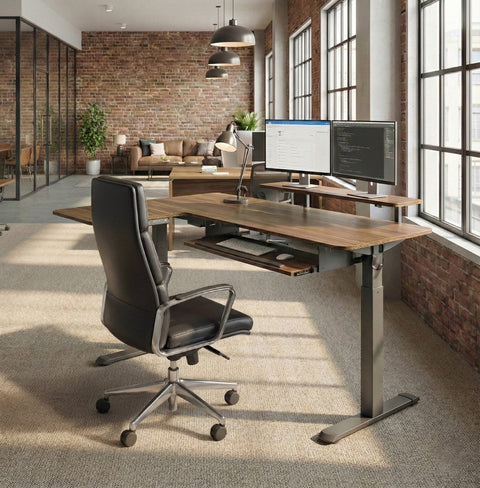
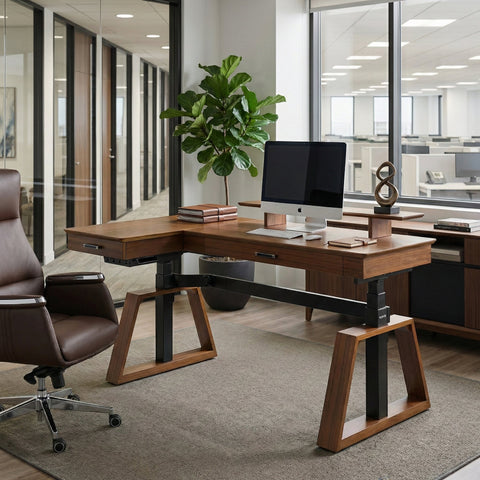
An adjustable-height desk is a game-changer for petite users. It allows you to set the surface at the perfect height relative to your chair's armrests, ensuring your elbows remain at that crucial 90-degree angle with your wrists straight. This prevents the wrist and forearm strain that leads to Repetitive Strain Injuries (RSI).
Monitor Height and Viewing Distance
Neck pain is often a direct result of poor monitor placement. According to OSHA's monitor setup guide, the top of your monitor should be at or slightly below eye level. You shouldn't have to tilt your head up or down to see the screen. It should also be about an arm's length away. A fully adjustable monitor arm is the most effective tool for achieving this, as it gives you precise control over height, distance, and angle.

It’s Not Just About Posture—It’s About Movement
Even the most perfect ergonomic setup can be undermined by staying in one position for too long. Your body is designed to move. Prolonged static postures, whether sitting or standing, are detrimental to musculoskeletal health.
Adopt a Sit-Stand Rhythm
The key is to vary your posture throughout the day. A study cited by Cornell University's Ergonomics Web suggests a "20-8-2" rhythm: for every 30 minutes, sit for 20 minutes, stand for 8 minutes, and spend 2 minutes moving and stretching. This approach keeps your muscles engaged and your blood flowing.
Embrace Micro-Breaks
This advice aligns with the World Health Organization's 2020 guidelines, which recommend that adults reduce sedentary time and interrupt long periods of static behavior. You don't need a full workout. Simple actions like standing up to take a phone call, walking to get water, or doing a few gentle neck rolls can make a significant difference. Set a timer to remind yourself to get up and move every half hour.
Key Takeaways
Eliminating back pain as a petite user isn't about finding a magical one-size-fits-all solution. It’s about creating a system of support that fits your body.
- Start with Your Chair: Adjust your chair height first, and use a footrest to ensure your feet are flat and your knees are at 90 degrees.
- Ensure Full Support: Make sure your back is flush against the backrest and the lumbar support fits your spine's curve.
- Bring the Desk to You: Use an adjustable desk to align your work surface with your armrests.
- Elevate Your Screen: Position your monitor at eye level to maintain a neutral neck posture.
- Keep Moving: Alternate between sitting and standing, and take frequent micro-breaks to stretch and move around.
By implementing these strategies, you can finally create a workspace that works for you, not against you.
Frequently Asked Questions (FAQ)
How do I choose a chair that fits a petite frame?
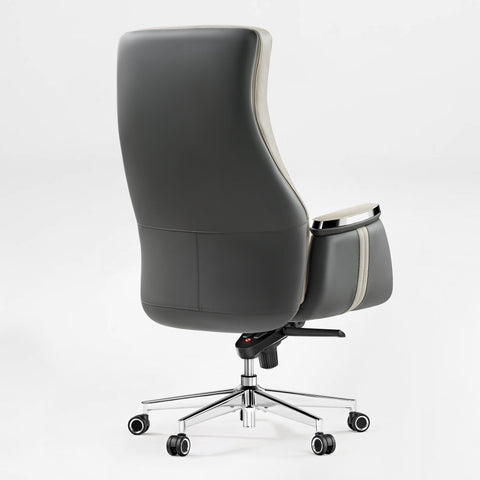
Look for a chair with a lower-than-average seat height range and, most importantly, a shallow seat depth or an adjustable seat pan. This ensures you can sit all the way back and still have your feet properly supported (with a footrest) without the seat edge pressing into your knees.
Will a standing desk really help with my back pain?
For a petite user, a standing desk is one of the most valuable ergonomic tools. Its primary benefit is height adjustability. It allows you to set a precise and correct desk height for both sitting and standing, which is often impossible with fixed-height desks that are built for taller individuals.
This article is for informational purposes only and does not constitute professional medical advice. If you are experiencing chronic pain, please consult a healthcare professional.




Leave a comment