

Playing video games can thrust you into a new world of fantasy, make-believe, and excitement. But, did you know that the activity can actually affect your eyes? Research shows that frequent gaming can lead to eye strain, focus problems, and even visual damage. Thankfully, many of these issues can be avoided altogether, and we’re talking about how.
In this article, we’ll be discussing the truth about video games and eye health. Then, we’ll be sharing what Gamer Eye Syndrome is and how affected gamers can get rid of it. Finally, we’ll be sharing the best advice to help gamers keep their eyes healthy.
Can Gaming Affect Your Eyes?
Making mistakes as a gamer, like choosing the wrong gaming chair or not vetting your gaming desk appropriately, can lead to a wide range of health effects. One of the most at-risk parts of the body is your eyes. Long-term gaming or gaming with improper equipment can lead to issues, like dry eyes, fatigue, blurry vision, and headaches. Because most people blink 66% less often while gaming, frequent breaks are necessary.

What is Gamer Eye Syndrome?
Gamer Eye Syndrome is a group of similar eye conditions most commonly caused by excessive screen time without breaks. It’s also been referred to as “Computer Vision Syndrome”, and leads to many different symptoms, like:
- Blurred vision
- Muscle fatigue
- Dry eyes
- Itchy, red eyes
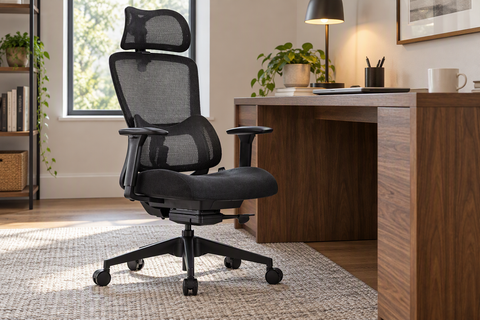
Gamer Eye Syndrome happens because of the strain put on the eyes while gaming, and can be prevented by selecting the right gaming chairs and desks.
How Do You Get Rid of Gamer Eyes?
Gamer eyes can be painful and frustrating to deal with, especially for people who take their gaming seriously. Once you start noticing symptoms, it’s important to begin treatment right away to decrease the amount of time it takes your eyes to heal. Gamer eyes mostly have to be treated with time and decreased exposure, but some of the best ways to increase your healing time are to:
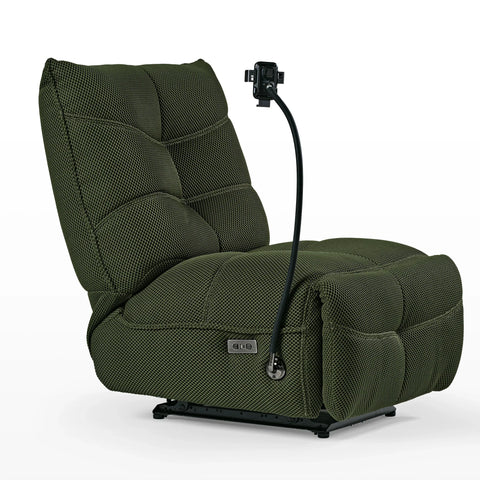
- Improve your posture with a gaming chair that doesn’t allow you to slump
- Enlarge any text on your screen
- Purchase a glass glare filter
- Keep your gaming room softly lit

Improving your workspace to prevent future cases of eye strain is the most effective method for getting rid of Gamer Eyes. A longer break (a few days to a week) could also help relieve eye strain and reduce any pain or discomfort. People suffering from repeat cases of Gamer Eye should consider consulting a doctor to rule out any underlying vision conditions.
How Do Gamers Keep Their Eyes Healthy?
Gamer Eyes is a difficult condition that could even lead to chronic blurriness, pain, and dryness if not treated properly. For this reason, prevention is the best strategy for keeping your eyes functioning at their best. People who play video games regularly should consider some strategies for keeping their eyes healthy and well. The most important advice is to:
- Sit at least 6-10 feet from your screen
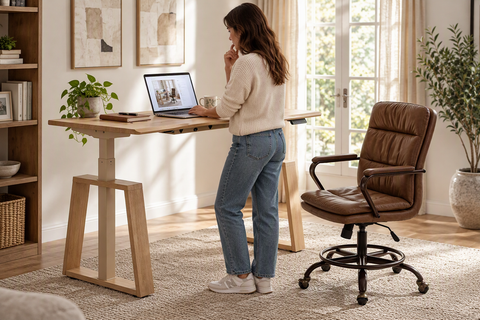
- Keep your screen at eye level with a standing desk
- Take a break every 30 minutes
- Invest in eye-protecting glasses




Leave a comment