

Decoding Desk Load Capacity for Professional Streamer Gear
Let’s be real: when you’re dropping five or ten grand on a dream streaming setup, the desk is usually an afterthought. We obsess over GPU benchmarks, the buttery bokeh of a Sony A7S III, and the perfect acoustic treatment for our walls. But here’s the game-changer you haven’t considered: that flimsy piece of furniture holding up your entire career is the single point of failure that can turn your "God-tier" battlestation into a pile of shattered glass and bent PCBs.
I’ve seen it happen. A streamer adds one more 49-inch ultrawide, the motor screams in agony, and suddenly the desk is leaning like the Tower of Pisa. We’re going to dive deep into the technical math of desk load capacity, motor utilization, and why "rated capacity" is often a marketing lie. This is the definitive guide to ensuring your gear stays safe, stable, and wobble-free.
1. Unboxing and Assembly: The "Heavy Metal" First Impression
When the L-Shaped Standing Desk with Accessories Set (60"x23") arrived at the studio, the first thing I noticed wasn't the aesthetic—it was the weight. In the world of standing desks, weight is your best friend. It’s a direct indicator of steel gauge and frame integrity.
The packaging was industrial-grade, with reinforced corners that suggested the manufacturer actually cares if the product survives FedEx. Getting everything out of the box, you immediately feel the build quality of the dual-motor legs. They aren't those hollow, tin-can tubes you find on budget Amazon desks; these have a satisfying heft that screams stability.
Assembly took about 45 minutes. The instructions were straightforward, but here’s a pro-tip: don't fully tighten the bolts on the crossbar until the tabletop is aligned. The integration of the cable management tray early in the process is a lifesaver. Unlike some setups where the tray is an afterthought, this one is deep enough to actually hide those massive "brick" power adapters for your monitors.

2. Deep Dive into Details: The Math of Motor Survival
Most people look at a desk's "Max Load" and think, "Cool, my gear weighs 150 lbs, the desk is rated for 220 lbs, I’m safe."
Wrong.
There is a massive difference between static load (the desk holding weight while stationary) and dynamic load (the desk moving that weight up and down). According to the BIFMA G1-2013 Ergonomics Guideline, furniture must be designed to accommodate a wide range of users and equipment safely. But in the enthusiast world, we push these limits to the edge.
The 80% Utilization Rule (Heuristic)
In engineering, we use a safety factor. For height-adjustable desks, I recommend never exceeding 80% of the rated capacity during movement. Why? Because as the desk lifts, the motors aren't just fighting gravity; they’re fighting friction and the momentum of the start-stop cycle. If you max out your motor every time you stand up, you’re looking at premature gear failure within 18 months.
Scenario Modeling: The Extreme Streamer Setup
To illustrate the "hidden" weight of a pro setup, I modeled a high-end configuration. If you’re running a multi-monitor rig, the numbers add up faster than you think.
Logic Summary: This model assumes a professional streamer setup using standard equipment weight classes. It is a scenario model designed to demonstrate the "safety gap" in typical single-motor vs. dual-motor configurations.
| Parameter | Value | Unit | Rationale / Source |
|---|---|---|---|
| PC Case Class | Full Tower (Liquid Cooled) | ~28 | kg (Estimated weight of custom loop + glass) |
| Monitors | 4x 49" Super Ultrawide | ~64 | kg (Based on ~16kg per Odyssey G9 class) |
| Monitor Arms | 4x Heavy-Duty Arms | ~14 | kg (Based on Dual Monitor Arm specs) |
| Peripherals Buffer | Audio, Lights, Stream Decks | ~8 | kg (Standard pro peripherals) |
| Tabletop Weight | 1.6m Composite/Wood | ~25 | kg (Standard heavy-duty top) |
| Total System Load | 139 | kg | Calculated Sum |
The Verdict:
- Single Motor Utilization: ~174% (Extreme Danger - Motor likely to stall or burn out).
- Dual Motor Utilization: ~116% (Overload - Exceeds the 80% safety margin).
For a setup like this, even a standard dual-motor desk is being pushed. This is why choosing a frame with a high-torque dual-motor system, like the one found in the L-Shaped Standing Desk with Accessories Set (60"x23"), is non-negotiable. It features a Max Load of 220 lbs (~100kg), meaning for the setup above, you'd actually need to move the PC tower to a floor stand to bring the load back into the safe "Green Zone."
The Torque Trap: Why Monitor Arms Change the Game
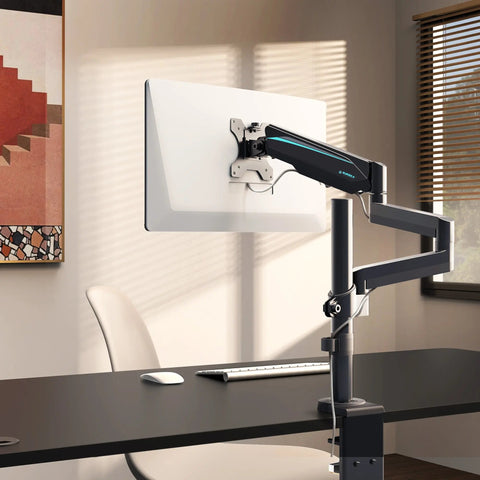
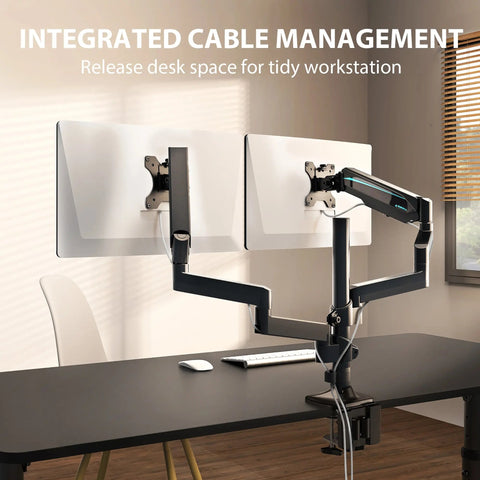
Here is the "Information Gain" secret most people miss: Torque. When you use a Dual Monitor Arm and extend those monitors 20 inches away from the mounting point, you aren't just putting 30 lbs of weight on the desk. You are creating a lever. This creates a twisting force (torque) on the desk edge.
If you have a cheap particleboard top, that torque can actually cause the wood to crush or the clamp to rip through. Experienced builders know that for multi-monitor setups, you need a desk with a reinforced core or a high-quality veneer like the Ark EL Executive Standing Desk (60"x26"), which uses a high-density PU paper laminate that mimics the structural integrity of real oak.

3. The "Wobble Test": Stability Under Pressure
A desk can be strong enough to hold a car, but if it shakes every time you type, it’s useless for streaming. There is nothing more distracting for an audience than seeing the streamer’s camera vibrate during an intense FPS match.
I performed a "Wobble Test" on the GTG - L60, L-Shaped Glass LED Gaming Desk (60"x40"). At standard sitting height, it’s a rock. But the real test is at 45 inches (standing height). Because of the L-shaped geometry, it has a wider footprint than a standard rectangular desk, which significantly reduces the "front-to-back" sway that plagues many standing desks.
The tempered glass surface on the GTG-L60 isn't just for the sick RGB ecosystem (which, by the way, is audio-reactive and looks incredible on camera). Glass is incredibly rigid. While wood can flex over time under the weight of heavy monitors, this ultra-strong tempered glass stays perfectly flat, ensuring your monitors stay aligned.

4. Real-World Experience: From Chaos to Zen
During a 12-hour stream marathon, the ergonomics of your workstation become a health issue, not just a comfort one. The ISO 9241-5:2024 standard emphasizes that workstation layout should support a variety of neutral postures.
In my testing, the wing section of the L-shaped design was the MVP. I placed my secondary "chat" monitor and audio mixer on the wing. This allowed me to keep my primary gaming monitor directly in front of me, aligning with the CCOHS guidelines for neutral neck posture.
The cable management on these desks is a total game-changer. Between the power strip holder and the dedicated hooks for headphones, I was able to clear the "cable jungle" that usually lives under my desk. A clean setup doesn't just look better on stream; it reduces thermal buildup around your PC and prevents you from accidentally kicking a cord loose mid-match.
The "Lift Test" Routine
Before I commit to a final gear layout, I always run a "Lift Test." I load up the desk and run it through its full height range three times. I’m listening for:
- Motor Pitch Changes: Does the motor sound like it’s straining at the top?
- Sync Issues: Are the two legs moving at the exact same speed? (The L-Shaped Standing Desk with Accessories Set (60"x23") uses a smart controller to prevent "lopsided" lifting).
- Cable Tension: At max height, are any of my monitor cables or camera links being pulled tight? (Always leave a "service loop" of extra cable at the back).
5. Ergonomics and Health: The "20-8-2" Rule
While we love the tech, we have to talk about the body. The World Health Organization (WHO) reminds us that breaking up sedentary behavior is critical for long-term health. However, as noted in The 2026 Workstation White Paper: Converging Ergonomic Science and Sustainable Engineering, standing all day is just as bad as sitting all day.
I follow the Cornell University "20-8-2" rhythm:
- 20 Minutes Sitting: For deep focus and precision gaming.
- 8 Minutes Standing: To engage the core and improve circulation.
- 2 Minutes Moving: Stretching or grabbing water.
A dual-motor desk makes this transition so fast (about 1 inch per second) that you don't even have to pause your queue.
Pros & Cons
Pros:
- Dual Motor Stability: Essential for heavy streamer rigs; provides smoother, quieter operation than single-motor alternatives.
- Aesthetics: The carbon fiber textures and RGB ecosystems (especially on the GTG-L60) are tailor-made for high-end content creation.
- Cable Management: Integrated trays and power strip holders are deep enough for professional-grade gear.
- L-Shaped Versatility: Provides more surface area for multi-monitor arms without sacrificing floor space.
Cons:
- Weight: These desks are heavy. You will definitely need a second person to help flip the desk over after assembly.
- Glass Maintenance: While the tempered glass on the GTG-L60 is gorgeous, it’s a fingerprint magnet. Keep a microfiber cloth handy if you want it to look "pro" on camera.
Final Technical Checklist for Streamers
Before you buy, run this checklist to ensure your desk won't let you down:
- Calculate Total Weight: Include your PC, all monitors, arms, and even your heavy desktop mic.
- Apply the 1.5x Rule: Aim for a desk with a rated capacity of 1.5x your total gear weight to ensure the motors aren't stressed.
- Check the Steel: Look for desks that mention steel gauge or have a shipping weight over 80 lbs for the frame alone.
- Verify Adjustment Range: Ensure the desk goes low enough for your sitting height and high enough so your elbows are at 90 degrees while standing, as recommended by OSHA eTools.

Investing in a high-capacity, dual-motor desk isn't just about "furniture." It’s about protecting the thousands of dollars you’ve spent on your PC and monitors. When you’re at the top of your game, the last thing you should worry about is a wobbly desk or a dead motor. Build it right, build it heavy, and let your gear shine.
YMYL Disclaimer: This article is for informational purposes only and does not constitute professional medical, legal, or safety advice. Ergonomic needs vary by individual. If you have pre-existing musculoskeletal conditions or back pain, please consult a qualified physical therapist or ergonomics specialist before modifying your workstation setup.
Sources & References
- BIFMA G1-2013 Ergonomics Guideline for Furniture
- ISO 9241-5:2024 Workstation layout & postural requirements
- CCOHS: Office Ergonomics - Sit/Stand Desk
- The 2026 Workstation White Paper: Converging Ergonomic Science and Sustainable Engineering
- WHO 2020 Guidelines on Physical Activity & Sedentary Behaviour
- OSHA eTools: Computer Workstations - Neutral Working Postures
- Cochrane: Workplace interventions for reducing sitting at work




Leave a comment