

The mid-afternoon slump is often attributed to a lack of caffeine or a heavy lunch, but for the modern professional, the culprit is frequently structural. As the workday progresses, the body’s ability to maintain a healthy posture diminishes under the weight of static load. This physical fatigue manifests as a dull ache in the lumbar region, tension in the trapezius muscles, and a perceptible decline in cognitive focus. While the "sit-stand" revolution has been touted as the solution, many users find that their transition to a height-adjustable workspace is marred by a subtle yet persistent frustration: the "wobble."
A common misconception is that all height-adjustable desks are engineered equally. In reality, the mechanical heart of the workstation—the motor system—dictates not only the longevity of the furniture but also the physiological success of the ergonomic intervention. As we look toward 2026, the dual-motor system has emerged as the definitive standard for the high-performance home office and gaming hybrid, moving beyond luxury status to become a technical necessity for stability and health.
The Physiology of Static Load and Musculoskeletal Health
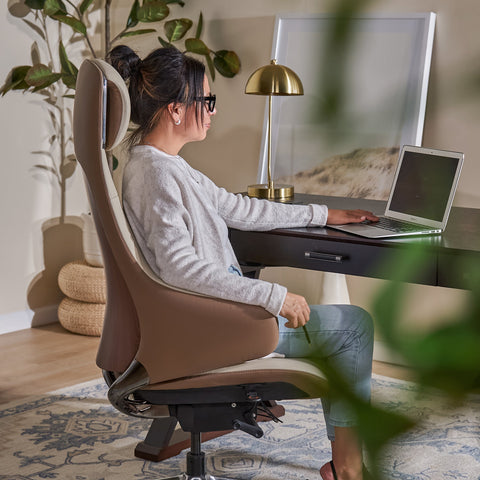
To understand why the mechanical stability of a desk matters, one must first understand the physiological principles of the "spinal neutral position." According to the U.S. Occupational Safety and Health Administration (OSHA), a neutral posture is a comfortable working position in which joints are naturally aligned, reducing stress and strain on the muscles, tendons, and skeletal system.
When a professional remains in a seated position for extended periods, they are subjected to "static load." This occurs when muscles are held in a constant state of tension to support the body against gravity. Over time, static loading restricts blood circulation, leading to the accumulation of metabolic waste products in the muscle tissue. This process is a primary driver of Work-related Musculoskeletal Disorders (MSDs).
The World Health Organization (WHO) 2020 Guidelines on Physical Activity and Sedentary Behaviour emphasize that reducing sedentary time is critical for cardiovascular health and the prevention of chronic conditions. However, standing is not a substitute for exercise; rather, it is a tool for postural variation. The danger arises when the standing surface is unstable. A wobbly desk forces the user to subconsciously engage "stabilizer muscles" in the forearms and shoulders to steady their equipment, effectively replacing one form of static load with another.
The Engineering Gap: Single vs. Dual Motor Systems
The primary failure point in many entry-level height-adjustable desks is the reliance on a single-motor system. In these designs, a single motor drives one leg, while a hexagonal drive rod transfers power to the second leg. While functional for light use, this mechanical arrangement introduces several "friction points" that compromise long-term performance.
- Leg Desynchronization: Over time, the torsion in the drive rod can lead to a minute lag between the two legs. This "drift" means the desktop is no longer perfectly level, which can interfere with the tracking of high-precision optical mice and increase the wear on internal gears.
- The Stability Threshold: As the desk rises, the center of gravity shifts. In a single-motor system, the power distribution is asymmetrical. Under the weight of a professional multi-monitor setup, this asymmetry manifests as a noticeable wobble during typing or mouse movements.
- Acoustic Disruption: Single motors often operate at a higher RPM to compensate for the mechanical disadvantage of the drive rod. This frequently pushes noise levels above the 50 dB threshold—the point at which sound becomes a distraction in a shared home office environment.
In contrast, a dual-motor system utilizes a dedicated motor for each leg, synchronized by an intelligent control box. This allows for a perfectly vertical lift, regardless of whether the weight (such as a heavy PC tower or a triple-monitor array) is centered or offset.

Data-Driven Performance: A Quantitative Analysis
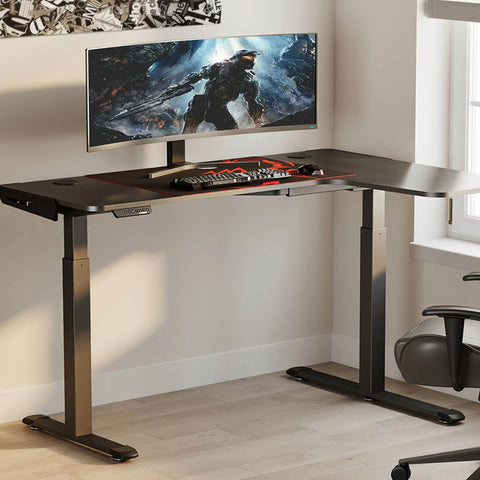
To quantify the necessity of dual-motor engineering, consider a simulation of a "Power User" setup—a professional who utilizes triple ultrawide monitors and a liquid-cooled full-tower PC. In this scenario, the total battlestation load reaches approximately 94 kg (207 lbs).
| Performance Metric | Single-Motor Capacity (Typical 80kg) | Dual-Motor Capacity (Standard 120kg) | Impact on Professional Use |
|---|---|---|---|
| Utilization Rate | 117.5% (Overloaded) | 78.3% (Optimal) | Dual motors operate within the "safety buffer," preventing premature motor burnout. |
| Lift Speed | 0.8 - 1.0 inches/sec | 1.2 - 1.8 inches/sec | Faster transitions encourage more frequent posture changes. |
| Noise Level | 52 - 58 dB | 40 - 45 dB | Dual motors remain below ambient room noise, preserving focus. |
| Recalibration Frequency | Every 6 months | Virtually never | Dual-motor synchronization is maintained electronically, not mechanically. |
Note: Values are estimated based on common industry performance rates and standard load capacities.
For the competitive gamer or professional creator, these numbers translate into tangible ROI. A lift speed of 1.5 inches per second allows a user to transition from sitting to standing in under 10 seconds, making the "20-8-2" rhythm (20 minutes sitting, 8 minutes standing, 2 minutes moving) significantly easier to maintain.
The 2026 Standard: Stability as a Safety Requirement
As we approach 2026, the industry is aligning with stricter safety and durability standards. The BIFMA G1-2013 Ergonomics Guideline provides the dimensions necessary to fit 95% of the population, but dimensions alone do not guarantee safety.
For desks equipped with storage drawers or integrated shelving, the CPSC STURDY / 16 CFR Part 1261 standard highlights the importance of anti-tip-over design. A dual-motor desk, with its heavier, more symmetrical base, provides a lower center of gravity and greater structural adequacy compared to single-motor counterparts.
Furthermore, the latest ISO 9241-5:2024 standard for workstation layout emphasizes "postural flexibility." This means the furniture must not only reach the correct height but must do so without disrupting the user's workflow. A desk that shakes every time the motor engages is a desk that discourages use, ultimately failing the ergonomic objective.

Implementation Guide: Setting Up for Success
Investing in a dual-motor system is the first step; the second is proper calibration. According to the Canadian Centre for Occupational Health and Safety (CCOHS), the monitor should be positioned so that the top line of text is at or slightly below eye level. This prevents the "neck crane" that often occurs when users stand up but fail to adjust their monitor height accordingly.
The "Silent Power" Checklist for Workspace Setup:
- Monitor Alignment: Use a gas-spring monitor arm to ensure your screens remain at the correct focal distance (20-30 inches from the eyes).
- The Elbow Rule: Whether sitting or standing, your keyboard height should allow your elbows to be bent at a 90-degree angle, with wrists in a neutral, flat position. Refer to the OSHA Guide on Keyboards for specific wrist-angle recommendations.
- Cable Management: Ensure that your power and data cables have enough "slack" to accommodate the desk's full range of motion. A common mistake is a "tension-snag" at maximum height, which can damage ports or pull equipment off the desk.
- Anti-Fatigue Support: When standing, use an anti-fatigue mat to reduce the static load on the lower limbs and improve blood circulation.
Addressing the "Drift" and Maintenance
One of the most significant advantages of the dual-motor standard is the elimination of the "recalibration ritual." Single-motor desks often require a manual reset—holding the "down" button for 10 seconds—to re-level the legs after several weeks of use. In a dual-motor system, the control box monitors the "hall sensors" in each motor to ensure they are moving in perfect unison.
However, even the best engineering can be undermined by assembly errors. A frequent "gotcha" for home installers is over-tightening the frame bolts. This can slightly bind the telescoping legs, forcing the motors to work harder and increasing noise. The 2026 standard for high-end desks includes "precision-fit" components that require only moderate torque to achieve maximum stability.

The Future of the Healthy Workspace
The transition to dual-motor desks represents a shift from "furniture as a commodity" to "furniture as an engineering solution." As professionals spend upwards of 8 to 10 hours a day at their workstations, the mechanical reliability of that surface becomes a primary factor in their long-term well-being.
By choosing systems that meet or exceed ANSI/BIFMA X5.1 standards for durability, users are not just buying a desk; they are investing in a platform that supports their health, productivity, and professional longevity. The silent power of a dual-motor lift is the subtle difference between a workspace that merely exists and one that actively empowers.
For a deeper dive into the technical specifications of the next generation of office design, consult The 2026 Workstation White Paper: Converging Ergonomic Science and Sustainable Engineering.
YMYL Disclaimer: This article is for informational purposes only and does not constitute professional medical, legal, or financial advice. Ergonomic needs vary significantly based on individual physical conditions. If you have a history of musculoskeletal disorders, chronic back pain, or other health concerns, please consult a qualified healthcare professional or a certified ergonomist before making significant changes to your workstation setup or work habits.
References
- BIFMA G1-2013 Ergonomics Guideline for Furniture
- CCOHS: Office Ergonomics - Sit/Stand Desk
- ISO 9241-5:2024 Workstation layout & postural requirements
- WHO 2020 Guidelines on Physical Activity & Sedentary Behaviour
- OSHA eTools: Computer Workstations - Neutral Working Postures
- ANSI/BIFMA X5.1 General-Purpose Office Chairs
- Onagbiye et al., 2024 – Sedentary Time & Cardiovascular Disease Risk




Leave a comment