

The Ultimate Gamer Gift Guide: Choosing the Perfect Gaming Chair for Christmas
Let's be real: finding the perfect Christmas gift for the gamer in your life can feel like a final boss battle. You want something that’s not just cool, but genuinely useful—a gift that enhances every single moment they spend in their favorite virtual worlds. Forget fleeting game subscriptions or another novelty mug. This year, it’s time to give them the ultimate upgrade: a high-performance gaming chair.
A top-tier gaming chair isn't just a piece of furniture; it's the command center, the cockpit, the throne from which victories are claimed. It’s a game-changer for comfort, performance, and the overall aesthetic of their setup. But with so many options, how do you choose the right one without spoiling the surprise? Don't worry, I've got your back. This guide will walk you through everything you need to know to select a gift that will blow them away and provide incredible support for years to come.
Why a Gaming Chair is the Ultimate Upgrade
For anyone who spends hours gaming, working, or streaming, their chair is the single most important piece of equipment. It has a greater impact on their daily well-being than almost any other component. An old, unsupportive chair doesn't just cause discomfort; it can lead to nagging issues that detract from the experience.
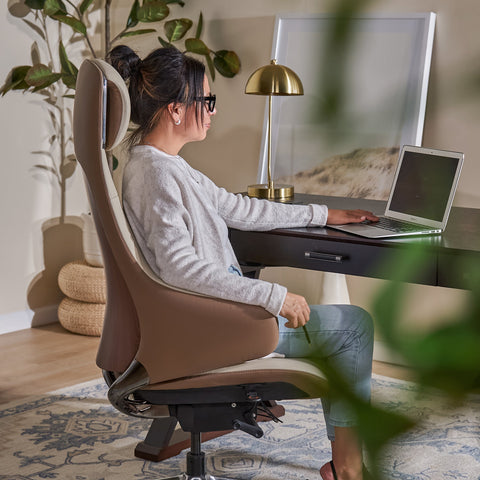
According to the U.S. Occupational Safety and Health Administration (OSHA), maintaining a neutral body posture is critical for avoiding musculoskeletal strain. This means having a chair that properly supports the natural curve of the spine, keeps feet flat on the floor, and allows arms to rest comfortably. A purpose-built gaming chair is designed to do exactly that, providing a foundation of ergonomic support that a standard office chair or dining chair simply can’t match. It’s an investment in their health and their hobby.
A great chair also anchors the entire aesthetic of a gaming setup. It’s the centerpiece that ties everything together, turning a random collection of hardware into a cohesive, immersive battlestation. It’s a statement piece that says, "this is my space." When you gift a high-quality gaming chair, you’re not just giving a seat; you’re giving an upgrade to their entire environment.

A Deep Dive into Game-Changing Features
Not all gaming chairs are created equal. To make an informed choice, you need to understand the key features that separate the best from the rest. It's all about build quality, stability, and, most importantly, deep, dynamic adjustability.
Foundational Support: Build Quality and Stability
The first thing I always look at is the foundation. A solid steel frame and a wide, sturdy wheelbase are non-negotiable. This is the core of the chair's durability and safety. You want a chair that feels planted and secure, even when leaning back in victory or forward in intense concentration.
This brings me to the "Wobble Test." A well-built chair should have minimal give or sway. Stability is paramount. The materials built upon that frame are just as crucial. While PU leather has been the classic choice for its premium feel and racecar aesthetic, modern hybrid designs are becoming the new standard for long-session comfort. For instance, a chair like the Axion, Ergonomic Hybrid Chair uses a high-elastic mesh back. This material is a game-changer for breathability, preventing heat buildup during marathon gaming sessions in warmer rooms. On the other hand, a chair like the HyperX Python II Gaming Chair utilizes advanced NanoAir™ threading in its fabric, offering a soft, skin-friendly feel that’s also incredibly wear-resistant.
The Heart of Comfort: Ergonomic Adjustability
This is where a great chair truly shines. Static support is good, but dynamic, adjustable support is what protects your gamer from fatigue and strain.
1. Dynamic Lumbar Support: The Absolute Game-Changer If there's one feature to prioritize, it's the lumbar support. Many chairs come with a simple foam pillow that you have to constantly readjust. Frankly, it’s a lazy solution. The best chairs feature integrated, adjustable systems. The gold standard is self-adaptive support. The HyperX Python II Gaming Chair features a groundbreaking 4D Gyro-Tech™ system. This isn't just a cushion; it's a dynamic support that telescopes and pivots, automatically adjusting to the user's posture in real-time. Whether they’re leaning forward to focus or reclining to relax, the support moves with them, constantly maintaining contact with the lower back. It’s the kind of feature you don’t realize you need until you’ve experienced it, and then you can’t live without it.

2. 4D Armrests: The Unsung Heroes Armrests are often overlooked, but they play a vital role in preventing shoulder and neck strain. Look for "4D" adjustability. This means they can be moved up/down, forward/backward, in/out, and rotated. This level of control allows the user to position their arms perfectly for both keyboard/mouse and controller gameplay, ensuring their shoulders remain relaxed and their wrists are in a neutral position, a principle backed by ergonomic guidelines from sources like the Canadian Centre for Occupational Health and Safety (CCOHS).
3. Recline and Tilt: Finding the Sweet Spot A generous recline is essential for stretching out between matches. A quality mechanism will allow for a smooth recline and let you lock it in place. Based on countless hours of testing, a recline range of 100-135 degrees is the sweet spot. This provides a supportive upright position for intense focus (around 100-110 degrees) and a comfortable, relaxed angle for watching cutscenes or streams (up to 135 degrees). Adjustable tilt tension is also key, allowing the user to rock back smoothly without feeling like they’re going to tip over.
How to Choose the Right Chair Without Spoilering the Surprise
Gifting a chair can be tricky because fit is so personal. But with a little bit of intel, you can make a fantastic choice.
Debunking the Myth: "One Size Fits All"
The biggest mistake I see is buyers assuming any gaming chair will work for anyone. This is a myth. A chair that’s perfect for someone 5'6" might be terrible for someone 6'2". The key is to match the chair's dimensions to the user's body. The goal is for their feet to rest flat on the floor with their knees at a roughly 90-degree angle.
Your Pre-Purchase Gifting Checklist
You'll need to do some subtle detective work. Use this checklist to gather the essential data you need to match them with the perfect chair.
| Gifting Intel Checklist | Your Notes & Observations | Why It Matters |
|---|---|---|
| User's Approximate Height & Weight | e.g., Around 6 ft, ~190 lbs | The most critical factor. Check the chair's recommended height and weight capacity to ensure a safe and comfortable fit. |
| Current Desk Height | Measure from floor to tabletop | This helps determine the ideal seat height range. The user's arms should be at a 90-degree angle when typing. |
| Available Space | Is the room spacious or tight? | Check the chair's total footprint (especially the wheelbase diameter) to ensure it won't feel cramped in their space. |
| Primary Use Case | e.g., Mostly FPS gaming, streaming, or a mix of work and play | This can influence material choice. Mesh is great for intense, high-energy sessions, while premium fabrics offer all-around comfort. |
| Aesthetic Preference | Do they prefer a sleek, modern look or a classic racecar style? | Observe their current setup. Do they have a lot of RGB? A minimalist vibe? Choose a chair that complements their style. |
One of the most common gifting mistakes is choosing a chair based on color or looks alone, while ignoring the specifications. Always, always check the weight capacity and the seat dimensions. Another pitfall is not checking the return policy. A generous and easy return policy is your safety net, ensuring that if the fit isn't quite right, you can easily swap it.
Complete the Setup with Perfect Accessories
If you want to take your gift to the next level, or if they already have a decent chair, consider accessories that complete the ergonomic ecosystem.
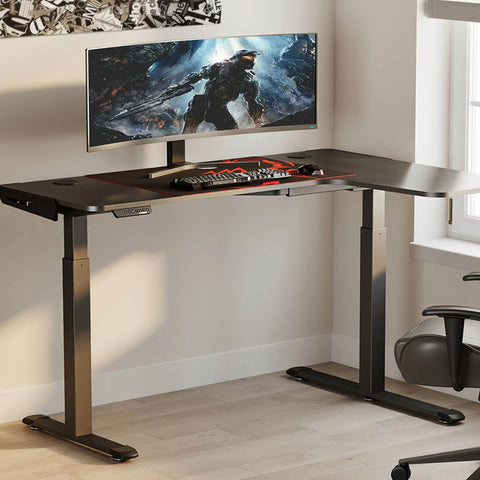
According to Cornell University's Ergonomics Web, proper workstation setup involves more than just the chair. The monitor, for instance, should be positioned so the top of the screen is at or just below eye level. A sleek Carbon Fiber Dual Monitor Stand not only achieves this perfect height to reduce neck strain but also adds usable desk space and a premium carbon fiber texture to the setup.
And let's talk about the digital serpent's nest—cables. Nothing ruins a clean aesthetic faster than a mess of wires. Simple, effective cable management is a huge quality-of-life improvement. A pack of Magnetic Cable Ties is an amazing stocking stuffer. Unlike velcro ties that collect dust and pet hair, these are clean, reusable, and incredibly satisfying to use.
Wrapping Up: Your Guide to a Holiday Win
Choosing a gaming chair is about more than just finding a place to sit. It's about giving a gift of comfort, support, and an elevated gaming experience. By focusing on the core principles of build quality, stability, and dynamic ergonomic support—especially a truly adaptive lumbar system—you can confidently select a chair that will be a game-changer.
Remember to do your homework using the gifting checklist, prioritize function over flashy gimmicks, and you'll give a gift that they'll appreciate during every single gaming session. You’re not just buying a chair; you’re investing in their passion and well-being.
Frequently Asked Questions (FAQ)
How much assembly is required for a gaming chair? Most gaming chairs require some assembly, but it's typically straightforward. Expect it to take about 20-30 minutes. The process usually involves attaching the backrest to the seat, mounting the mechanism, and inserting the casters into the wheelbase. All tools are almost always included.
What's the real difference between a gaming chair and an office chair? While there's some overlap, gaming chairs are specifically designed for the postures of gaming. They often feature higher backrests for head and neck support, more robust adjustability like 4D armrests, and deeper recline functions for relaxing between games. What Makes an Office Chair Truly Ergonomic? A Guide can provide more detail on the office-centric side.
Is a mesh or fabric/leather chair better for gaming? It comes down to personal preference and environment. Mesh chairs offer superior breathability, making them ideal for gamers who run hot or are in warmer climates. Fabric and high-quality PU leather offer a plusher, more cushioned feel that many find comfortable, with modern materials offering improved ventilation over older designs.
How important is lumbar support really? It is arguably the single most important ergonomic feature. Proper lumbar support maintains the natural inward curve of the lower spine, preventing slouching and reducing pressure on the spinal discs. A lack of support is a primary cause of lower back pain during long sessions. An adaptive system that moves with you is the pinnacle of this technology.
Disclaimer: This article is for informational purposes only and does not constitute professional medical advice. The information provided is not a substitute for consultation with a qualified healthcare professional. If you have pre-existing health conditions, especially back or neck issues, please consult a doctor or physical therapist before making significant changes to your ergonomic setup.
References
- OSHA eTools: Computer Workstations - Neutral Working Postures
- Canadian Centre for Occupational Health and Safety (CCOHS) - Office Ergonomics - Sit/Stand Desk
- Cornell University Ergonomics Web — Workstation Guides




Leave a comment