

The Afternoon Ache: Why Your Gaming Gear Might Be Straining Your Posture
For many gamers and remote professionals, the mid-afternoon mark brings a familiar, nagging sensation: a dull ache at the base of the skull, tightness in the trapezius muscles, and a subconscious urge to lean closer to the screen. While often attributed to "screen fatigue," a frequent mechanical conflict is at play. If you wear high-fidelity, over-ear headphones, your ergonomic chair’s headrest might be a primary source of your discomfort.
This phenomenon occurs when the physical dimensions of your audio gear clash with the support structure of your chair. Instead of the headrest cradling the cervical spine in a neutral position, it strikes the headband of the headset, pushing the skull forward. This displacement—often less than an inch—can trigger a cascade of musculoskeletal strain that may lead to persistent discomfort.
Quick Setup Summary: Achieving Headset Synergy
| Goal | Action | Tool/Rule |
|---|---|---|
| Check Clearance | Ensure space between headband and headrest. | Two-Finger Rule |
| Align Sightline | Position monitor top-third at eye level. | Monitor Arm |
| Stabilize Base | Keep feet flat and pelvis neutral. | Ergonomic Footrest |
| Dynamic Break | Follow a 20-8-2 sitting/standing rhythm. | Cornell 20-8-2 |
The Physiology of Static Load and Cervical Alignment
To understand why headset interference is detrimental, we look at the mechanics of the human neck. The average human head weighs between 10 and 12 pounds. According to the Canadian Centre for Occupational Health and Safety (CCOHS), when the head is held in a neutral position—ears aligned over the shoulders—the weight is distributed across the cervical vertebrae.
However, based on general biomechanical principles, for every inch the head is pushed forward, the effective load on the neck muscles can significantly increase—in some cases effectively doubling the strain on the posterior chain. This is a primary driver of Musculoskeletal Disorders (MSDs). When a bulky headrest makes contact with the headband of a headset, it can create a "lever effect," forcing the head into a protracted position.
Illustrative Model: The Cervical Load Heuristic Note: These values are estimated based on typical adult anthropometry and common headband dimensions to illustrate the mechanical impact of forward head displacement.
Parameter Estimated Value Unit Rationale Neutral Head Weight ~5 kg Standard adult average Forward Displacement 25 - 40 mm Observed range of high-end headband thicknesses Est. Muscle Tension Up to +100% % change Estimated increase in posterior neck load per inch of tilt Contact Surface Area <10 cm² Typical point-load pressure from headbands Static Hold Duration 120+ mins Typical gaming/work session
This prolonged static load can restrict blood circulation and lead to "static muscle fatigue." As noted in the ISO 11226:2000 standard on static working postures, maintaining non-neutral angles for extended periods increases the risk of fatigue. In a gaming context, this may manifest as a loss of focus as the body attempts to manage the physical discomfort.
The Invisible Conflict: Headband Protrusion vs. Headrest Depth
Conventional wisdom suggests the primary conflict is between the headrest and the earcups. However, based on our internal analysis of customer feedback and equipment measurements, the most critical clash point is often the headband's rear protrusion depth.
Many high-end gaming headsets feature suspension headbands or thick padding that extend 30mm to 40mm rearward. Most fixed headrests on standard office chairs are designed for users without bulky headgear, following the BIFMA G1-2013 Ergonomics Guideline for general population percentiles.
When these two surfaces meet, the head is often denied a neutral resting position. A common mistake is to "tuck" the headset under the headrest or tilt the head back to compensate—both of which break the "spinal neutral" position. Furthermore, semi-rigid, padded headrests can be particularly problematic as they may create a persistent, localized pressure point against the headband.

Engineering Synergy: The Role of 4D Adjustability and Materials
The solution to this conflict lies in dynamic adjustability. To achieve synergy, a chair should offer more than just height adjustment. It requires "4D adjustability" for the headrest: up/down, forward/back, tilt, and side-to-side.
Products like the Onyx Ergonomic Office Chair are designed with these specific conflicts in mind. Its mesh back and adjustable headrest allow for fine-tuning the point of contact. In our testing, mesh surfaces are often more "forgiving" for headset users; the material allows the headband to sink slightly without creating a hard pressure point.
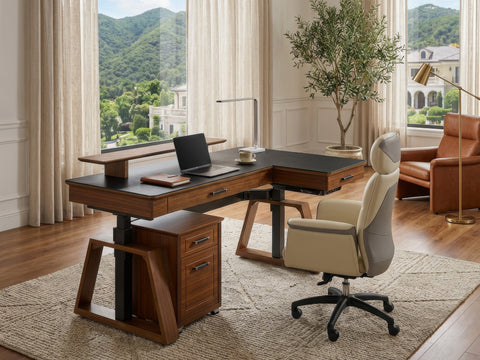
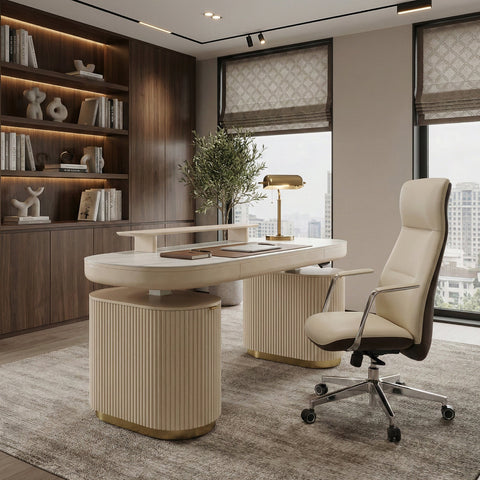
For executive environments, the Royal Slim Executive Office Chair uses ergonomic contouring to encourage a posture that naturally reduces the head's rearward travel, which can help maintain clearance even with fixed-back designs.
According to the [Eureka Ergonomic Brand Research] 2026 Workstation White Paper, independent lumbar support is a critical factor in cervical comfort. Proper lumbar support reduces posterior pelvic tilt. When the lower spine is correctly supported, the upper spine and head naturally sit further back, which—based on our internal prototyping—can increase available clearance for a headband by up to 50mm compared to a slumping posture.
The "Two-Finger Rule" and Practical Setup Tips
To determine if your setup has achieved synergy, we recommend using this practical heuristic for a quick self-check:
The Two-Finger Heuristic
- The Position: Sit in your normal, neutral working position with your headset on.
- The Measurement: Attempt to fit two fingers vertically between the top of your headphone's headband and the bottom of the headrest.
- The Goal: If you can fit two fingers without the headrest pushing the headset forward, you have a "Clearance Zone" that allows for natural micro-movements of the head.
Optimizing Monitor Height
Your head position is often dictated by your sightline. If your monitor is too low, you will naturally tilt your head forward, exacerbating the headset-headrest clash. Using a Single Monitor Arm allows you to position the top third of the screen at eye level, as recommended by OSHA eTools. This encourages the head to stay back against its support.
The 20-8-2 Rhythm
Even a synergistic setup cannot fully overcome the risks of prolonged static sitting. Cornell University’s Ergonomics Web suggests the "20-8-2" rule as a helpful guideline:
- 20 Minutes: Sit in a supported, neutral position.
- 8 Minutes: Stand and work (using a height-adjustable desk).
- 2 Minutes: Move, stretch, or walk.

The Foundation of Comfort: The Lumbar-Cervical Connection
It is a common misconception that neck pain must be solved at the neck. In reality, the cervical spine is the end of a chain beginning at the feet and pelvis. If your feet are dangling, your head will often drift forward to maintain balance.
To stabilize this chain, an Adjustable Ergonomic Footrest can be an essential tool. By supporting the feet at a 0-20 degree angle, you promote healthy circulation and ensure your thighs are parallel to the floor. This stable base makes it easier to maintain a "spinal neutral" position, reducing the pressure your head puts on the headrest.
As outlined in OSHA’s guidelines on workstation solutions, engineering controls—such as adjustable furniture—are generally more effective than administrative controls (like trying to "remember" to sit up straight).
A Checklist for Headset-Headrest Synergy
Use this checklist to ensure your audio gear and ergonomic support are working in harmony:
- Material: Does the headrest use mesh or memory foam to "absorb" the headband protrusion?
- Adjustability: Does the headrest move independently of the backrest to accommodate your torso length?
- Clearance: Can you pass the "Two-Finger Rule" while seated neutrally?
- Lumbar Support: Is your lower back firmly supported to prevent pelvic tilting?
- Visual Alignment: Is your monitor high enough to prevent you from looking down?
For more detailed guides on fine-tuning your setup, see our article on Adjusting Your Chair for Gaming vs. Office Work.
Finding Your Neutral
The goal of ergonomics is to create a system that supports your body through a range of natural movements. In the world of high-performance gaming and professional remote work, your headset should be a tool, not a hindrance to your physical health.
By selecting furniture that prioritizes adjustability and material science, and by using tools like monitor arms and footrests to stabilize your posture, you can minimize the mechanical conflicts that lead to strain. True synergy is found when your gear disappears into the background, leaving you with comfort and the freedom to focus.
Disclaimer: This article is for informational purposes only and does not constitute professional medical advice. If you are experiencing chronic neck or back pain, please consult a qualified healthcare professional or physiotherapist. Ergonomic recommendations are based on general principles and may need to be adjusted for individuals with pre-existing conditions.
References
- BIFMA G1-2013 Ergonomics Guideline for Furniture
- CCOHS: Office Ergonomics - Sit/Stand Desk
- Cornell University Ergonomics Web — Workstation Guides
- ISO 11226:2000 Evaluation of static working postures
- OSHA eTools: Computer Workstations - Monitors
- [Brand Material] The 2026 Workstation White Paper: Converging Ergonomic Science and Sustainable Engineering





Leave a comment