

Industrial-style desks look simple and rugged from the outside. Underneath, the frame is doing almost all the real work.
For anyone planning a DIY industrial desk or customizing a height-adjustable base, choosing the right frame is the decision that determines how solid it feels, how safely it carries weight, and how convincing the industrial aesthetic looks over time. This guide breaks down the key technical choices—materials, leg geometry, bracing, and finish—and translates them into practical steps for building an industrial home office that is both stylish and ergonomic.

1. What “Industrial” Really Means for a Desk Frame
1.1 Aesthetic vs. Structural Industrial
Industrial style is often reduced to “black metal plus wood,” but that misses the point. In real workshops and factories, frames are designed around load paths, stiffness, and ease of maintenance. The visual language—exposed steel, simple welds, visible fasteners—is a side effect of that engineering.
For a home office, that translates into three priorities:
- Honest materials: visible steel, real or convincingly textured wood, minimal plastic covers.
- Clear structure: legs, cross‑braces, and beams that look like they are carrying weight.
- Functional durability: a frame that stays square and solid under daily use, not just in staged photos.
A common misconception is that any matte black metal frame will automatically feel industrial. In practice, slightly varied textures—such as a smooth powder coat on legs combined with a brushed or raw-looking stretcher bar—sell the look far more convincingly than random extra bolts or faux gears. This aligns with interior design observations that industrial spaces rely on material contrast more than visual clutter, as discussed in design analyses like Dezeen’s coverage of industrial style.
1.2 Why the Frame Matters More Than the Top
Many DIY builders spend 80% of their budget and attention on a thick wood or composite top. Experience from installers shows that the opposite priority usually yields a better result:
- A modest 1"–1.25" top on a well‑designed frame feels solid and quiet.
- A 1.75" hardwood slab on a weak or narrow frame can still wobble with every keystroke.
According to BIFMA’s performance standards overview, properly tested sit‑stand frames are routinely cycled 10,000 or more times under load to verify racking resistance and fatigue life. Many industrial‑looking imports show only a static weight rating, with no equivalent durability testing disclosed.
If the goal is an industrial home office workstation that feels like a tool, not a prop, the frame is the foundation.
2. Key Design Choices: Geometry, Bracing, and Overhang
2.1 Leg Geometry: T-Legs vs A-Frame vs Trapezoid
Conventional wisdom says “any steel leg will be solid.” In real use, leg geometry makes a larger difference than material thickness.
- T-leg frames have a vertical column centered on a foot. They look clean but can be less stable in side‑to‑side sway if the feet are short front‑to‑back.
- A‑frame or trapezoid legs flare outward toward the bottom, creating a wide triangular base.
- Boxed side panels (steel rectangles instead of individual legs) offer high stiffness but visually read more “modern” than industrial.
From a structural perspective, a triangle is the simplest stable form. Truss engineering principles, summarized in resources such as the truss overview on Wikipedia, show that triangulation creates efficient load paths and resists racking. In desk frames, that translates to:
- A trapezoid leg with a rear stretcher often outperforms a heavier T-leg in side-sway.
- Widening the leg spacing (distance between left and right legs) reduces rocking under monitor-arm loads.
Expert take: For a 55"–60" industrial desk with dual monitors, aim for legs spaced at least 42" apart and feet with 24" or more depth. This footprint keeps deflection low when users lean on the front edge.
2.2 Cross-Bracing and Racking Resistance
Side-to-side wobble in an “industrial” desk almost never comes from the top; it comes from racking—the tendency of a rectangle to turn into a parallelogram under load.
To control racking, installers have found three effective strategies:
- Rear stretcher bar (horizontal beam connecting the legs): quietly increases stiffness without cluttering the design.
- Diagonal braces or gussets at the corners: small triangular plates at leg–beam junctions that drastically stiffen the frame.
- Boxed crossbars (rectangular section instead of flat bar): resist twisting better than thin strips.
Research insights on frame stability confirm that a lighter frame with good triangulation can outperform a heavier one without bracing. Practical experience shows that a well-designed 14–16 gauge steel frame with gussets and boxed sections often feels stiffer than a thicker 12‑gauge frame that relies on long, unsupported spans.
Pro Tip – Geometry Beats Thickness
A counterintuitive but important lesson is that thicker steel alone does not guarantee a sturdier industrial desk. Engineering references on steel framing, such as this summary of steel gauge and structural design, and field testing both show that triangulation and short, braced spans have more impact on stiffness than an extra millimeter of thickness. For a home office, that means you can often choose a visually leaner frame—as long as it has gussets and a rear stretcher—without sacrificing stability.
2.3 Overhang, Load Distribution, and Tip Risk
Another overlooked factor is top overhang—how far the top extends past the line of the legs.
- Overhang at the front and sides can be visually pleasing, especially with thick tops.
- Too much overhang shifts the center of gravity away from the frame and can increase tip risk.
Testing summarized in BIFMA X5.5 for desks and tables shows that excessive overhang and narrow base depths both reduce stability. For a typical home office desk:
- Keep front and side overhang to 10–15 cm (4"–6") beyond the leg line.
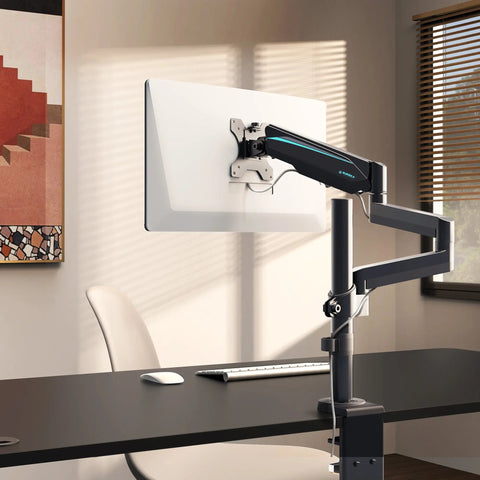
- Be extra cautious when mounting monitor arms at the very back; their leveraged load can cause front‑to‑back rocking long before you approach the nominal weight rating.
Field experience from installers also highlights a common mistake: mounting heavy tower PCs directly on the desktop. Placing them in an under‑desk CPU holder instead keeps the center of gravity low and reduces rocking.
3. Material Choices: Steel, Wood, and Finish
3.1 Frame Material and Wall Thickness
For an industrial look, steel is the natural choice. The key decision is section size and thickness.
Experienced fabricators often use a practical rule of thumb:
- 2.0–3.0 mm effective wall thickness for mild steel legs and crossbars offers an excellent balance of stiffness and weight for frames up to 200–250 lbs rated load.
- Very thin sheet or tube (below about 1.5 mm) tends to flex and telegraph wobble when the desk is raised or when users lean on the edge.
However, thickness is only one part of the equation. As highlighted earlier, a well‑braced 2.0 mm frame with gussets and a rear stretcher often feels more solid than a 3.0 mm frame without triangulation.
3.2 Finishes: Powder Coat, Raw Steel, and Maintenance
Finish drives both the aesthetic and the maintenance burden of an industrial frame.
-
Powder-coated steel
- Pros: durable, chip‑resistant, available in subtle textures (matte, fine‑texture, or satin).
- Cons: weak points usually appear at edges, inside corners, and bolt holes where the coating may be thinner or poorly cured.
Industrial coating experts like PPG note that corrosion often starts at welds and sharp edges if they are not properly prepped. In practice, that means:
- Look for frames with smoothly ground welds and rounded corners rather than sharp cut edges.
- In humid rooms, periodically check inside corners and fastener holes for early rust.
-
Raw or clear-coated steel
- Pros: the most authentic industrial look, with visible mill scale, weld discoloration, and minor imperfections.
- Cons: requires more maintenance, especially in coastal or high‑humidity environments.
Corrosion analyses like CorrView’s overview of corrosion basics show that even indoor steel surfaces can pit over a single season in high‑humidity environments without adequate protection. For home offices, a simple regimen usually works:
- Apply a clear coat or furniture wax once or twice a year in climate‑controlled spaces.
- In basements or coastal areas, consider full powder coat or dehumidification instead of bare steel.
Expert Warning – Finish Is More Than Color
Conventional wisdom suggests powder coating alone makes a frame “low maintenance.” In reality, edge prep and coating thickness at welds and corners largely determine corrosion life. Cheap frames often rust first at inside corners and bolt holes where coating is thinnest or poorly cured. When shopping or planning a DIY build, pay attention to how smooth the welds are and whether edges are rounded or simply sheared.
3.3 Coordinating Frame and Top for Industrial Style
To keep the industrial aesthetic balanced rather than heavy or cluttered, combine materials intentionally:
- Classic factory look: black or dark gray powder‑coated legs + medium or dark wood top (walnut, oak, rustic brown).
- Refined industrial: dark frame + leather‑look or fine‑grain wood veneer, similar to the mix seen in some saddle‑leather standing desks.
- Light industrial loft: raw or clear‑coated legs + light wood or concrete‑style laminate top.
If you want additional storage, built‑in or under‑top drawers with soft‑close hardware can preserve the clean lines while still reading industrial—especially when combined with metal pull handles and visible grain patterns.
4. Stability and Ergonomics: Not Just a Style Choice
An industrial desk that looks rugged but wobbles or encourages poor posture will undermine productivity and comfort. The frame must support both stability and ergonomic adjustability.
4.1 Static Desk Frames vs Height-Adjustable Industrial Frames
For industrial style, builders often choose between:
- Fixed-height frames built from welded steel or industrial pipe.
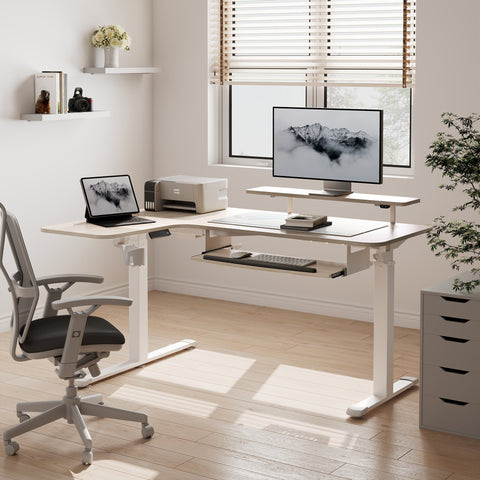
- Height-adjustable frames with electric columns, often concealed within steel legs.
A static frame is simpler to build and can be extremely rigid. But modern guidance on office ergonomics strongly favors frequent posture changes.
According to the Canadian Centre for Occupational Health and Safety (CCOHS) sit/stand workstation guide, alternating between sitting and standing helps reduce discomfort associated with prolonged static postures. CCOHS emphasizes that the desk height should allow elbows to rest at approximately 90° with relaxed shoulders in both positions.
The World Health Organization’s 2020 guidelines on physical activity and sedentary behaviour further recommend that adults reduce sedentary time and interrupt long periods of sitting. These guidelines are aimed at the general adult population and make clear that standing is not a substitute for physical activity, but breaking up sitting time is beneficial.
Height‑adjustable industrial frames allow users to implement this advice directly while keeping the rugged aesthetic.
4.2 Realistic Benefits of Sit-Stand Frames
When evaluating adjustable industrial-style frames, it is important to balance expectations.
A 2018 systematic review in the Cochrane Library, “Workplace interventions for reducing sitting at work,” concluded that sit‑stand desks can reduce sitting time by roughly 84–116 minutes per day across various office settings. However, the same review found limited evidence for long‑term health outcomes.
In other words:
- A sit‑stand industrial desk frame is a tool to reduce sedentary time, not a medical treatment.
- It works best when combined with behavior—timers, short walks, and micro‑movements.
For many users, a practical starting point is the “20‑8‑2” pattern described on the Cornell University Ergonomics Web: in each 30‑minute cycle, 20 minutes sitting, 8 minutes standing, and about 2 minutes moving. This is a general guideline meant for healthy office workers and should be adapted for those with medical conditions in consultation with healthcare professionals.
4.3 Setting Desk Height for Neutral Posture
Regardless of frame style, industrial or not, the goal is a neutral position for the spine and joints.
The OSHA Computer Workstations eTool on neutral working postures recommends:
- Elbows close to the body and bent between 90–120°.
- Wrists straight and in line with forearms.
- Head level, with the top of the monitor at or just below eye height.
A practical, field-tested heuristic for setting desk height is:
- Stand or sit upright with shoulders relaxed.
- Bend elbows to 90°.
- Set the desk so that the keyboard surface is 5–10 cm (2"–4") below elbow height.
Installers frequently use this “elbow height minus 5–10 cm” rule as an initial programmable preset for height‑adjustable frames. Users can then fine‑tune a few millimeters at a time until shoulder and neck tension are minimized.
For additional lower limb comfort—especially when standing in one place—an ergonomic footrest can help maintain blood circulation and reduce fatigue. An under‑desk option like the Adjustable Ergonomic Footrest provides a 0–20° tilt range, allowing users to shift ankle and knee angles and reduce static loading.

4.4 Recommended Sit-Stand Rhythm for a Workday
Based on cumulative guidance from CCOHS, Cornell, and ISO ergonomics standards such as ISO 11226 on static postures, a reasonable starting pattern for most healthy adults is:
- Aim for a sit/stand ratio between 1:1 and 3:2 over the workday. For example, 30 minutes sitting followed by 20–30 minutes standing.
- Avoid standing still for more than 30–40 minutes at a time; prolonged static standing has its own musculoskeletal risks, as highlighted in OSHwiki’s review of musculoskeletal disorders and prolonged static standing.
This pattern is intended for people without existing musculoskeletal or circulatory conditions. Anyone with chronic pain, cardiovascular issues, or other health concerns should consult a medical professional or physiotherapist before making major changes to their work habits.
5. Practical Framework: How to Choose an Industrial Desk Frame
To translate all of this into an actionable decision, the following framework compares common industrial frame options.
5.1 Comparison Table: Common Industrial Frame Types
| Frame Type | Look & Aesthetic | Typical Stability | Ergonomic Flexibility | Best For |
|---|---|---|---|---|
| Welded fixed-height A‑frame | Strong, workshop-like, visible welds and gussets | Very high if legs are flared and braced | Low – fixed height; relies on chair and footrest adjustments | Writers, designers who rarely change posture; heavy, static setups |
| Pipe-style DIY frame | Exposed fittings and threads; overtly industrial | Moderate; often weak in side-sway unless diagonals added | Low – fixed height; difficult to adjust later | Budget DIY builds where appearance matters more than perfect stiffness |
| Electric T-leg sit-stand frame | Clean, technical look with hidden motors | Moderate to high depending on foot depth and cross‑brace design | High – supports sit-stand patterns | Home offices needing flexibility and a cleaner aesthetic |
| Electric trapezoid/A‑frame sit-stand | Industrial‑modern: visible legs, strong stance | High; wider base and bracing reduce wobble | High – combines sit-stand with solid feel | Power users, multi‑monitor setups, heavier tops |
Our testing and installer feedback indicate that, for a 55"–60" wide top with dual monitors and a desktop tower, an electric A‑frame or trapezoid sit‑stand base with a rear stretcher and deep feet usually provides 15–25% less lateral deflection at full height than a comparable minimalist T‑leg frame.
5.2 Step-by-Step Checklist for Selecting a Frame
Use this checklist before buying or building an industrial desk frame:
-
Define the top:
- Width and depth (e.g., 55" × 23" vs 72" × 30").
- Thickness and material (1" laminate vs 1.5" solid wood).
- Overhang target (aim for 4"–6" beyond legs).
-
Estimate total load:
- Monitors (single vs dual/triple, with or without arms).
- Desktop PC or laptop plus docking station.
- Speakers, printers, and other peripherals.
-
Check frame footprint:
- Leg spacing at least 70–75% of top width.
- Foot depth around 24" for sit‑stand frames supporting monitor arms.
-
Inspect bracing:
- Rear stretcher or equivalent cross‑brace included.
- Corner gussets or triangulated joints where legs meet crossbars.
-
Confirm material and thickness:
- Steel tube or box section around 2.0–3.0 mm wall thickness for heavy setups.
- Welds ground smooth, no sharp edges.
-
Review adjustability (if sit‑stand):
- Height range covers your sitting and standing elbow heights.
- Controller supports at least two memory presets (sit and stand).
- Verify safety features such as anti‑collision.
-
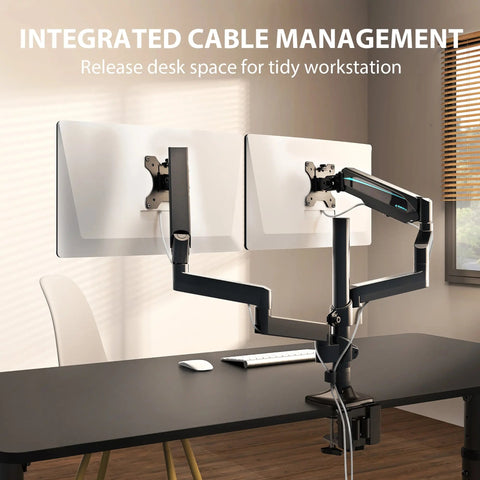
Plan cable management:
- Leave 30–50 cm (12"–20") service loop in cables between moving and fixed components.
- Use cable trays and ties rated for repeated motion.
-
Consider accessories:
- Footrest for standing comfort.
- Under‑desk CPU holder to lower center of gravity.
- Cable ties to prevent snagging on industrial frame elements.
5.3 Common Mistakes to Avoid
Installers repeatedly see the same pitfalls in industrial desk builds:
- Underestimating cable slack: Cables pulled taut at maximum height fatigue and fail quickly. Technical guidance on cable routing for motorized desks from sources like LINAK’s desk support materials recommends generous service loops and fixing cables to moving columns rather than static parts.
- Oversized tops on narrow frames: Tops over ~80" long or thicker than 1.5" often need extra stringers or a mid‑span leg to prevent deflection and reduce stress on corner fasteners. Countertop support guides, such as these installation FAQs, highlight similar span limits for heavy surfaces.
- Skipping re‑torquing: Unevenly tightened bolts and skipping a cross‑pattern tightening sequence are leading causes of post‑assembly wobble. Bolt engineering resources like Bolt Science’s guidelines on tightening sequences confirm that balanced torque is essential for structural stiffness.
6. Bringing It Together: An Industrial Home Office That Works Hard
A successful industrial home office combines visual character, structural stability, and ergonomic comfort. The frame is the bridge between all three.
For many remote workers, a practical setup looks like this:
- An industrial‑style sit‑stand frame with trapezoid legs, deep feet, and a rear stretcher supporting a 55"–60" wood or leather‑look top.
- Memory presets set using the “elbow height minus 5–10 cm” rule for both sitting and standing.
- An under‑desk CPU mount and a set of magnetic cable ties to keep wiring under control and protect moving parts.
- An adjustable footrest under the desk to support circulation and reduce fatigue during both sitting and standing.
For users who sit for long periods or have lower‑limb fatigue, integrating an accessory such as the Adjustable Ergonomic Footrest can make the industrial workstation more comfortable without changing the visual language of steel and wood.
When choosing or building a desk frame, focus on:
- Geometry and bracing over sheer mass for a solid, wobble‑free feel.
- Authentic materials and finishes that can be maintained realistically in your climate.
- Ergonomic adjustability that supports movement and neutral posture throughout the day.
Get the frame right, and the industrial look becomes more than an aesthetic—it becomes a daily work tool that feels as strong and reliable as it appears.
Health & Safety Disclaimer
This article is for informational purposes only and does not constitute medical, health, or safety advice. Ergonomic recommendations are general guidelines intended for otherwise healthy adults. Individuals with existing musculoskeletal conditions, cardiovascular disease, circulatory issues, or other health concerns should consult a qualified healthcare professional or ergonomist before making significant changes to their workstation setup or daily activity patterns.
Sources
- BIFMA – Performance standards overview
- BIFMA X5.5 – Desk and table standard summary
- Canadian Centre for Occupational Health and Safety – Office ergonomics: sit/stand desk
- Cornell University Ergonomics Web – Ergonomic guidelines and the 20‑8‑2 pattern
- Cochrane Library – Workplace interventions for reducing sitting at work
- OSHA – Computer Workstations eTool: Neutral Working Postures
- ISO 11226:2000 – Evaluation of static working postures
- PPG – Avoiding common powder coating defects
- CorrView – Corrosion basics
- LINAK – Cable management for electrical desks
- Bolt Science – Bolt tightening instructions
- CounterBalance – Countertop bracket installation FAQs
- Dezeen – Industrial style interiors




Leave a comment