

Imagine sinking into a lounge chair that feels like a cocoon of focus—your mic within reach, camera framing perfect, and the fabric catching light in a way that makes every frame look intentional. That’s what a well-chosen creator studio lounge chair can do: it doesn’t just give you a place to sit, it shapes your on-screen identity, your workflow, and how long you can create without aching.
In this guide, I’ll walk you through five lounge chair styles that work beautifully in a creator’s studio or home office, and how to pick the right one for your work style, room size, and aesthetic.
We’ll connect practical ergonomics—drawing on guidance from organizations like OSHA’s computer workstation eTools and CDC/NIOSH ergonomics basics—with the details that matter on camera: shape, color, texture, and even acoustics.
How to Think About Lounge Chairs in a Creator Studio
Before we dive into styles, it helps to reframe what a “lounge chair” is in a studio context.
For most creators and remote workers, a lounge chair is not just for relaxing. It’s where you:
- Storyboard on a tablet
- Edit on a laptop for 1–2 hours
- Record B-roll or voiceovers
- Host casual client calls
- Reset between deep work sessions at your main desk
That means your lounge chair needs to balance comfort, posture, and presence on camera.
According to OSHA’s neutral working posture guide, a healthy setup keeps your joints at roughly 90–110°—hips, knees, and elbows—with the spine supported in its natural S-curve. Lounge chairs aren’t built like desk chairs, but we can use the same principles:
- Seat height that lets your feet rest flat
- Seat depth that doesn’t push you into a slouch
- Back support that doesn’t collapse at the lower back
- Angles that avoid extreme flexion or extension of the neck when you’re looking at a screen
Practitioner experience shows that a seat height of roughly 16–20 in (40–50 cm) and seat depth of about 18–22 in (45–55 cm) suits most adults for mixed tasks. Deeper and lower seats invite slouching, especially once a laptop or tablet enters the picture.
Pro Tip: Your Lounge Chair Also Affects Your Sound
One overlooked factor: acoustics.
Acoustic absorption data indicate that a fully upholstered lounge chair adds roughly 0.4–0.6 m² of absorption area at mid frequencies, while a bare wood chair of similar size provides closer to 0.1–0.2 m². In a small, hard-walled studio, swapping two hard chairs for plush loungers can cut mid-frequency reverberation by roughly 0.1–0.2 seconds, enough to take vocals from “boxy” to clean without extra panels, based on published absorption coefficients summarized by acoustic.ua.
So when you choose a lounge chair, you’re also tuning your room’s sound.
Style 1: Compact Swivel Lounge Chair – For Multi-Angle Creators
If you frequently pivot between a camera, a console, and a laptop side table, a swivel lounge chair is an anchor piece.
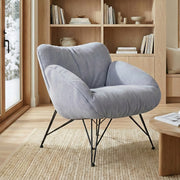
A great example of this type is the Alexia, Comfy Soft Swivel Lounge Chair, Gray—a sculptural seat with 360° swivel and a compact footprint that easily fits into studio corners or next to a standing desk.

The 360° swivel isn’t just a convenience. It lets you:
- Rotate between “on-camera” and “off-camera” zones without scraping a chair across the floor
- Reposition towards different light sources (key light, window, or backlight)
- Turn slightly while maintaining an open, relaxed posture on video
A weighted base, like the one on the Alexia chair, helps prevent wobble when you shift. That stability matters when the chair is fully visible in frame or when you’re balancing a laptop on a lap desk.
Ergonomic Advantages
From an ergonomics perspective, swivel lounge chairs give you micro-movements without forcing you to stand up every time you adjust. The OSHA guidance on work process and micro-movements emphasizes that frequent small position changes are an effective way to reduce strain. A smooth swivel encourages this naturally.
For posture:
- Aim to keep the seat height within that 16–20 in (40–50 cm) band so feet can rest flat.
- If the seat is quite deep, add a small lumbar cushion around the L4–L5 area; this restores a neutral curve and prevents you from sliding forward.
Best For
- Creators with dual setups (desk + filming area)
- Podcast or call-heavy workflows where you pivot between mic, monitor, and notes
- Small studios that need one chair to handle multiple roles
Style 2: Soft Padded Cozy Lounge Chair – For Reading, Planning, and Quiet Editing
For many remote workers and creators, the ideal lounge chair is a soft, armless seat that invites relaxed focus without looking bulky on camera.
The Marco, Soft Padded Cozy Lounge Chair, Blue is a good representation of this style: plush terry cloth upholstery, rounded edges, and a compact silhouette that visually lightens a room while still delivering real padding.

Why This Style Works in a Studio
-
Flexible Posture The armless design works well when you alternate between:
- Cradling a tablet or e-reader
- Using a laptop for light editing
- Sitting upright for brain-dump journaling or planning
Without armrests locking your shoulders in a single position, you can shift and rotate more freely.
-
Visually Calm, On-Camera Friendly Many creators underestimate how fabrics behave on camera. Broadcast and camera tests show that tight stripes, checks, or micro-patterns under about 5 mm repeat can produce moiré artifacts at 1080p or 4K resolutions. Expert wardrobe guidance, summarized in “Dressing for the Camera: How Colours, Patterns, and Fabrics Affect Video,” notes that matte, solid or large-scale patterns are safer for video.
The Marco chair’s matte terry fabric avoids glare and distracting patterns, making it easier to set exposure and keep the viewer’s focus on your face.
-
Acoustic Bonus As mentioned earlier, fully upholstered pieces contribute useful sound absorption—especially at the speech-critical 500–1000 Hz range. In a modest studio, one or two padded chairs like this can noticeably soften room echo.
Practical Sizing Tips
Use these rules of thumb when evaluating similar cozy lounge chairs:
- Seat height: 16–19 in (40–48 cm) for most adults
- Seat depth: 18–20 in (45–51 cm) if you plan to use a laptop or tablet often; deeper seats risk slouching
- Back height: Ideally high enough to reach mid-shoulder when seated upright, so you can rest back between takes
If you’re under about 5'5" (165 cm), prioritize a slightly shallower seat depth so your knees can bend comfortably and your feet stay grounded.
Best For
- Script writing, reading, and light laptop use
- Creators who want a soft, approachable visual in the background of lifestyle or educational content
- Smaller spaces where a bulkier recliner would visually dominate
Style 3: Swivel Rocking Recliner – For Brainstorming and Long-Form Listening
When you picture a brainstorming corner, a swivel rocking recliner is often the hero: something you can slightly rock in, recline back into, and swivel to face different zones while recording voice notes or listening to long-form content.
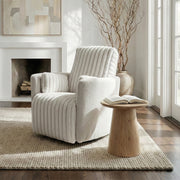
The Lucia, Swivel Rocking Manual Recliner is a strong example of this style: 360° swivel, gentle rocking motion, and a manual recline wrapped in breathable, tight-weave fabric.

Recline Angles That Support Creative Work
There is a common belief that “the more recline, the better.” Ergonomic research paints a more nuanced picture. Analyses compiled in ergonomic chair guidance show that backrest angles around 120–135° relative to the seat tend to reduce lumbar disc pressure, while reclines beyond about 135–140° start shifting load to the sacrum and can make breathing less efficient—especially if you’re talking or recording voiceovers.
For creators, I’ve found this practical breakdown works well:
- 100–110°: Active reading, light editing on a tablet, or note review
- 120–130°: Brainstorming, long listening sessions, or casual voice recordings
- >135°: Short recovery breaks only—not ideal for extended talking or focused laptop work
This matches field experience: chairs like Lucia that offer controlled, manual recline are easier to “park” at that 120–130° sweet spot.
Ergonomic Guardrails
To apply neutral posture principles from ISO 11226 on static working postures and OSHA’s neutral posture diagrams:
- Use a small lumbar pillow at the lower back when you’re upright or in light recline; this prevents a flat, C-shaped spine.
- If using a laptop, keep sessions limited (30–45 minutes) or use a lap desk and external keyboard for better wrist alignment.
- For extended reclined listening, periodically bring the backrest up to reset your posture.
Best For
- Long-form content review (podcasts, courses, interviews)
- Ideation sessions where you talk out loud, dictate, or whiteboard between reclined intervals
- Creators who want a “soft living room” vibe in a multi-purpose studio
Style 4: Sculptural Accent Lounge Chair – For On-Camera Presence
Sometimes your lounge chair is as much a visual signature as it is a seat. Sculptural accent chairs with clean curves and defined seams frame your body beautifully in mid-shots and thumbnails.
Chairs in this category tend to have:
- Distinctive silhouettes that read well even at small sizes
- Clear edge lines that help cameras separate subject from background
- Neutral or desaturated tones that harmonize with overlays and graphics
A sculptural swivel chair like the Alexia we mentioned earlier can serve this role too: its rounded shell and tidy seams create a premium, intentional look.
Camera and Fabric Considerations
This is where understanding fabric behavior on camera really matters. Professional wardrobe guidance, such as the “Dressing for the Camera” analysis, highlights that:
- High-gloss materials can produce hot spots and glare under key lights.
- Tiny, high-contrast patterns create moiré and distraction.
For accent chairs in the primary frame zone, lean toward:
- Matte or low-sheen finishes
- Solid colors or large, soft patterns
- Mid-tone hues (not pure white or very dark) so your camera exposure has headroom both ways
Expert Warning: Style ≠ Ergonomics
A common myth is that iconic designer lounge chairs are automatically “ergonomic sculptures” suited for long creative sessions. Real-world owner reports show that many of these designs are optimized for short, relaxed lounging, not 3–4 hour editing or streaming.
One widely discussed design, for example, has a fixed recline near 100–110° and unadjustable lumbar contour. After 45–60 minutes, many users end up adding throws or small pillows behind the lower back. These quick fixes effectively change seat depth and posture, and can even complicate camera framing.
The lesson: choose sculptural chairs that also respect basic ergonomic ranges—seat height, depth, and supportive back contour—rather than relying on iconic looks alone.
Best For
- Talking-head videos where the chair is fully visible
- Brand-building content where your set is part of your personal identity
- Hybrid spaces that double as living room or guest seating
Style 5: Lounge Chair + Side Table Combo – For Flexible Studio Workflows
The fifth “style” is actually a configuration: pairing a supportive lounge chair with a compact side table at the right height and distance.
A versatile piece like the 23" Contemporary Style Side Table is ideal here. Its minimal design fits seamlessly into different studio aesthetics and can slide next to almost any lounge seat without dominating the scene.
Key positioning heuristics from studio practice:
- Distance: Place the side table roughly 18–24 in (45–60 cm) from the front of the seat. This keeps drinks, a mic, or a small mixer within easy reach without forcing you to lean forward excessively.
- Height: Aim for around elbow height when your shoulders are relaxed. This aligns with the neutral upper-body posture guidelines in OSHA’s workstation component advice.
Use the table to anchor:
- A boom arm or desktop mic
- A secondary camera, small light, or capture device
- Props and reference notes that appear in-frame
This configuration turns a simple lounge chair into a mini work zone, perfect for remote meetings or secondary recording angles.
Comparison: Which Lounge Chair Style Fits Your Work Style?
Use this table as a quick decision guide. These are experiential ranges and not formal standards.
| Work Style / Scenario | Recommended Lounge Chair Style | Key Features to Prioritize | Notes & Limitations |
|---|---|---|---|
| Long planning sessions, reading, light edits | Soft padded cozy lounge chair (e.g., Marco style) | Medium seat depth (18–20 in), matte fabric, mid-height back | Not ideal for heavy laptop use >1–2 hrs without breaks |
| Multi-angle shooting, podcasting, hybrid use | Compact swivel lounge chair (e.g., Alexia style) | 360° swivel, weighted base, supportive back | Add lumbar pillow for extended screen sessions |
| Brainstorming, long-form listening | Swivel rocking recliner (e.g., Lucia style) | Controlled recline (100–130°), quiet rocking, breathable fabric | Treat deep recline as “break mode,” not a primary work posture |
| On-camera brand presence | Sculptural accent lounge chair | Distinct silhouette, matte finish, neutral color | Confirm seat height and depth; many design-led chairs run deep/low |
| Flexible side-recording / call setup | Any of the above + side table combo | Side table at elbow height, 18–24 in from front of seat | Avoid overloading table; keep items within easy reach to prevent lean |
How to Evaluate a Lounge Chair in 5 Minutes (Showroom or Online)
When you’re in a showroom—or unboxing at home—use this quick process to check whether a lounge chair will truly work for your studio.
1. Check Seat Height and Depth
- Sit all the way back.
- Are your feet flat and knees at roughly 90–110°? If your knees are much higher than your hips, the seat is probably too low.
- Slide two to three fingers between the front of the seat and the back of your knees. If there’s no space, the seat depth is too long and will push you into a slouch.
These checks align with ergonomic sizing principles that complement population-based guidelines like BIFMA G1, which aim to cover the 5th to 95th percentile of users.
2. Test Back Support and Lumbar
- Sit upright as you would when reading notes or talking to camera.
- Notice your lower back: does the chair fill the curve of your spine, or is there a gap?
- If there’s a gap, add a small lumbar cushion at L4–L5. Practitioner experience shows that this simple addition often transforms a “relax-only” lounge into a suitable seat for focused tasks up to about an hour.
3. Evaluate Movement: Swivel, Rock, Recline
- For swivel and rocking chairs, check that movement is smooth and quiet—vital if you’re recording audio.
- Recline slowly and stop at a medium angle. Could you talk or read comfortably for 30 minutes in that posture? If you feel like you’re slipping down or your neck cranes forward to see a screen, the chair’s recline geometry may not support longer sessions.
4. Do a Quick “Camera Test”
Even without a camera nearby, you can simulate the effect:
- Look at the fabric from different angles under bright light. Does it glare or show harsh reflections?
- Step back 2–3 meters. Do small patterns dissolve into visual noise or flicker? If yes, they’re likely to distract at 1080p/4K.
5. Consider Weight Capacity and Inclusivity
A hidden issue in many studio guides is weight capacity and seat width. Industry data show that standard lounge chairs often list weight capacities around 250–300 lb with internal seat widths of about 20–22 in (51–56 cm), while more inclusive “big & tall” styles advertise 350–650 lb capacities and 24–30 in (61–76 cm) seat widths.
Those differences directly affect who can sit comfortably and safely on camera. When you design a studio for guests, collaborators, or clients, always check the manufacturer’s capacity and dimensions—not just the look.
Building a Creator-Friendly Lounge Zone: Layout & Accessory Tips
Once you’ve chosen your lounge chair style, it’s time to integrate it into a workspace sanctuary that supports deep work and easy recording.
Ideal Layout for a Small Studio
A common, effective layout for a 10' x 12' (approx. 3 m x 3.6 m) room:
- Desk Zone: Main sit-stand desk along the long wall
- Lounge Zone: Lounge chair in the opposite corner, angled 30–45° toward the center
- Side Table: Placed at elbow height, 18–24 in from the front of the lounge chair
- Lighting: Key light aligned slightly off-axis to your face when seated; a soft backlight or floor lamp behind the chair for separation
You can move between zones every 45–60 minutes to respect the static posture guidelines summarized in ISO 11226 and telework ergonomics resources like OSHwiki’s telework MSD overview.
Footrests and Leg Support
For lower-body comfort, especially in lower or deeper lounge chairs:
- Add a footstool high enough that your knees sit at roughly 90° when your feet rest on it.
- Keep the stool close enough that you don’t have to straighten your knees fully; prolonged straight-knee postures can increase lower limb strain, as discussed in OSHwiki’s overview of lower limb disorders.
Lighting, Fabric, and Color Harmony
To create a cohesive, camera-ready ambiance:
- Pair matte upholstery with soft, indirect lighting to prevent glare.
- Use the chair color as either a subtle anchor (neutral tone that blends with the set) or a focal accent (a single bold color picked up by smaller props).
- Avoid overly busy patterns near your main framing zone—let your face and hands carry the visual complexity instead.
If you’re also designing your desk zone, you may find it helpful to coordinate your chair and desk aesthetic, as explored in guides like “Styling a Wood Desk with a Modern Ergonomic Chair”.
Common Mistakes When Choosing a Lounge Chair for Work
Even experienced creators fall into these traps:
-
Going Too Low and Too Deep Low-slung chairs look relaxed but often force hip flexion beyond 90°, elevating lumbar pressure and making it harder to stand up gracefully on camera. Combine that with excessive seat depth and you’re almost guaranteed to slouch.
-
Ignoring Fabric Behavior on Camera Glossy leather or tight patterns may look luxurious in person but become a constant lighting or moiré problem at 1080p/4K.
-
Overlooking Acoustics Hard-shell accent chairs can make a small room sound sharper and more reflective. A single padded lounge chair can subtly improve voice quality.
-
Not Planning for Maintenance In high-use studios, choose stain-resistant or easy-to-clean fabrics and, where possible, removable covers. Cushion recovery is a big tell: sit for 10–15 minutes and watch how the cushion rebounds. Slow or uneven recovery often predicts early sagging.
-
Treating the Lounge Chair as an Afterthought In reality, this is often where your most candid, resonant content gets recorded. Treat it as a core studio decision, not a last-minute decor choice.
Wrapping Up: Turn Your Lounge Chair into a Creative Engine
The right lounge chair style can transform a corner of your studio into a true workspace sanctuary—a place where you reset your posture, switch mental gears, and record content that feels more intimate and human.
To recap:
- Compact swivel chairs excel at multi-angle tasks and micro-movements.
- Soft padded lounge chairs make reading, planning, and quiet editing genuinely comfortable.
- Swivel rocking recliners support long-form listening and brainstorming when used within healthy recline angles.
- Sculptural accent chairs shape your on-camera identity—but they still need ergonomic basics.
- Lounge chair + side table setups unlock flexible studio workflows for calls, secondary shots, and quick planning sessions.
Blend ergonomic principles from sources like OSHA and BIFMA with your aesthetic instincts, and your lounge chair becomes more than decor. It becomes a creative ally that supports your body, your brand, and your best ideas.
FAQ
Can a lounge chair replace an ergonomic office chair?
Not fully. Ergonomic office chairs are designed around neutral posture for extended typing and mouse work, with detailed guidance from standards such as ANSI/HFES 100 and OSHA’s workstation recommendations. Lounge chairs are better treated as secondary work zones for reading, planning, calls, and short laptop sessions.
How long is it safe to work from a lounge chair with a laptop?
For most people without pre-existing conditions, 30–60 minutes at a time is a reasonable window if you use a lap desk and maintain decent posture. For longer sessions, transition back to a height-appropriate desk chair and follow micro-break guidelines such as the “20-8-2” rhythm suggested by the Cornell University Ergonomics Web: about 20 minutes sitting, 8 minutes standing, and 2 minutes of movement.
Do I really need a footstool with my lounge chair?
Not always, but a footstool often helps in deeper or slightly higher chairs by bringing your knees back toward a 90–110° bend. This can reduce lower back and leg strain, aligning with the lower-limb comfort principles described in OSHwiki’s guidance on lower limb disorders.
What chair color is easiest to work with on camera?
Mid-tone neutrals—soft grays, muted blues, warm taupes—tend to be the most forgiving. They avoid blown highlights from bright lights and keep enough contrast between you and the background so your subject isolation looks clean. Very dark chairs can disappear into shadows; very light chairs may force you to compromise your exposure.
How can I tell if my lounge chair is causing discomfort?
Pay attention to time-based signals: if you consistently feel neck, shoulder, or lower back fatigue within 20–30 minutes of sitting, or pins-and-needles in your legs, the seat height, depth, or lumbar support is probably off. Use the posture checklists from resources like OSHA’s evaluation tool and consider adding cushions, adjusting your foot support, or rotating tasks more frequently.
Disclaimer: This article is for informational purposes only and does not constitute medical, health, or safety advice. Ergonomic needs vary widely between individuals. If you have existing musculoskeletal pain, circulation issues, or other health concerns, consult a qualified healthcare or ergonomics professional before making significant changes to your workstation or work habits.
Sources
- OSHA eTools: Computer Workstations
- CDC / NIOSH – About Ergonomics
- BIFMA G1-2013 Ergonomics Guideline
- Acoustic absorption coefficients summary
- Cornell University Ergonomics Web – Workstation Guides
- OSHwiki resources on telework, lower-limb disorders, and static sitting/standing





Leave a comment