
Discover how bulk office furniture purchases can save costs, simplify setup, and create a cohesive, ergonomic workspace. Learn smart planning tips to design a productive and stylish office that grows with your team.
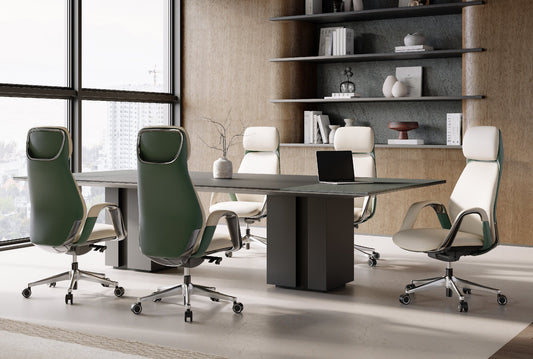

Chair Too High for Your Feet? Set Up a Desk Footrest
A practical guide to deciding between a footrest and a furniture change when your office chair sits too high for your feet to rest comfortably.

Laptop Ergonomics: Separate Screen Height From Keyboard Height
This guide shows how to raise a laptop screen independently from typing height, then choose an external keyboard, monitor, tray, or footrest that fits.

Two Computers, One Desk: Share the Right Peripherals
A practical plan for running a work laptop and personal desktop on one desk, covering shared peripherals, switching choices, cable routing, and desk capacity.

When Desk and Chair Heights Conflict, Change This First
A decision-order guide for desk-and-chair height conflicts: what to adjust first, when to add a footrest or tray, and how to avoid changing everything at once.

Desk Reach Zones: Put Frequent-Use Accessories Where They Belong
Assign monitors, keyboards, mice, phones, CPUs, and storage to primary, secondary, or tertiary reach zones based on how often you use each one.

Standing Desk Video Calls: Align the Camera and Screen
A step-by-step guide to raising your monitor and camera for standing video calls while keeping your keyboard and mouse comfortable and usable throughout.

The 90/90/90 Desk Posture Rule: How to Adapt It to Your Setup
Use this practical guide to check the 90/90/90 desk posture rule, spot the limiting surface, and choose a small fix for high, low, or fixed desks.

Where to Place Your Desk for Better Video Calls
Position your desk around the camera view first, then test window light, background clutter, and everyday room access so your video-call setup stays practical.

How to Choose Furniture for a Shared Home Office
The best shared home office furniture plan starts with how people use the room. Match simultaneous, alternating, or mixed use to the right number of workstations, then map the room, fit each user, and solve storage, lighting, privacy, and cable conflicts before buying.

Small-Room Standing Desk Cables: Plan Slack for Every Height
Plan standing desk cable slack without guessing at a universal measurement. Map moving and fixed endpoints, route the moving-to-fixed transition through a controlled path, keep power and cords clear of traffic areas, and test slowly at the lowest and highest intended desk positions.

Office Chair Warranties for Small Businesses: A Procurement Checklist
An office chair warranty for business orders needs clear terms for use, parts, freight, remedies, claims, and records before multiple chairs are purchased.

Where Should a Desk Go in a Studio Apartment? Map Work and Walking Zones
Choose a desk location in a studio apartment by mapping fixed obstacles, protecting the main walking route, and testing the full desk-and-chair footprint. Compare wall, corner, and window placements only after they pass door, storage, legroom, and daily-route checks.

Can a Small Desk Support a Laptop, Monitor, and Keyboard Tray?
A small desk can support a laptop, monitor, and keyboard tray only when the surface layout, underside clearance, mounting area, tray path, and cable route all work together. This guide shows how to test each zone and decide whether to install a tray, change the layout, or keep the keyboard on the desk.

What Makes a Home Office Work for Both Work and Gaming?
A dual-use room works best when the desk, chair, power path, and primary display stay stable while only mode-specific gear changes. This guide shows how to plan visual separation, device switching, storage, lighting, and seated fit around your actual work and gaming routines.

Small-Office Lighting: Reduce Screen Glare Without Losing Desk Space
The fastest way to reduce glare in a small office is to identify the reflected source, rotate the monitor or desk, and test the change before adding another lamp. This guide covers window orientation, task-light placement, reflective surfaces, and a space-saving day-and-night setup test.

How to Choose a Chair That Tucks Away in a Small Office
Choose a compact office chair by starting with your room's storage standard, then measuring the desk opening, chair footprint, armrest clearance, and movement path. This guide explains when full tuck, partial tuck, or pull-back-only storage makes sense and how to reject listings with missing fit details.

Why Does an Office Chair Feel Fine at First but Hurt Later?
An office chair can feel fine during a quick test and become uncomfortable during a full work block because sustained sitting exposes fit, contact, workstation, heat, or movement issues. This guide helps you log the pattern, test one variable at a time, and decide whether to adjust the chair or replace it.

Is a Coffee Table With a Built-In Fridge Practical for Daily Living?
A coffee table with a fridge can suit frequent near-seat drink storage when it has a permanent, workable location. For occasional use, awkward outlets, frequent rearranging, or easier upkeep, a standard coffee table plus separate appliance is usually more practical.

Aging-in-Place Living Room Planning: Seating, Reach, and Clear Paths
Create an aging in place living room plan by marking the primary seat, testing the real route and mobility aid, clearing turning areas, placing essentials within reach, and checking recliner or lift chair fit only after the room works.

Curved Sofa or Sectional: Which Fits a Social Living Room?
Choose a curved sofa for a conversation-first room when its footprint preserves circulation. Choose a sectional for TV viewing, shared lounging, larger regular groups, or a defined zone when its run, return, or chaise fits the room. The deciding test is the actual marked footprint, traffic path, focal point, and model-specific delivery details.

Office Chair or Standing Desk: Which Upgrade Comes First?
Buy the category that fixes the biggest daily bottleneck. Choose an office chair first when seated fit or support fails. Choose a standing desk first when the chair is workable and fixed height is the main limitation, provided your monitor and input devices can work in both positions.
