
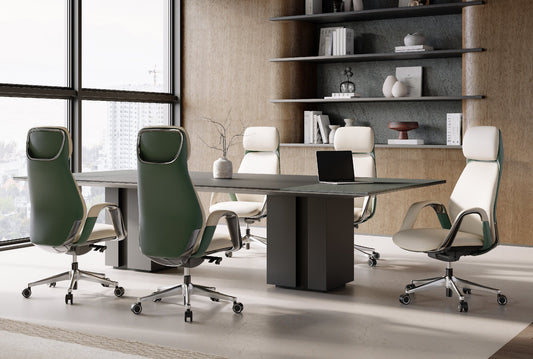
Discover how bulk office furniture purchases can save costs, simplify setup, and create a cohesive, ergonomic workspace. Learn smart planning tips to design a productive and stylish office that grows with your team.

How to Choose a Power Recliner for Reading and Daily Relaxation
A power recliner can be a strong fit for daily reading and relaxation when you will use its position changes and the chair fits both your body and room. Use this guide to compare seat fit, reading posture, controls, outlet planning, lighting, and side-table reach before buying.

What to Measure Before Buying a Curved Sofa
Measure the full delivery route first, then compare curved sofa dimensions with the usable room footprint and test daily circulation. This guide explains how to reach a clear buy, remeasure, or change-layout decision without relying on doorway width alone.

Why Does a Standing Desk Lift Unevenly? Troubleshooting Steps
Uneven standing-desk movement often starts with an external issue such as power, a visible connection, an obstructed travel path, concentrated load, or a reset that has not completed. This guide walks through safe checks in order and explains when persistent one-sided movement should go to official support instead of repeated testing or internal repair.

Standing Desk Assembly Mistakes That Can Cause Wobble
Prevent wobble before using an electric standing desk by checking every part, matching the frame orientation, tightening fasteners in stages, routing cables with movement clearance, lifting the base under control, and completing a cautious final inspection.

How to Set Up an Adjustable Desk for Two Users
A shared standing desk setup works best when each user has documented seated and standing settings—not one averaged height. Measure both users, verify the desk range, then coordinate the chair, monitor, keyboard, footrest, and cables so each handoff is repeatable.

HR Ergonomic Workstation Rollout Checklist
An operational checklist for HR, IT, facilities, and procurement teams deploying workstations across office, hybrid, or return-to-office employees. It covers intake, standards, exceptions, category fit, ordering, delivery, assembly, accessibility routing, support, and wave-level measurement without promising universal ergonomic or compliance outcomes.

Dual vs. Triple Monitors: Planning an Ergonomic Workstation
A practical guide to choosing and arranging two or three monitors around your workflow, usable desk space, viewing distance, and mounting hardware.

How to Plan a Corner Desk Layout That Fits Your Room
A workable corner desk layout includes more than the desktop footprint. Measure usable wall runs, fixed obstacles, chair movement, equipment depth, circulation, doors, windows, and power access before choosing a corner or L-shaped desk.

Laptop and Monitor Setup: A Comfortable Desk Layout
A comfortable laptop and monitor setup starts by centering the screen you use most, then arranging the laptop, keyboard, mouse, dock, and cables around that priority. This guide compares monitor-primary, laptop-primary, and equal-use layouts, explains how to fit two screens on a compact desk, and provides checks for seated-to-standing work and device compatibility.

Monitor Arm Desk Depth: Measure Before You Mount
Desk depth alone cannot confirm monitor arm compatibility. Before mounting, measure the usable depth and exact mounting point, inspect rear clearance and edge shape, then compare your monitor's VESA pattern and mounted weight with the selected arm's current specifications and installation instructions.
Standing Desk Wobble Test: How to Check Stability at Home
Slight movement does not create an automatic pass-or-fail result. This guide shows how to perform a repeatable standing desk wobble test at home, compare floor, height, load, and accessory conditions, and decide when to adjust the setup or contact model-specific support.

Planning a Multi-Monitor Workspace in a Small Room
A measurement-first guide to planning a two- or three-monitor workspace in a bedroom, spare room, apartment, or shared space. Learn how to test layouts, choose a desk shape, evaluate monitor arms and storage, and reject options that block access.

Standing Desk Shake After Assembly: What to Check First
A standing desk that shakes after assembly is not automatically defective. Start with a fixed-height floor-contact test, then inspect unloaded frame and desktop fasteners, simplify the load and cables, compare movement at matched heights, and contact the seller or manufacturer if the symptom persists or parts are damaged.

What to Check Before Buying a Desk With Built-In Features
A desk with built-in features can simplify a workspace, but the convenience is worthwhile only when the feature solves a recurring problem and its compatibility, power path, fallback use, warranty, and return terms are clear. This guide shows what to check before checkout.

How to Use Office Chair Armrests Without Shoulder Strain
Set office chair armrests for light support, relaxed shoulders, and elbows near your body, then fine-tune width, depth, pivot, and desk clearance for the task in front of you. This guide explains how to adjust armrests for typing, mousing, and controller use, plus how to recognize when support is creating more reach or pressure instead of helping.

Can You Mount a Monitor Arm on a Glass or Unusual Desk?
A glass desk is not an automatic yes or no for a monitor arm. The correct decision depends on the desk construction, flat contact area, edge shape, underside clearance, mounting hardware, and the exact arm documentation. Use the checks below to decide whether to proceed, verify more information, or choose another mounting method.

How to Prepare for Standing Desk Assembly Before Delivery
Before a standing desk arrives, clear its delivery route and a separate staging area, review the model manual, verify tools and hardware, arrange help for large or awkward components, and plan the final layout. This guide also covers L-shaped desks, accessories, cable routing, packaging, and the checks to complete before loading the desk with equipment.

How Corporate Teams Can Standardize Ergonomic Workstations
Standardizing corporate ergonomic workstations means creating a documented baseline, approved variations, an assessment process, and clear ownership for exceptions—not assigning identical furniture to every employee. This guide covers needs assessment, desk and chair specifications, pilot testing, procurement, delivery, adoption review, and remote-work considerations.

How to Organize a Desk for Multiple Devices
Organize a multi-device desk by inventorying every footprint and cable endpoint, centering the most-used screen and controls, assigning secondary zones, and testing power and cable paths through the desk's full movement range.

How to Set Up a Standing Desk With a Walking Pad
A practical walking pad desk setup starts with measuring the complete desk, pad, chair, and step-off layout. This guide covers workstation stability, cable slack, task selection, sit-stand-walk transitions, storage, noise, and conservative safety checks.

Desk Placement in a Bedroom: Clearance, Glare, and Focus
A bedroom office desk setup should pass a movement and access test before it passes an appearance test. Measure fixed features, tape the full desk and chair footprint, compare window relationships for glare and camera framing, then choose the smallest verified desk that supports your equipment without blocking the room's second function.
