

An ergonomic workstation rollout works best as a cross-functional deployment, not a one-time furniture purchase. HR and IT should assess employees and spaces, define a baseline with an exception path, verify each configuration, coordinate ordering and receiving, assign assembly and support owners, and measure completion before expanding to the next wave.

Use this standing desk rollout checklist to give HR, People Operations, facilities, procurement, and workplace teams one controlled sequence for office, hybrid, and return-to-office deployments. Product categories can organize the review, but approval should follow current specifications, site conditions, order terms, and the employer's applicable policies.
Assess Employee Needs Before Setting Workstation Standards
Start with a documented intake and turn the results into required, preferred, and optional specifications. This keeps purchasing comparable while routing individualized accessibility or accommodation questions through the employer's established confidential process. OSHA's workstation assessment guidance can serve as a review prompt, not as approval for a particular desk.
Before the first detailed review, use this intake sequence:

- Create a user or location list with the work setting, site ID, occupancy pattern, and measured space.
- Record equipment, power, network, delivery access, storage, and installation needs.
- Mark each case as standard or exception and assign the appropriate approval owner.
- Send confidential accommodation information through the employer's established process, not the general procurement file.
Employee and Workspace Intake
Collect only the information needed to compare configurations, plan delivery, and identify questions for qualified reviewers:
- Work setting: office, home, shared space, or hybrid; location or site ID; expected schedule and occupancy pattern.
- Measured space: available width and depth, ceiling or wall constraints, circulation space, storage location, and whether the area is shared.
- Equipment: monitors, computer, docking station, keyboard, accessories, phone, task lighting, and any equipment that affects desktop or cable space.
- Infrastructure: outlet location, power access, network needs, floor protection, elevator or stair access, loading dock rules, and staging space.
- Delivery and installation: ship-to contact, appointment restrictions, building receiving authority, assembly location, and employee notification preference.
- Review triggers: a nonstandard space, access concern, technology dependency, or individualized request that needs a separate owner.
Keep health and accommodation details out of the general purchasing file. Record the approved configuration and fulfillment information instead, and tell employees where confidential questions should go.
Workstation Standards and Exceptions
Set a baseline before requesting quotes. Mark each item by status and name the decision owner rather than treating one configuration as suitable for every employee.
| Standard area | Baseline record | Status | Approval or exception route |
|---|---|---|---|
| Desk size and height adjustment | Required dimensions and adjustment features for the measured workspace | Required or preferred | Workplace or facilities reviewer; individualized questions follow the employer process |
| Seating | Approved category and space requirements | Required or optional | HR or workplace owner; exception reviewer when needed |
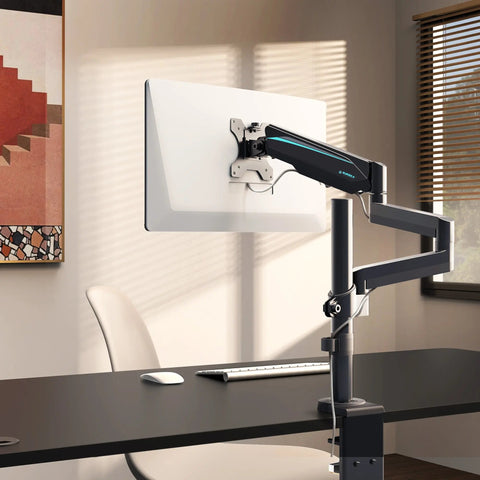
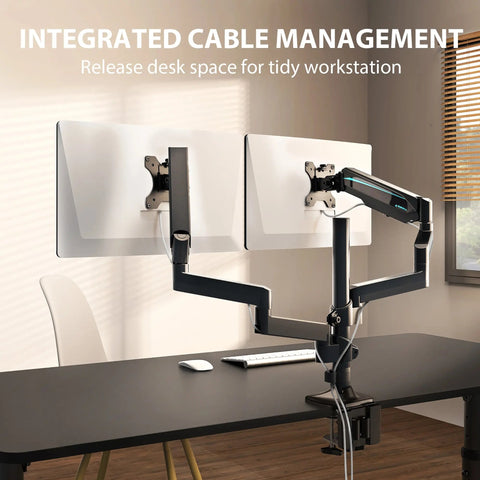
| Monitor support | Monitor count, stand or arm requirements, and placement constraints | Required or preferred | IT confirms equipment fit; facilities confirms placement |
| Storage | Needed drawers, cabinets, or shared storage | Preferred or optional | Procurement compares configuration and space impact |
| Cable management | Power, data, and accessory routing requirements | Required | IT and facilities confirm dependencies |
A practical HR ergonomic workstation checklist should show what is standardized, what can vary, who approves a variation, and what information procurement receives after approval.
Approval and Data Handoff
After the intake review, validate the employee or location list, reconcile the baseline with approved exceptions and quantities, assign owners to unresolved items, document substitutions and delivery constraints, and send procurement a fulfillment-ready file. Notify employees about the standard, request path, and next communication milestone. Do not include raw accommodation or health information.
A bulk furniture budgeting guide can help with cost planning, but the quote should still reflect the actual configuration, destination, service terms, and approved quantities.
Match Workstation Categories to Rollout Conditions
Treat compact, larger, and bundled furniture as candidate configurations. The correct choice depends on measured footprint, equipment, storage, circulation, delivery access, components, and current product documentation—not on a category label alone.
| Category | When it may enter review | Planning checks | Approval evidence |
|---|---|---|---|
| Compact or storage-focused | Limited footprint or a need to keep everyday items organized | Desktop and drawer clearance, monitor placement, power access, route, and shared-space use | Current dimensions, included components, capacity, and service terms |
| Larger configuration | Room for broader equipment, storage, or a larger work surface | Circulation, staging area, floor and route constraints, electrical access, and assembly ownership | Current specification sheet, site measurements, packaging and delivery review |
| Bundle or category collection | A need to compare desks, seating, or storage together | Itemized quantities, configuration control, delivery complexity, and support ownership | Line-item quote and current documentation for every component |
Compact and Storage-Focused Setups
Use a compact or storage-focused setup for review when floor area and organization are the main constraints. Before approval, compare the measured desktop area with monitor and accessory placement, confirm drawer clearance, check outlet access, and verify whether the delivery route can accommodate the packaged components.
- Measure the usable footprint, including clearance for drawers and chair movement.
- Confirm monitor, accessory, power, and cable-routing requirements.
- Verify current dimensions, included components, capacity, shipping, and service terms.
The desks with storage collection is a browsing path, not proof that every listed configuration fits a particular employee or site. Check the current product page before adding an option to the standard.
Larger and Executive-Style Configurations
A larger configuration belongs in the review only when the room, circulation path, equipment list, and delivery plan support it. Measure the installation area and route, identify staging space, confirm electrical access, and decide who can receive and assemble the unit before procurement approves the larger footprint.
A named desk can illustrate a category, but its current dimensions, weight, included storage, workplace suitability, and order terms must be verified. Do not turn a large desktop or executive-style description into a promise of comfort, compliance, or universal fit.
Bundle and Category Review
Bundles can simplify browsing, but they also create component and support dependencies. Compare them with single-desk purchasing using an itemized review:
| Review point | Single desk | Storage collection | Furniture bundle |
|---|---|---|---|
| Configuration control | Usually narrower and easier to reconcile | Confirm each storage component and quantity | Confirm every included item and approved substitution |
| Delivery complexity | One primary item, subject to order terms | Multiple components may affect staging | Coordinate all items, destinations, and missing-part reporting |
| Equipment fit | Verify desktop, power, and accessories | Add storage clearance and placement checks | Verify desk, seating, storage, and accessory compatibility separately |
| Support ownership | Assign a product and workspace owner | Assign owners for each component | Define one escalation path across the bundle |
Use office furniture bundles as a category navigation link. A collection label does not establish monitor, accessory, software, electrical, or system compatibility.
Sequence Ordering, Delivery, and Assembly Ownership
A delivered carton is not a completed workstation. Separate configuration freeze, delivery booking, receiving inspection, assembly, placement, employee notification, and issue escalation so each wave has evidence of completion.
Use these wave gates before the first logistics review:
- Configuration freeze: confirm quantities, destinations, budget approval, and authorized substitutions.
- Delivery confirmed: verify inventory status, split shipments, backorders, appointment rules, and delivery terms for the specific order.
- Receiving complete: reconcile cartons and components, damage, missing items, and staging records.
- Assembly complete: record the named service owner, assembly status, placement, and open issues.
- Handoff complete: document employee notification, setup status, and escalation ownership.
Purchase Order and Wave Planning
Use a pilot or wave when inventory, building access, staging, or assembly capacity makes a single launch difficult to control. Reconcile the order against the approved employee or location file, record who can approve changes, and work backward from go-live using order volume, receiving rules, delivery windows, assembly capacity, communication time, and a correction period.
Record the escalation contact for commercial, delivery, and internal blockers. Do not publish a fixed lead time or promise white-glove delivery, debris removal, on-site assembly, warranty coverage, or returns without current seller or contract confirmation for the specific order.
Delivery Window and Receiving Controls
Before a shipment is released, confirm the appointment process, loading dock or curbside rules, elevator access, staging location, receiving authority, and building restrictions. The receiving owner should then:
- Compare cartons and components with the order and packing information.
- Photograph visible carton or component damage before assembly.
- Record missing, damaged, or substituted items against the order or shipment reference.
- Decide whether the workspace should wait, proceed with a partial handoff, or be rescheduled.
- Give employees one route for reporting an incomplete or damaged shipment.
Accessible routes and clearances should be checked against the applicable site and project requirements; accessible route guidance should not be treated as certification of a particular desk or home office.
Assembly and Handoff Responsibility
Name the assembly owner before delivery. It may be facilities, an approved service provider, or another designated team, but the responsibility must be explicit and supported by current order or contract terms.
| Task | Accountable owner | Prerequisite | Completion evidence | Escalation |
|---|---|---|---|---|
| Receive and inspect | Receiving or facilities | Appointment and staging confirmed | Inventory and damage record | Vendor or procurement contact |
| Assemble | Named internal or external service owner | Components and workspace ready | Assembly confirmation and issue notes | Service or seller channel |
| Place and check workspace | Facilities or workplace owner | Route and placement reviewed | Location confirmation and exception record | Facilities lead or qualified reviewer |
| Notify employee | HR or team coordinator | Handoff status known | Employee notice or setup confirmation | Rollout coordinator |
| Close wave | Rollout coordinator | Open blockers assigned | Wave closeout record | Steering or project owner |
Complete handoff only after assembly, placement, missing-part review, and employee notification are documented.
Build Accessibility and Support Into the Operating Model
Publish one visible reporting route, then assign the next action by issue type. Accommodation and accessibility questions should follow the employer's established confidential process, while workspace, technology, and product issues should go to the team that controls the relevant fix.
Accessibility and Accommodation Routing
A general workstation standard should not absorb sensitive accommodation details. HR or the designated qualified reviewer should receive the individualized request, determine what review and documentation apply, and approve the configuration or exception through the employer's process. Procurement should receive only the fulfillment details needed to place the order.
Review routes, clearances, control placement, and alternate configurations with the appropriate internal reviewers. The U.S. Access Board's accessibility guidance provides an official reference point for applicable review boundaries, but it does not certify a product or resolve an individual workplace request.
Issue Escalation After Installation
Use a responsibility map that employees can understand:
- Workspace or placement issue: facilities or the designated workplace owner.
- Missing part, damage, or suspected product defect: receiving owner, procurement, and the applicable seller support channel.
- Power, monitor, docking, or network dependency: IT, within its technology remit.
- Accommodation or accessibility request: HR or the employer's qualified review path.
- Employee communication and follow-up: the rollout coordinator or named team coordinator.
Track the issue type, location, order reference, action, owner, due point, and closure status. Keep accommodation records separate from procurement fulfillment data. Before launch, run one sample issue through the escalation path and define which unresolved problems block handoff or the next wave. A multi-tenant furniture standards overview may support further planning, but it should not replace the employer's current policy or applicable review.
Measure an Ergonomic Workstation Rollout Before Expanding
An ergonomic workstation rollout should be measured by whether deployment was completed, supported, and documented well enough to continue—not by delivery volume or assumed comfort, productivity, injury reduction, or compliance. CDC/NIOSH's ergonomics program resource supports framing the work as an ongoing process of roles, implementation, and review; it does not supply universal rollout thresholds.
Use these scorecard checks before relying on the table:
- Every configuration and quantity is approved before release.
- Delivered, assembled, inspected, and handed-off locations are documented.
- Support issues and exceptions have owners, actions, and closure paths.
- Feedback themes and setup confirmations are reviewed against baseline data.
| Metric | Owner | Collection point | Blocker definition | Next-wave decision |
|---|---|---|---|---|
| Approved versus ordered | Procurement or rollout lead | Before release | Unapproved configuration or quantity mismatch | Hold affected orders |
| Delivered versus assembled | Facilities or receiving | After delivery | Missing, damaged, or unassigned item | Rework service or receiving plan |
| Inspected versus handed off | Workplace owner | Before employee closeout | Placement, component, or notification unresolved | Keep location open |
| Open versus closed support issues | Support coordinator | Pilot and closeout review | Issue has no owner, action, or closure path | Correct escalation before scaling |
| Setup confirmations and feedback themes | HR or team coordinator | After handoff | Repeated setup question or unresolved exception | Adjust communication or standard |
Review the scorecard before launch, after the first wave, and at closeout. Set company-specific targets only after baseline data exists. For the next step, validate the baseline and exception path, pilot one wave, and document site measurements, configurations, delivery terms, assembly ownership, and support routing before scaling the order.
FAQs
Who Should Own a Standing Desk Rollout for Employees?
Name one accountable rollout coordinator even when departments retain separate duties. HR owns policy and accommodation routing, facilities owns workspace and installation coordination, procurement owns purchasing, IT owns technology dependencies, and the seller handles product-support questions. Keep a handoff register showing the current owner and next action for every open item.
How Far in Advance Should a Workplace Furniture Rollout Be Planned?
Work backward from go-live rather than choosing a universal number of weeks. Add time for configuration approval, inventory and order review, building receiving rules, delivery windows, assembly capacity, employee communication, and a first-wave correction period. The schedule is not ready until each dependency has a named owner and a fallback decision.
What Should a Company Do When an Employee Needs a Nonstandard Workstation?
Route the request through the employer's confidential accommodation or accessibility process and identify the qualified reviewer before procurement acts. Once approved, send procurement only the configuration, quantity, destination, and fulfillment details needed to order it. Do not copy sensitive medical or accommodation information into a general purchasing spreadsheet.
How Should a Company Handle Furniture Damage or Missing Parts After Delivery?
Photograph cartons and components, record the order and shipment reference, and notify the receiving owner before discarding packaging or completing the handoff. Contact the applicable seller channel, decide whether the employee should wait or receive a replacement, and keep the issue open until the replacement, repair, or approved workaround is documented.
What Should Be Included in a Workplace Ergonomics Policy?
Define the policy's scope, department responsibilities, request and approval rules, accommodation routing, equipment care, installation and issue reporting, privacy boundaries, and review owner. Also state that operational guidance is not automatically a medical determination or a legal accessibility certification, and identify where employees can ask individualized questions.




Leave a comment