

Why Your Creative Flow Ends in Physical Fatigue: The Designer’s Dilemma
For freelance UX/UI designers, the workday often begins with high-intensity focus and ends with a nagging ache between the shoulder blades or a dull throb in the lower back. You might notice your posture collapsing into a "C-shape" by 3 PM, or find yourself constantly shifting in your seat to find a comfortable angle. This isn't just a sign of a long day; it is the physiological result of static load and poor musculoskeletal alignment.
As a professional in a digital-first industry, your body is your primary hardware. Yet, many designers treat their ergonomic setup as a secondary concern, often falling victim to the "aesthetic over function" trap. The reality is that prolonged sitting—specifically in a non-neutral position—restricts blood circulation, compresses spinal discs, and leads to Repetitive Strain Injury (RSI).
To maintain a sustainable career, a reactive approach to pain is insufficient. You need a proactive, evidence-based strategy. This guide serves as a definitive Ergonomic Health Audit, designed to help you identify "postural drift" and recalibrate your home studio using industry standards such as ISO 9241-5:2024 and BIFMA G1-2013.
The Physiology of the "Perfect" Sit: Beyond Lumbar Support
The most common misconception in office ergonomics is that a "good chair" automatically fixes posture. However, even the most advanced ergonomic chair can cause harm if adjusted incorrectly.
The Lumbar Support Misalignment
We frequently observe designers setting their lumbar support too high. When the support is positioned near the mid-back, it pushes against the shoulder blades, forcing the upper spine into a forward slouch. According to guidelines from the Canadian Centre for Occupational Health and Safety (CCOHS), the lumbar support must align with the natural inward curve of the lower spine—typically at the "belt line."
Seat Depth and the "Three-Finger Rule"
Another overlooked factor is seat depth. If the seat pan is too deep, it presses against the back of your knees (the popliteal area), restricting blood flow to the lower legs. Conversely, if it is too shallow, your thighs lack the support necessary to distribute your weight evenly.
- The Heuristic: Aim for a gap of 2-3 fingers’ width between the edge of the seat and the back of your knees.
- Why it matters: This ensures your weight is supported by the ischial tuberosities (sit bones) without compromising circulation.
For designers who require a blend of high-end aesthetics and rigorous support, the Serene Ella, Napa Leather Executive Chair provides a structured frame that accommodates these precise adjustments while maintaining a professional studio appearance.

Gender-Sensitive Ergonomics
Research published in Frontiers in Public Health (2025) highlights that Musculoskeletal Disorders (MSDs) have a higher prevalence in women, often because standard office furniture is designed for the 50th percentile male. For designers with smaller frames, ensure your chair allows the armrests to pull in close enough to support your elbows without flaring your shoulders.
Logic Summary: Our analysis of the "Petite Designer" persona assumes a 5th percentile female stature (155cm). Standard 29-inch desks are often 10cm too high for this group, necessitating a keyboard tray or a height-adjustable desk to prevent shoulder elevation.
The Sit-Stand Rhythm: Implementing the 20-8-2 Rule
The "sitting is the new smoking" narrative is an oversimplification, but the risks of prolonged static sitting are well-documented. A systematic review by Cochrane (2018) concluded that sit-stand desks can reduce sitting time by up to 116 minutes per day. However, standing all day is equally detrimental, leading to lower-limb MSDs and varicose veins.
The solution is dynamic movement. We recommend the 20-8-2 Rule, a heuristic developed by ergonomics experts at Cornell University:
- 20 Minutes Sitting: In a neutral position with your feet flat on the floor.
- 8 Minutes Standing: Using a height-adjustable surface that allows your elbows to remain at a 90-degree angle.
- 2 Minutes Moving: Stretching or walking to reset the spinal neutral position.
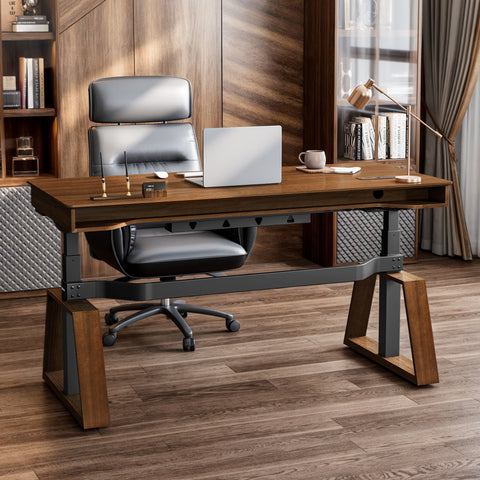
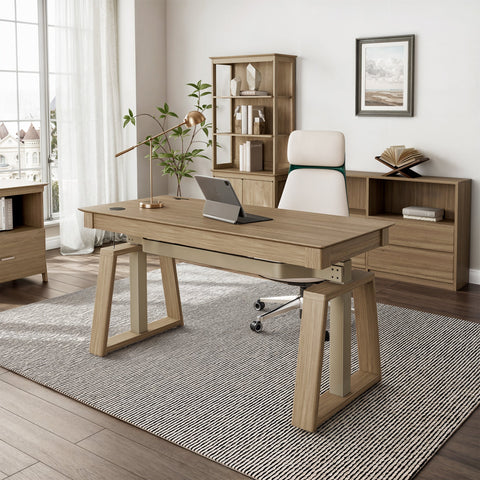
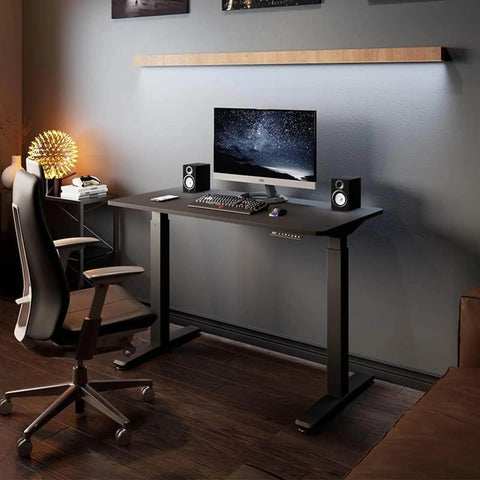
To facilitate this rhythm without breaking your creative flow, a dual-motor system like the Blossom Dynamics® Office Standing Desk (70"x46") is essential. Its irregular shape provides ample room for both a primary design workstation and a secondary space for analog sketching or tablet work.
Blossom Dynamics® Office Standing Desk (70"x46") showing the irregular shape and dual motor height adjustment in a modern office.
Modeling the Metabolic Impact
While standing is not a substitute for exercise, it does alter your metabolic rate. Based on our scenario modeling, a designer switching from 8 hours of sitting to a 20-8-2 workflow can see significant long-term benefits.
| Parameter | Value | Unit | Rationale |
|---|---|---|---|
| Daily Standing Time | 120 | min | Derived from 20-8-2 rule over an 8-hour shift |
| MET Value (Sitting) | 1.5 | MET | Standard metabolic equivalent for sedentary work |
| MET Value (Standing) | 2.0 | MET | Standard metabolic equivalent for quiet standing |
| Annual Caloric Delta | ~12,705 | kcal | Estimated for a 55kg user over 220 workdays |
Methodology Note: This is a deterministic scenario model based on the Compendium of Physical Activities. It assumes consistent adherence to the 20-8-2 ratio and does not account for individual BMR variations.
Visual Ergonomics: The UX of Your Eyes
For UI designers, "pixel-perfect" work demands extreme visual focus, which often leads to "turtlenecking"—leaning forward toward the screen. This puts immense pressure on the cervical spine.
Monitor Height and Distance
According to OSHA eTools, the top of your screen should be at or slightly below eye level. This ensures your neck remains in a neutral position, looking slightly downward.
- The Laptop Trap: If you work solely on a laptop, you are virtually guaranteed to develop neck strain. A riser combined with an external keyboard and mouse is non-negotiable for remote professionals.
- The Distance Rule: Your monitor should be roughly an arm's length away. If you find yourself leaning in to see small UI elements, increase your OS scaling rather than moving the screen closer.
The Lighting Hierarchy
Lighting is often treated as an afterthought, but it is a core component of ergonomics. Incorrect lighting forces the eyes to work harder, leading to headaches and fatigue.
- Ambient Light: Should be diffuse and around 300–500 lux.
- Task Light: Should be placed opposite your dominant hand to avoid shadows, providing 500–700 lux on your documents or tablet.
- Glare Management: Ensure your monitor is perpendicular to windows. Never place a screen directly in front of or behind a bright light source.
Cognitive Ergonomics: Clutter and Cortisol
A unique insight for creative freelancers is the link between physical clutter and cognitive load. Research from Nuvance Health suggests that a cluttered environment competes for your neural resources, increasing stress levels. This stress manifests physically as muscle tension, particularly in the jaw and shoulders.
Integrating organizational tools—such as the cable management systems found in professional desks—is not just about "tidying up"; it is an engineering control to reduce environmental stressors. When your workspace is organized, your brain can dedicate more energy to the complex problem-solving required in UX design.
For those who prefer a more traditional, high-back support that encourages a "deep work" state, the Royal II, Silicone & Leather Executive Ergonomic Office Chair offers the necessary enclosure to minimize peripheral distractions while providing robust lumbar support.

The Quarterly Ergonomic Health Audit Checklist
An annual check-up is a formality; a quarterly audit is a preventive strategy. Use this checklist every three months to combat "postural drift."
1. The Chair Check
- [ ] Seat Height: Are your hips slightly higher than your knees? (Hips at 95–110 degrees).
- [ ] Lumbar Position: Is the curve of the chair nestled into the curve of your lower back (belt line)?
- [ ] Armrests: Are your shoulders relaxed, not shrugged, when your elbows are resting?
- [ ] Seat Depth: Can you fit 2-3 fingers between the chair and your knees?
2. The Desk & Input Check
- [ ] Elbow Angle: Are your elbows at a 90-100 degree angle while typing?
- [ ] Wrist Neutrality: Are your wrists straight, not bent up or down? (Consider a palm rest if needed).
- [ ] Clearance: Is there enough room under the desk for your legs to move freely? Safe Work Australia recommends avoiding storage under the desk that restricts leg movement.
3. The Monitor & Light Check
- [ ] Eye Level: Is the top third of the screen at eye level?
- [ ] Glare: Are there any reflections on the screen that cause you to squint or tilt your head?
- [ ] 20-20-20 Rule: Every 20 minutes, do you look at something 20 feet away for 20 seconds?
4. The Environmental Check
- [ ] Air Quality: If your furniture isn't UL GREENGUARD Gold Certified, do you have adequate ventilation to manage VOCs?
- [ ] Cable Management: Are cables secured to prevent trip hazards and visual clutter?
Investing in Longevity
As a freelance designer, your most valuable asset is your ability to think clearly and create efficiently. Physical pain is a "noise" that disrupts that signal. By implementing the standards outlined in The 2026 Workstation White Paper: Converging Ergonomic Science and Sustainable Engineering, you are not just buying furniture; you are engineering a high-performance environment.
Whether you choose the minimalist design of the Serene, Napa Leather Executive Office Chair or the expansive surface of a standing desk, the goal remains the same: to support your body so your mind can work unhindered.
YMYL Disclaimer: This article is for informational purposes only and does not constitute professional medical advice, diagnosis, or treatment. Always seek the advice of your physician or other qualified health provider with any questions you may have regarding a medical condition or musculoskeletal pain. Adopting new ergonomic routines should be done gradually, especially if you have pre-existing injuries.
Sources
- BIFMA G1-2013 Ergonomics Guideline for Furniture
- CCOHS: Office Ergonomics - Sit/Stand Desk
- Cochrane: Workplace interventions for reducing sitting at work
- ISO 9241-5:2024 Workstation layout & postural requirements
- OSHA eTools: Computer Workstations
- WHO 2020 Guidelines on Physical Activity & Sedentary Behaviour
- Frontiers in Public Health: Gender Disparities in MSDs




Leave a comment