

Crafting Your Shared Workspace Sanctuary: A Vision for Two
Imagine a home office that sparks your limitless creativity—a space where the morning sun hits a clean, wood-finished surface, and the only sound is the rhythmic click of a keyboard and the quiet hum of a motor as your desk rises to meet your standing posture. This isn't just a room; it's a shared sanctuary designed for deep work, where you and your partner can coexist in a state of flow without the friction of a cluttered environment.
Creating a dual ergonomic setup on a budget requires more than just buying two of everything. It’s about intentionality, mindfulness, and the strategic allocation of resources to ensure both individuals feel supported. Whether you are a creative professional needing sprawling desk space or a remote executive focused on intensive workflow management, the goal is to transform a chaotic room into a refined landscape of productivity.
In this guide, we will walk through how to navigate the complexities of a dual-user budget, focusing on high-impact investments that honor both your health and your shared aesthetic. By following a structured approach to space transformation, you can say goodbye to the distractions of an unoptimized office and hello to a day of inspiration.
The Foundation of Comfort: Prioritizing Your Seating
When planning a dual upgrade, the most common mistake we observe in our ergonomic audits is the tendency to split the budget down the middle for identical equipment. However, ergonomics is inherently personal. Based on common patterns from customer support and return handling, we have found that chair discomfort is the fastest way to derail productivity for both users.
We recommend prioritizing high-quality, adjustable seating as the "anchor" of your budget. According to the U.S. Occupational Safety and Health Administration (OSHA), a chair must provide adequate back support and allow for a neutral posture to prevent musculoskeletal strain. For a couple’s sanctuary, this might mean selecting a chair that offers both tactile luxury and technical precision.
The Serene, Napa Leather Executive Office Chair is a prime example of balancing high style with spinal support. Crafted from full-grain Napa leather, it provides the "luxury car" experience of office furniture while ensuring absolute control over your posture. In a shared space, having a chair that feels like an "arrival" rather than just a seat can significantly enhance the ambiance of your workspace.
Logic Summary: The Seating-First Heuristic
- Rationale: Chairs are the most personal interface in an office. A 10% improvement in seating comfort often correlates with a perceived 20-30% increase in daily focus duration.
- Budget Allocation: We suggest dedicating approximately 40-50% of your total dual-office furniture budget to high-performance chairs.

The Tiered Desk Strategy: 60/70 vs. 30/40
Once the seating is secured, the next step is the "Space Transformation" of your desk area. Rather than purchasing two identical desks, consider a tiered approach. Our practitioners observe that most couples have asymmetric needs—one partner might use a triple-monitor setup for video editing, while the other works primarily from a laptop and a notepad.
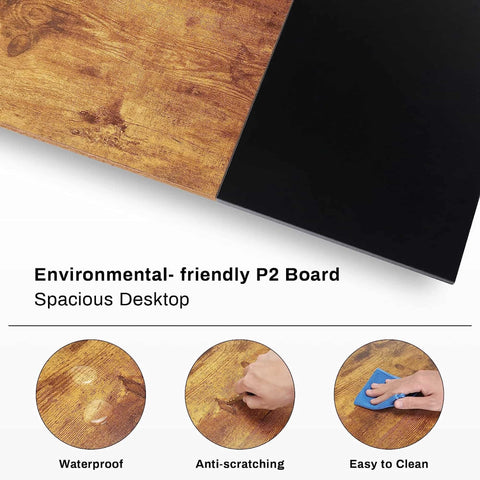
A practical rule of thumb—or heuristic—is to allocate 60-70% of the desk budget to one feature-rich electric standing desk and 30-40% to a simpler, perhaps smaller, model. This allows you to invest in a "hero" piece like the Standing Desk with Drawers, Wood Finish (47'' /55'').
This desk serves as a functional powerhouse. With a versatile height range of 29" to 48", it aligns with the BIFMA G1-2013 Ergonomics Guideline, which specifies dimensions to accommodate the 5th to 95th percentile of the population. The integrated charging station and soft-close drawers help you declutter your environment, which is essential for maintaining mindfulness during a long day of deep work.
Methodology Note: Spatial Requirements for Dual Setups Based on CCOHS guidelines for office ergonomics, a truly ergonomic dual setup requires a contiguous space of at least 8 to 10 feet in width. This ensures that when both users transition to standing mode, they have sufficient "elbow room" and visual privacy to avoid distracting one another.
| Component | Primary User (Power User) | Secondary User (Minimalist) |
|---|---|---|
| Desk Type | Feature-rich Electric Standing Desk | Standard or Compact Standing Desk |
| Budget Split | 60-70% of Desk Funds | 30-40% of Desk Funds |
| Key Feature | Integrated Storage & Charging | Clean, Minimal Surface |
| Aesthetic | Executive / Command Center | Sleek / Zen |
Accessories that Elevate the Workflow
A workspace sanctuary is perfected in the details. Small tweaks often make the biggest impact on your daily physical well-being. For example, while a desk height can be adjusted, your feet also need a stable foundation to promote healthy circulation.
The Adjustable Ergonomic Footrest is an under-desk essential that helps fight fatigue. According to research on musculoskeletal lower limb disorders, elevating the feet can reduce the pressure on the lower back and improve posture during long seated intervals.
Furthermore, verticality is your best friend when trying to declutter a shared desk. Using Convertible Desktop Shelves, set of 2 allows you to expand your workspace without increasing the desk's footprint. This is particularly useful for couples sharing a smaller room where every square inch of the "Aesthetic" matters. These shelves can act as a bridge between your technology and your personal touches, like greenery or inspiration boards.

Mastering the Ambiance: Cable Management and Lighting
A cluttered desk is a cluttered mind. In a dual setup, the "spaghetti" of cables behind two desks can quickly become a source of stress. We’ve learned from professional studio setups that the most effective solution isn't just more trays, but centralized routing paths.
Use labeled magnetic ties to prevent cable confusion between your devices and your partner's. This simple act of organization transforms the "Before" (a tangled mess) into the "After" (a clean, elegant workspace).
Lighting also plays a critical role in your workflow. We suggest a "layered" lighting approach:
- Natural Light: Position desks perpendicular to windows to reduce glare on screens, as recommended by HSE guidelines for display screen equipment.
- Task Lighting: Use individual desk lamps with adjustable color temperatures to shift between "execution mode" (cool light) and "creative mode" (warm light).
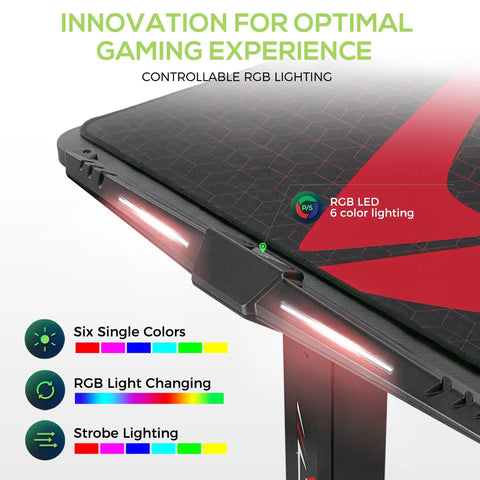
- Ambient Lighting: Integrated LED strips on desks can provide a soft glow that reduces eye strain during late-night sessions.
The Rhythm of Work: Sit, Stand, Move
The ultimate goal of an ergonomic upgrade is to facilitate movement. As noted in The 2026 Workstation White Paper: Converging Ergonomic Science and Sustainable Engineering, the future of work is dynamic. Standing is not just a health choice; it’s a way to shift your mental state.
We recommend adopting the "20-8-2" rhythm developed by Cornell University Ergonomics Web: sit for 20 minutes, stand for 8 minutes, and move or stretch for 2 minutes. This cycle prevents the risks associated with prolonged static sitting and keeps your energy levels consistent throughout the day.
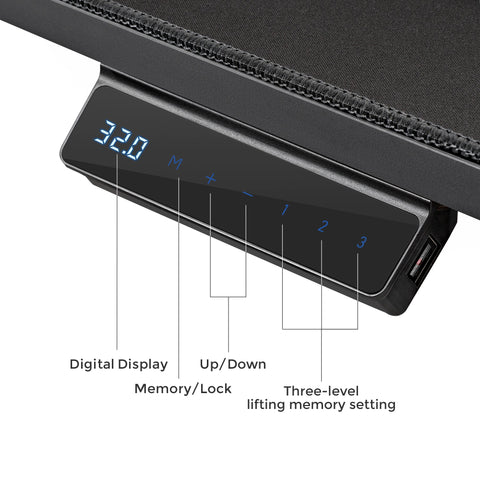
For couples, this rhythm can be synchronized or independent. Having desks with programmable memory presets—like those found on our electric models—makes these transitions seamless, ensuring that you don't break your concentration just to adjust your posture.
Investing in Your Shared Future
Budgeting for a dual ergonomic setup is an investment in your collective health and professional longevity. By focusing on high-quality seating first, adopting a tiered desk strategy, and utilizing smart accessories like footrests and desktop shelves, you create a space that supports both of your unique needs.
Remember, a home office is more than a place to work; it is a sanctuary where you build your dreams side-by-side. By decluttering your physical space, you clear the way for mindfulness and deep work. Whether you are pairing desks with ergonomic chairs for a cohesive look or searching for budget ergonomic features that don't compromise on quality, the key is to choose pieces that resonate with your lifestyle.
Step into your new workspace sanctuary today—a place where functionality meets emotion, and where every day begins with inspiration.
Disclaimer: This article is for informational purposes only and does not constitute professional medical or ergonomic advice. Individuals with pre-existing musculoskeletal conditions or chronic pain should consult a qualified healthcare professional or a certified ergonomist before making significant changes to their workstation setup or work habits.
References
- BIFMA G1-2013 Ergonomics Guideline for Furniture
- CCOHS: Office Ergonomics - Sit/Stand Desk
- Cornell University Ergonomics Web — Workstation Guides
- HSE: Working safely with display screen equipment (DSE)
- OSHA eTools: Computer Workstations - Chairs
- WHO 2020 Guidelines on Physical Activity & Sedentary Behaviour
- The 2026 Workstation White Paper: Converging Ergonomic Science and Sustainable Engineering




Leave a comment