

2026 New Year Checklist: Cable Tray Placement & Safety
As we transition into 2026, the focus of workspace optimization has shifted from mere aesthetics to the rigorous management of the "digital nervous system"—the complex web of power and data cables that fuels modern productivity. For many home office professionals and gamers, the new year is a time for setting ambitious goals, yet these goals are often undermined by a fundamental infrastructure failure: poor cable management.
Beyond the visual clutter, disorganized cables represent a significant ergonomic and safety hazard. In our observations of professional setups, we have found that cable snagging is not merely a cosmetic issue. It is a critical operational failure mode that can damage expensive connectors, pull devices off surfaces, and create "desk stalls"—a phenomenon where a standing desk appears to have a motor failure when, in reality, it is simply being held back by a taut cable. This article provides a definitive technical checklist for cable tray placement and safety, grounded in ergonomic science and mechanical engineering principles.
The Physiology of Restricted Movement: Why Cable Management Matters
The primary goal of an ergonomic workstation is to support the body in a "spinal neutral position," reducing the static load on musculoskeletal structures. According to the Canadian Centre for Occupational Health and Safety (CCOHS), the ability to change postures throughout the day is vital for maintaining blood circulation and preventing Musculoskeletal Disorders (MSDs).
When cables are poorly managed or too short, they act as physical tethers. A user may hesitate to transition from sitting to standing because they fear a cable will snag or a monitor will tilt. This psychological and physical friction leads to "prolonged static sitting," a condition the European Agency for Safety and Health at Work (EU-OSHA) identifies as a major risk factor for lower back pain and cardiovascular issues.
Furthermore, the Cornell University Ergonomics Web recommends a "20-8-2" rhythm: 20 minutes of sitting, 8 minutes of standing, and 2 minutes of moving. This rhythm is impossible to maintain if the workstation’s infrastructure is not designed for dynamic movement. A properly placed cable tray ensures that as the desk moves, the entire ecosystem of devices moves with it, maintaining the integrity of the ISO 9241-5:2024 standards for workstation layout and postural requirements.
Section 1: The Hidden Weight—Load Limits and Structural Integrity
One of the most common mistakes in home office setup is underestimating the cumulative weight of cables. While a single USB cable is negligible, a professional setup often involves thick-gauge power cords, heavy-duty DisplayPort cables, and multiple daisy-chained USB hubs.
Based on our scenario modeling for high-end "battlestations," we have identified a significant gap between consumer expectations and mechanical reality. A standard cable tray is often rated for approximately 15 lbs (6.8 kg). However, a professional streaming or content creation setup can easily exceed this.
Logic Summary: The 30% Cable Weight Rule
We have developed a heuristic for estimating tray load based on patterns observed in high-performance setups:
- Weighted Components: Identify the heaviest items in the tray (usually power bricks).
- The Multiplier: Multiply the total weight of these bricks by 1.3 (adding 30% to account for the weight of the cables themselves).
- The Threshold: In a modeled scenario with three monitors (6kg in bricks), a PC power supply (2kg), and peripherals (2kg), the total tray load reaches approximately 13kg (~28.6 lbs).
This exceeds the capacity of many standard trays, leading to sagging, mounting failure, or "lateral stress" on the desk underside. When selecting a tray, ensure it aligns with BIFMA X5.5 standards for desk accessories, which emphasize safety and durability under load. To distribute this load effectively, consider using a Knob-operated Adjustable CPU Holder. By mounting the PC directly to the desk frame, you reduce the number of long cables that must travel from the floor to the desktop, thereby reducing the total weight burden on the cable tray.

Section 2: Strategic Placement—The Physics of Stability
The location of your cable tray significantly impacts the stability of your desk, especially during height adjustments.
Central vs. Rear Mounting
A common misconception is that the cable tray should always be mounted at the very rear edge of the desk. However, for standing desks, our engineering analysis suggests that central mounting (directly under the center of the desktop) is often superior.
- The Pendulum Effect: When a heavy tray is mounted at the rear, it creates an unbalanced weight distribution. During height adjustment, this can cause a "pendulum effect," leading to lateral wobble. Central mounting minimizes this effect by keeping the center of mass closer to the desk's lifting columns.
- Lateral Stress: Rear-mounted trays can apply torque to the mounting screws, especially if the tray is overloaded. Central mounting distributes this force more evenly across the desktop's structural core.
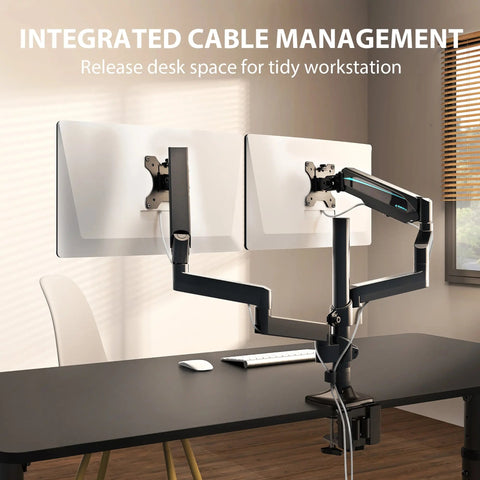
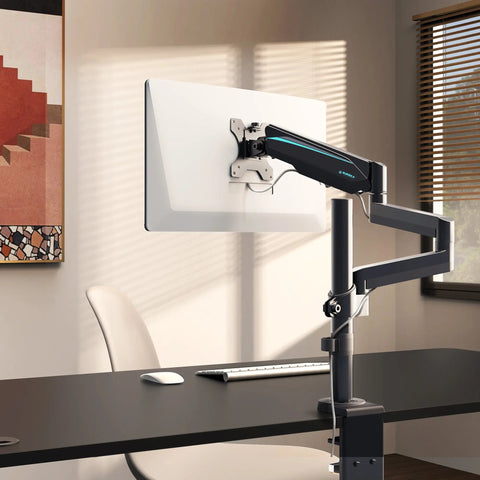
For those using multiple displays, the Dual Monitor Arm provides an integrated routing path that complements central tray placement. By guiding cables down the arm and directly into a centrally located tray, you create a "snag-free" zone that adheres to the safety principles outlined in the HSE Display Screen Equipment (DSE) guide.

Section 3: Thermal Safety and Environmental Hazards
Cable trays are not just for organization; they are also thermal management zones. A frequent oversight is the "heat trap" created when power strips and adapters are tightly packed into a plastic tray without ventilation.
The 1-2 Inch Air Gap Rule
To prevent heat buildup—which can accelerate the degradation of plastic trays and damage sensitive electronics—we recommend maintaining a 1-2 inch (25-50mm) air gap between the tray surface and any power strip. This allows for passive convection cooling. This practice is aligned with UL 962 safety assessments for height-adjustable desks, which include fire safety and electrical hazard evaluations.
Material Integrity and Emissions
In 2026, indoor air quality is a primary concern for home professionals. When selecting cable management solutions, look for materials that meet UL GREENGUARD Gold standards for low chemical emissions. This is particularly important for trays located near the user's legs, where off-gassing can affect the immediate micro-environment.
Section 4: The 2026 New Year Inspection Checklist
Perform this audit once a year to ensure your workspace remains a high-functioning, safe environment.
| Task | Requirement | Rationale |
|---|---|---|
| Load Audit | Total weight < Tray rating | Prevents catastrophic mounting failure. |
| Length Check | MinLength = D_horiz + (H_max - H_port) + 25% Slack | Prevents connector damage and "desk stalls." |
| Thermal Gap | 1-2 inch clearance around power bricks | Prevents plastic degradation and fire risk. |
| Structural Check | No hairline cracks or rust streaks | Identifies material fatigue before failure. |
| Grounding | Ensure no cables are pinched in the frame | Prevents electrical shorts and fire hazards. |
Detailed Cable Length Calculation
Using the formula derived from our scenario modeling, you can calculate the minimum required cable length for your setup. For a user at the 95th percentile height using a standing desk:
- Horizontal Distance (D_horiz): 24 inches (routing around arms/trays).
- Vertical Travel (H_max - H_port): 52 inches (max height) - 12 inches (PC port height) = 40 inches.
- Slack (25%): (24 + 40) * 1.25 = 80 inches (~6.7 feet).
As a practical rule of thumb, we recommend using 10-foot (3-meter) cables for all primary connections to ensure enough slack for complex routing without tension.
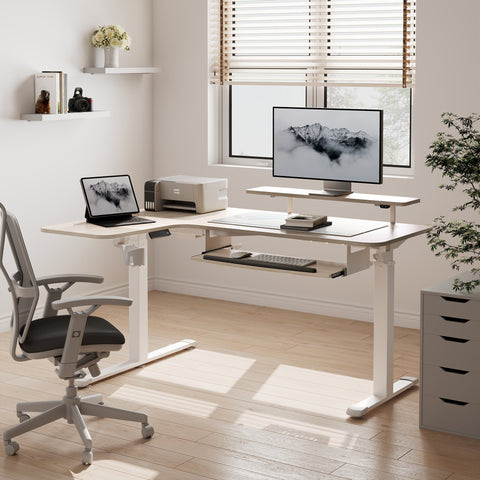
To further optimize space and reduce the need for excessive cabling on the desk surface, Convertible Desktop Shelves, set of 2 can be used to elevate peripherals, allowing cables to drop directly into the management system below. For additional storage of non-electronic items that might otherwise clutter the cable path, a 23" Rolling File Cabinet with Drawer provides a mobile solution that stays clear of the desk’s adjustment zone.

The Role of Sustainable Infrastructure
In the broader context of workspace design, cable management is a component of "sustainable engineering." As detailed in The 2026 Workstation White Paper: Converging Ergonomic Science and Sustainable Engineering, the longevity of a workstation depends on the protection of its internal components. By preventing cable strain and managing thermal loads, you extend the lifespan of your electronics and the desk's lifting mechanism.
Methodology Note: Scenario Modeling for Professional Setups
The data and recommendations in this article are derived from a deterministic scenario model of a "Professional Content Creator" setup.
- Modeling Type: Deterministic Parameterized Model (Scenario Modeling).
- Boundary Conditions: This model assumes a standard indoor environment (20-25°C), professional-grade hardware weights, and installation on a solid MDF or wood desktop. It does not account for extreme humidity or seismic activity.
| Parameter | Modeled Value | Unit | Rationale |
|---|---|---|---|
| Total Battlestation Load | 60 | kg | Triple monitor + Full Tower PC |
| Cable Tray Load | 13 | kg | 30% heuristic based on power brick weight |
| Max Desk Height | 52 | in | 95th percentile male standing height |
| Required Cable Length | 10 | ft | Includes 25% slack for complex routing |
| Air Gap Clearance | 1.5 | in | Optimized for passive convection cooling |
Summary for 2026 Productivity
A workspace is only as reliable as its weakest link. By treating cable management as a technical discipline rather than an afterthought, you protect your health, your equipment, and your focus. This New Year, move beyond simple organization and implement a safety-first infrastructure that supports your long-term well-being.
YMYL Disclaimer: This article is for informational purposes only and does not constitute professional medical, legal, or electrical engineering advice. Ergonomic needs vary significantly by individual. If you have pre-existing musculoskeletal conditions or chronic pain, please consult a qualified physiotherapist or occupational health professional. Always follow local electrical codes and manufacturer instructions when installing power-related accessories.
References
- BIFMA G1-2013 Ergonomics Guideline for Furniture
- CCOHS: Office Ergonomics - Sit/Stand Desk
- Cornell University Ergonomics Web — Workstation Guides
- HSE: Working safely with display screen equipment (DSE)
- ISO 9241-5:2024 Workstation layout & postural requirements
- UL 962 — Safety of Height-Adjustable Desks
- WHO 2020 Guidelines on Physical Activity & Sedentary Behaviour
- EU-OSHA: Musculoskeletal disorders and prolonged static sitting




Leave a comment