

An HSA eligible ergonomic chair can save you real money, often around 30% to 40% in pre-tax value, but only if the purchase is tied to a medical need and your plan approves the paperwork. Comfort alone is usually not enough. The safest approach is to check eligibility first, then match the item to your documentation before you buy.

What Makes an Ergonomic Purchase Eligible
HSA and FSA funds are meant for qualified medical expenses, not general home office upgrades. That is the key distinction for buyers: an ergonomic chair, standing desk, or related setup may be eligible when it is tied to a documented medical purpose, but the furniture itself is not automatically covered.

IRS Medical Expense Basics
The IRS defines medical expenses as costs for the diagnosis, cure, mitigation, treatment, or prevention of disease. In practice, that means the question is not "Is this ergonomic?" but "Is this being used to address a documented medical need?" IRS Publication 502 and IRS Publication 969 are the best starting points for understanding that standard.
For an HSA eligible ergonomic chair, the chair's role matters more than the marketing label. A posture-supportive chair may help with a back-pain-related claim if your provider connects it to treatment or mitigation. If you are only shopping for comfort, it may be a poor fit for HSA or FSA use.
What Usually Needs Documentation
In many cases, a Letter of Medical Necessity is what turns a useful furniture purchase into a defensible reimbursement request. The exact format is not universal, but the letter usually needs to connect the item to a medical condition or functional limitation.
A practical rule: if you would have trouble explaining why the item is medically necessary in one sentence, your plan administrator may have trouble approving it. That is especially true for general comfort upgrades, decorative office furniture, or purchases made before the paperwork is ready.

Common Reasons Claims Get Denied
The most common denial pattern is simple: the shopper assumes "ergonomic" means eligible, but the plan only accepts medically substantiated expenses. Another common problem is missing paperwork, such as an incomplete letter, a receipt that does not clearly match the item, or a purchase made before preapproval when the plan wanted approval first.
If you want a broader setup guide for posture support, How to Choose the Right Office Chair: A Guide to Preventing Back Pain is a helpful follow-up, but it is not proof of HSA or FSA eligibility.
How to Get a Letter of Medical Necessity
The documentation process is usually more important than the product page. If the paper trail is weak, the claim can be denied even when the furniture seems reasonable. A clean sequence is better than trying to fix missing documentation after purchase.
-
Start with the medical conversation.
Explain the pain point, limitation, or work-related discomfort to your provider. For example, chronic lower-back pain, neck strain, or difficulty tolerating long sitting periods are the kinds of issues that may lead to a documentation request.
-
Ask for a Letter of Medical Necessity.
The letter should connect the furniture type to the medical need. A general statement about comfort is weaker than a note that links the item to posture support, pain mitigation, or another functional reason.
-
Match the letter to the item you plan to buy.
The product category, date, patient name, and provider details should line up with what your plan administrator wants. If the letter mentions a chair but your invoice says desk bundle, expect questions.
-
Check whether preapproval is required.
Some plans want the letter before purchase. Others allow reimbursement afterward if the expense qualifies. If you skip this step, you may end up paying out of pocket and still waiting on a claim review.
-
Save everything in one place.
Keep the receipt, order confirmation, letter, and any administrator responses together. If the claim is challenged later, a complete file makes the follow-up easier.
This is also where timing matters. If you are shopping during open enrollment, before a provider visit, or after a new diagnosis, the right next step can change. When in doubt, pause and verify the documentation path before clicking buy.

Choosing Chairs, Desks, and Bundles
The best item category depends on the medical story you are trying to support. Chairs are usually the easiest starting point for posture support. Desks can still be part of a medically necessary setup, but they often need a clearer explanation of why the desk change helps the condition. Bundles can be convenient, but they can also complicate review if every item has to be justified separately.
| Category | Best When | Documentation Sensitivity | Main Caution |
|---|---|---|---|
| Ergonomic chair | Posture support, sitting discomfort, back or neck strain | Lower to moderate | Still needs a medical rationale, not just comfort |
| Standing desk | Sitting tolerance is limited or alternating positions is part of treatment | Moderate to higher | May need a clearer medical explanation than a chair |
| Chair + desk bundle | You need a full workspace reset and each item is individually supportable | Higher | Each item may need separate review depending on your plan |
| Accessories | You need a narrow support item, not a full furniture replacement | Varies | Small items are easy to overlook, but still need substantiation |
If you are asking whether an HSA eligible ergonomic chair is HSA eligible, the honest answer is that the chair class is often the simplest category to defend, but only when the letter and plan rules support it. If the purchase is really about convenience or style, the safer assumption is that it will not qualify.
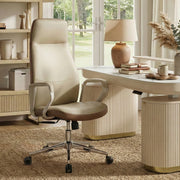
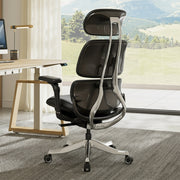
For shoppers comparing specific options, the Skylar, Modern Mesh Office Chair is a clean place to start browsing because it sits squarely in the chair category. More premium setups such as office furniture bundles can work for a full office reset, but each item may need separate eligibility review.
A standing desk can also be part of a medically supported setup when your provider ties it to a functional need. Eureka's Ark Lite Standing Desk (63"x27") and Ark Executive Standing Desk (63"x29") are useful browse points if you are still comparing desk styles, but the plan rules still decide reimbursement.

When This Setup Breaks Down
This setup breaks down when the shopper is shopping first and documenting later. If you buy before checking the plan, the item description does not match the letter, or the claim relies on comfort alone, the reimbursement path gets shaky fast.
A second weak spot is bundle shopping. A bundle may look efficient, but bundled purchases can create more paperwork, not less, if the administrator wants item-by-item review. In that case, a single chair may be the cleaner first move.

Buy With HSA or FSA Funds
The smoothest path is to decide on the claim method before checkout. Some shoppers pay directly with an HSA or FSA card. Others pay out of pocket first and request reimbursement later. The right path depends on what your administrator allows and how complete your documentation is.
-
Confirm eligibility before purchase.
Check the medical reason, the item category, and the plan rules before you place the order. This is where many claims go wrong, because a product can be a good ergonomic fit and still be a bad reimbursement fit.
-
Choose the payment path.
If your card is accepted and the administrator allows direct payment, that can be the simplest route. If not, pay with a standard card only if you are prepared to submit a reimbursement claim afterward.
-
Keep the receipt readable.
Save the invoice, order confirmation, and any physician documentation together. The receipt should clearly identify what you bought and who sold it. If the item description is vague, add the order confirmation to reduce confusion.
-
Save proof of medical necessity.
Your letter should be easy to pair with the purchase. If the administrator asks for more detail later, you want to be able to show the connection without rebuilding the file from scratch.
-
Follow up if the claim is pending.
Some claims need manual review. If that happens, respond quickly and provide the missing item instead of assuming the claim will sort itself out.
For broader home office browsing after you have the paperwork path figured out, the Home Office collection is a practical starting point. It is navigation, not proof of eligibility.
Final Checks Before You Submit
Before you submit a claim or buy with an HSA/FSA card, check three things: the item description matches the medical need, the documentation is complete, and your plan has not asked for extra preapproval. If any of those is missing, pause. A denied claim can often be fixed, but only if you still have the right paperwork.
- Confirm the receipt and invoice are saved.
- Make sure the letter names the right item type.
- Recheck whether the plan wants preapproval or reimbursement.
- If the claim is denied, ask for the reason before resubmitting.
For readers who realize their current seat is part of the problem, 5 Signs You Need a New Ergonomic Home Office Chair is a useful next read. If you are leaning toward a more formal look, Executive Chairs is a simple browsing path once your eligibility questions are settled.
FAQs
Q1. How Do I Know If an Ergonomic Chair Is HSA Eligible?
An ergonomic chair may be HSA eligible when it is tied to a documented medical need and your plan accepts the claim. The chair style alone does not decide eligibility. In practice, the stronger the medical rationale and paperwork, the better the chance of approval.
Q2. Can I Use an FSA for a Standing Desk?
Sometimes, but not automatically. A standing desk may be easier to defend when a provider links it to a condition such as pain or limited sitting tolerance. If the purchase is mainly for convenience or productivity, it is less likely to fit the medical-expense standard.
Q3. What Should a Letter of Medical Necessity Include?
At minimum, it should connect the furniture to the medical issue, identify the patient, describe the recommended item type, and include provider details and date. Administrators can ask for more, so the safest move is to match their checklist rather than assume one template works everywhere.
Q4. Can I Pay First and Reimburse Myself Later?
Often yes, if the expense qualifies and your documentation is complete. That said, reimbursement is still plan-dependent. If your administrator wants preapproval, paying first can create avoidable friction, so verify the claim path before you submit the order.
Q5. What Happens If My HSA or FSA Claim Is Denied?
Check the denial reason first. Many denials are caused by missing documentation, unclear item descriptions, or a weak medical connection. If the issue can be fixed, resend the claim with stronger support. If not, ask whether an appeal or alternate submission path is available.
A Safer Way to Use Pre-Tax Funds
Shoppers must confirm eligibility and documentation requirements with their specific plan administrator before purchase. Treat the purchase like a medical claim: obtain the letter first, verify plan rules, and buy only after the paperwork matches the item. When the fit is truly medical, the tax savings can be meaningful; otherwise, use regular funds.





Leave a comment