

The Physiological Cost of Sedentary Hobbies and Remote Work
As parents transition into retirement or continue their careers through remote work, their daily routines often involve extended periods of sitting. While these activities—whether reading, crafting, or managing digital tasks—are cognitively engaging, they impose a significant physical toll. Prolonged sitting is increasingly recognized as a primary risk factor for a range of health issues, particularly for the aging musculoskeletal system.
According to the World Health Organization (WHO) 2020 Guidelines on Physical Activity and Sedentary Behaviour, adults should aim to reduce sedentary time and interrupt long periods of static behavior to mitigate risks associated with cardiovascular disease and metabolic health. For older adults, the concern is even more acute. Static loading—the process by which muscles remain in a constant state of tension to maintain a posture—can lead to restricted blood flow and the accumulation of metabolic waste in the tissues.
This phenomenon is a core driver of Musculoskeletal Disorders (MSDs). As explained by OSHA's guide on identifying ergonomic problems, poor posture and repetitive tasks are key risk factors. In aging individuals, the intervertebral discs lose hydration, making the spine less resilient to the compressive forces of gravity during long seated sessions. This often manifests as the "afternoon slump" or persistent lower back stiffness that many parents accept as an inevitable part of aging. However, these issues are often mechanical in nature and can be addressed through intentional ergonomic intervention.

The Mechanics of Support: Selecting an Ergonomic Chair for Aging Spines
When choosing a gift that promotes health, an ergonomic chair is a foundational choice. However, the standard criteria used for office workers must be adjusted for the specific needs of parents. For older adults, the focus shifts from high-performance mobility to stability, ease of entry and exit, and precise circulatory support.
The "Gap Rule" for Circulatory Health
A common mistake when gifting ergonomic seating is overlooking seat depth. If a seat is too deep, the front edge presses against the popliteal fossa (the area behind the knee). This pressure can compress the veins and nerves, leading to swelling in the lower legs and feet—a common concern for those with reduced circulation.
Logic Summary: The Seat Depth Heuristic
- Metric: 1–2 inch (2.5–5 cm) gap.
- Measurement: The space between the front edge of the seat pan and the back of the user's knee when sitting fully back.
- Rationale: This clearance ensures that the seat supports the thighs without impeding venous return or causing "pins and needles" sensations.
Firmness and Stability
While a soft, plush chair might seem more comfortable initially, it often lacks the structural integrity required to support a neutral spinal position. For parents, a chair with high-resilience foam or high-tension mesh is often superior. This firmness provides a stable base that makes it easier to stand up, reducing the strain on the knees and hip joints. This aligns with the principles found in the BIFMA G1-2013 Ergonomics Guideline for Furniture, which emphasizes dimensions that accommodate a wide range of body types while maintaining support.

Furthermore, adjustable lumbar support is non-negotiable. As detailed in The 2026 Workstation White Paper: Converging Ergonomic Science and Sustainable Engineering, modern ergonomic design aims to maintain the natural "S-curve" of the spine. For parents, look for chairs that allow for both height and depth adjustment of the lumbar section to ensure it fits the specific curvature of their lower back.
Dynamic Movement: Why Sit-Stand Desks are Practical Wellness Tools
The concept of a standing desk is often associated with high-productivity tech offices, but its value for parents lies in its ability to facilitate "micro-movements." A systematic review by Cochrane (2018) concluded that sit-stand desks can significantly reduce sitting time, which is a critical step in preventing the chronic health effects of a sedentary lifestyle.
Overcoming the Adoption Barrier
For many parents, the transition to standing can feel like a chore. Research and customer feedback suggest that the primary reason parents stop using the standing feature of a desk is the perceived effort of adjustment. This is why one-touch memory presets are the most critical feature for adoption. If a parent can transition from a seated height to a perfectly calibrated standing height with a single button press, they are far more likely to incorporate movement into their day.
The Importance of Stability
Stability at full height is another critical factor. Any perceptible wobble when typing or leaning on the desk can create a sense of insecurity, especially for those with balance concerns. A high-quality standing desk must utilize a robust leg frame—often a dual-motor system—to ensure the work surface remains rigid. This stability is essential for maintaining trust in the product.
The Ideal Work Rhythm: The 20-8-2 Rule
To help your parents get the most out of a new desk, introduce them to the "20-8-2" rhythm developed by Cornell University Ergonomics Web.
| Activity | Duration | Goal |
|---|---|---|
| Sitting | 20 Minutes | Perform focused work in a neutral posture. |
| Standing | 8 Minutes | Relieve spinal compression and engage leg muscles. |
| Moving | 2 Minutes | Stretch or walk to stimulate blood circulation. |
Methodology Note: This 30-minute cycle is a heuristic designed to prevent the onset of static load fatigue. It assumes a standard home office environment and may be adjusted based on individual comfort levels.
Recovery and Circulation: The Role of Recliners and Footrests
Ergonomics isn't just for "work"; it’s for relaxation too. For parents who enjoy reading or watching television, a manual recliner with integrated support can be a transformative gift. The primary health benefit of a recliner is the ability to elevate the legs above the level of the heart, which utilizes gravity to assist in venous return and reduce lower-limb edema.
According to OSHwiki on musculoskeletal lower limb disorders, proper leg positioning and frequent changes in posture are essential for preventing vascular issues. A chair that offers a rocking motion or a smooth swivel base allows for these subtle movements, keeping the joints lubricated and the muscles active even during rest.

When selecting a recliner, ensure it provides adequate neck support. A common issue with traditional lounge chairs is that they force the head forward into "text neck" territory. An ergonomic recliner should allow the head to rest in a neutral position, aligned with the shoulders, to prevent strain on the cervical spine. For more on creating a dedicated relaxation space, see our guide on The Ultimate Christmas Surprise: A Stress-Relief Lounge Chair Nook.
The Gift of Setup: A Technical Checklist for Implementation
The most thoughtful part of gifting ergonomic furniture is helping with the assembly and calibration. A piece of furniture is only "ergonomic" if it is set up to fit the individual user's dimensions. Follow this checklist based on OSHA eTools for Computer Workstations to ensure your gift provides maximum benefit:
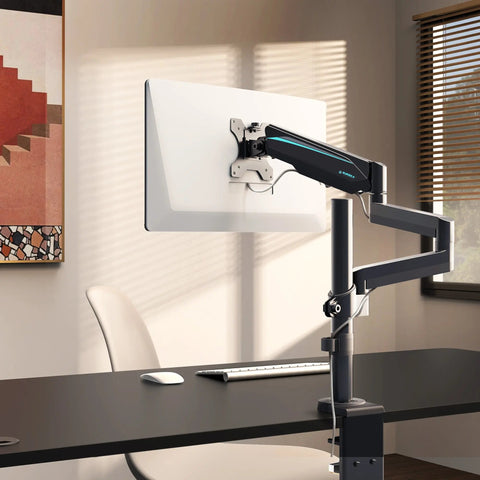
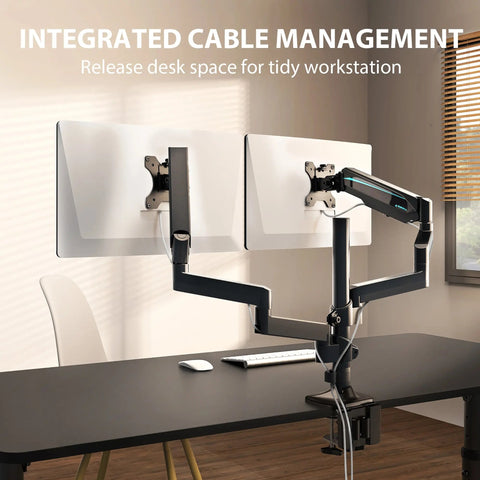
- Monitor Height: The top of the screen should be at or slightly below eye level. This prevents the parent from tilting their head up or down, which causes neck strain. Using a Dual Monitor Arm can provide the necessary range of motion to achieve this.
- Elbow Angle: When typing or writing, the elbows should be at a 90-degree angle, with the forearms parallel to the floor. This reduces the load on the shoulders and trapezius muscles.
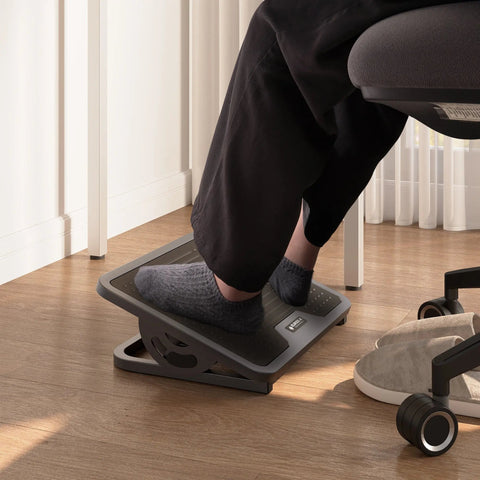
- Feet Placement: The feet should always be flat on the floor. If the chair height is set for proper elbow alignment but the feet don't reach the ground, an adjustable footrest is essential to prevent pressure on the back of the thighs.
- Lighting and Glare: Position the desk or chair to minimize glare from windows or overhead lights, which can lead to eye strain and "leaning in" to see the screen, ruining posture.

Addressing Chronic Discomfort
If your parent already experiences chronic back pain, the setup becomes even more critical. In these cases, it is often helpful to consult a professional or use tools like the EU-OSHA checklist for preventing bad working postures to identify specific environmental triggers. For further reading, explore our article on Finding the Best Chair for Parents with Back Pain.
Investing in Longevity and Care
Choosing a health-focused gift for Mother's or Father's Day is a profound way to show you care about your parents' long-term well-being. By moving beyond aesthetic gifts and focusing on the physiological needs of the aging body, you provide them with the tools to enjoy their hobbies and work without the distraction of pain.
Whether it’s an adjustable chair that protects their circulation or a standing desk that encourages movement, these ergonomic solutions are investments in their independence and quality of life. As you help them calibrate their new setup, you aren't just giving them a piece of furniture—you are giving them the gift of a more comfortable, healthy, and active future.
Disclaimer: This article is for informational purposes only and does not constitute professional medical advice. The ergonomic recommendations provided are based on general industry standards and may not be suitable for individuals with specific pre-existing medical conditions. Always consult with a healthcare professional or physical therapist before making significant changes to your workstation or physical routine, especially if you experience chronic pain.
Sources
- WHO (2020): Guidelines on Physical Activity and Sedentary Behaviour
- Cochrane (2018): Workplace interventions for reducing sitting at work
- OSHA: Computer Workstations - Neutral Working Postures
- BIFMA: Ergonomics Guideline G1-2013
- Cornell University: Workstation Setup Guide
- EU-OSHA: Checklist for preventing bad working postures
- Eureka Ergonomic: The 2026 Workstation White Paper




Leave a comment