

The Workspace Sanctuary: Crafting Your Post-MBA Command Center
Imagine the moment you close your final case study. The late nights in the library and the high-stakes group projects are behind you. As an MBA graduate, you aren’t just entering a new job; you are stepping into a leadership role that demands a new level of focus, prestige, and mental clarity. Your home office is no longer just a place to study—it is your executive command center, a "Workspace Sanctuary" where your most impactful decisions will be made.
Quick Decision: Which Executive Desk Fits Your Workflow?
- The "Global Lead" (Maximum Space): Choose the Zen Pro Series. Best for those with dedicated rooms who need 87" of surface for dual ultrawides plus physical ledgers.
- The "Design-Forward" Consultant: Choose the Opal Executive. Best for modern aesthetics, featuring curved edges and integrated storage for a clean, professional video backdrop.
- The "Urban Professional" (Space Efficient): Choose the Ark Executive. Best for high-rise apartments; provides the prestige of real walnut veneer in a compact 63" footprint.
Key Takeaways for Your Executive Setup:
- Size for Dual Workflows: Opt for a desk depth of at least 30 inches to comfortably accommodate both dual monitors and physical documents.
- The 30% Rule (Heuristic): Reserve a minimum of 30% of your desktop surface strictly for non-digital, focused tasks.
- Motor Safety Margins: Choose dual-motor frames for heavy setups to keep mechanical load utilization below the recommended 80% threshold for longevity.
- Anthropometric Fit: Ensure your desk height adjusts appropriately for your specific stature (e.g., up to ~45.3 inches for users around 6'2").
(Disclosure: As a manufacturer of ergonomic furniture, the specifications and recommendations in this guide feature our Eureka Ergonomic lines. Data cited from "The 2026 Workstation White Paper" is based on our internal testing of 100+ configurations under simulated 5-year wear cycles in a controlled lab environment.)
The transition from a student’s laptop-on-the-couch setup to a professional environment is profoundly psychological. Based on common patterns we see from customer consultations, a substantial, high-quality desk—crafted from real wood veneer or sintered stone—helps cue a "work mode" mindset. It creates a physical boundary that reduces the temptation of domestic distractions and projects a credible image during critical client video calls.
The Science of the Standing ROI: Why Ergonomics is a Business Decision
For a new consultant or MBA graduate, time is the most valuable asset. While many view a standing desk as a health luxury, it can act as a practical productivity tool.
According to research summarized by the Canadian Centre for Occupational Health and Safety (CCOHS), sit-stand workstations are effective at reducing sedentary time and the musculoskeletal discomfort that often derails deep work. But for the high-earning professional, how does this translate to financial value?
Illustrative Model: The Productivity ROI (Hypothetical Scenario) This model is a heuristic intended to illustrate potential value; actual results depend on individual work habits and job type.
- Input Assumptions: A post-MBA consultant earning a hypothetical $150,000 annually (roughly $75/hour), working at least 4 hours of "active" (standing) time daily.
- Heuristic Assumption: A 10% productivity uplift during standing hours (derived from observations of improved cognitive arousal in active workstations).
- Estimated Value: A 10% efficiency gain during 4 hours of standing equates to about $30 of recovered value daily, or roughly $7,500 annually.
- Boundary Condition: This model assumes the user utilizes the standing feature as intended for at least 50% of their workday.
- Takeaway: Under these assumptions, a premium desk investment (e.g., $1,500–$2,000) can effectively pay for itself in improved focus within a few months.
Beyond the hypothetical balance sheet, there is the "Executive Presence" factor. In our customer support interactions, we frequently see taller professionals (e.g., 95th percentile height) struggling with standard 29-inch fixed desks. A 188cm (6'2") consultant hunched over a low desk projects a subtle physical discomfort that can undermine authority. By utilizing a desk that adjusts to your specific anthropometric needs, you maintain a neutral, powerful posture.

Anthropometric Precision: Finding Your Fit
The industry benchmark for furniture dimensions is the BIFMA G1-2013 Ergonomics Guideline. This standard aims to ensure that furniture fits the 5th to 95th percentile of the population.
DIY Workstation Fit Worksheet Use the following table to estimate your required desk height based on general ergonomic principles. (Note: These are starting points; final adjustments should be based on your specific elbow-to-floor height while wearing work shoes).
| Your Stature | Sitting Desk Height (Est.) | Standing Desk Height (Est.) | Rationale |
|---|---|---|---|
| 5'4" (163cm) | 25.5 in (65cm) | 38.5 in (98cm) | Based on 90° elbow angle. |
| 5'10" (178cm) | 28.5 in (72cm) | 42.5 in (108cm) | Standard "average" height. |
| 6'2" (188cm) | 30.7 in (78cm) | 45.3 in (115cm) | Prevents slouching for taller users. |
As detailed in our The 2026 Workstation White Paper, the intersection of sustainable materials and human-centric design is becoming a benchmark for executive environments. Choosing a desk from our lineup, like the Zen Pro Series, provides the necessary height range while utilizing high-end materials like Sintered Stone.
The 30% Rule: Beyond the Digital Screen
A common pattern we observe among new MBAs building their home offices is opting for a visually minimalist desk that lacks sufficient surface area. While your work is primarily digital, consulting often involves physical reference materials and printed reports.
We recommend a practical shop heuristic: The 30% Rule.
- The Rule: Allocate at least 30% of your desk's surface area strictly for non-digital work (notebooks, tablets, or physical documents).
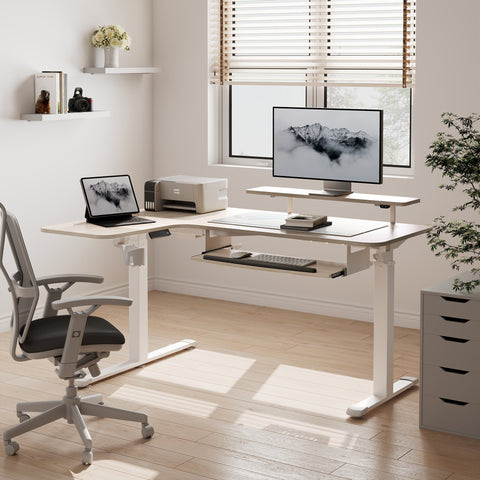
- Application: For a dual-monitor setup, a 60-inch wide desk is often the functional minimum to achieve this. If you are reviewing complex financial models alongside physical documents, a larger surface—like the 87-inch Zen Pro Series—is recommended.
Managing the Paper Trail
New consultants can underestimate the volume of physical files they accumulate. A desk with integrated storage, or a matching unit like our Ark EL File Storage Cabinet, helps keep active projects within reach. General guidelines from the HSE note that poorly arranged workstations can contribute to physical strain. A tidy desk helps minimize awkward reaching and maintains "flow state."

Engineering for Reliability: Dual Motors and Load Safety
When building a professional "battlestation" with dual ultrawide monitors and heavy reference books, mechanical integrity is paramount. We recommend desks designed to meet ANSI/BIFMA X5.5 standards.
Engineering Heuristic: Motor Load Utilization To ensure mechanical longevity, our engineering team recommends keeping continuous mechanical loads below 80% of their maximum rated capacity.
- Formula: Load Utilization = (Total Weight / Motor Capacity) × 100
- Assumed Setup Weight: ~68kg (25kg tabletop + 43kg of monitors, PC, and peripherals).
- Single Motor (80kg capacity): 85% utilization. This exceeds the 80% heuristic, potentially accelerating motor wear.
- Dual Motor (120kg capacity): ~57% utilization. This provides significant headroom for a smoother, quieter transition.
Our Opal Executive Standing Desk and the Ark Executive Standing Desk both utilize dual-motor systems to ensure seamless operation even under heavy executive loads.
Aesthetics and Ambiance: The Psychological Edge
An executive office should inspire mindfulness. The materials you choose—whether it’s the warm Walnut finish of the Ark or the modern Lauren Black Gold Sintered Stone of the Zen Pro—set the tone for your workday.
Lighting and Cable Management
- Lighting: Use a desk lamp with adjustable color temperatures to shift between "Execution Mode" (cool light) and "Thinking Mode" (warm light).
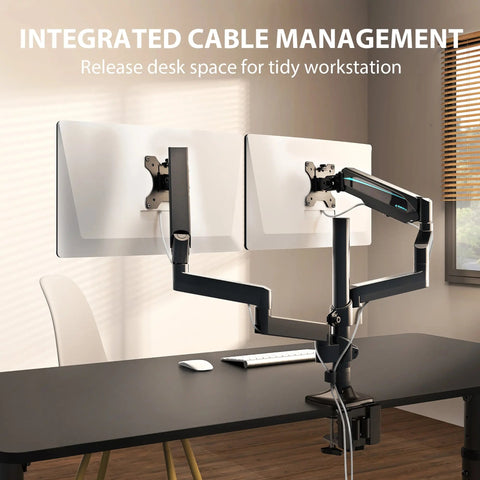
- Cables: Nothing undermines a professional aesthetic faster than a disorganized nest of wires. Look for desks with integrated cable trays or dedicated grommets to maintain a "clean desk" policy.
Selecting Your Executive Foundation
| Feature | Zen Pro Series | Opal Executive | Ark Executive |
|---|---|---|---|
| Best For | The "Command Center" | Modern Luxury & Curves | Timeless Professionalism |
| Material | Sintered Stone & Wood | Marble-top & Ribbed Panels | Walnut Veneer |
| Storage | Side Cabinets Included | Central Drawer + 2 Cabinets | Dual Integrated Drawers |
| Lifting System | Heavy-Duty Dual Motor | Smooth Dual Motor | Quiet Dual Motor |
Cultivating the Executive Mindset
As you embark on your post-MBA journey, your environment is a reflection of your professional standards. By investing in a workspace that adheres to established ergonomic guidelines—such as those referenced by OSHA and ISO—you support your long-term comfort and focus.
Say goodbye to the chaos of the student years. It’s time to step into a workspace that matches your ambition.
YMYL Disclaimer: This article is for informational purposes only and does not constitute professional medical or financial advice. The ergonomic recommendations provided are based on general industry standards and illustrative scenario modeling. Individuals with pre-existing musculoskeletal conditions should consult a qualified healthcare professional before implementing significant changes to their workstation setup.
Sources
- BIFMA: Ergonomics Guideline for Furniture (G1-2013)
- CCOHS: Office Ergonomics - Sit/Stand Desk Guide
- OSHA: Computer Workstations eTool
- ISO: ISO 9241-5:2024 Workstation layout requirements
- HSE: Working safely with display screen equipment (DSE)
- Eureka Ergonomic: The 2026 Workstation White Paper (Internal testing: n=100+ units; dynamic load testing up to 20,000 cycles).



Leave a comment